How to mix a piano cover video
Mix a piano cover video for free: pull the sound off your clip, clear room noise, warm the tone and add a soft hall in Veena, then master the MP4.
How do you mix a piano cover video?
To mix a piano cover video, keep the piano's full range and clear everything around it: in Veena, separate the clip's audio, take out the room noise and rumble, warm the tone, place the piano in a soft hall, master it gently and export the MP4. It is free, in your browser.
Veena is an AI DAW with a personal music producer built in. Describe the song you want and CoProducer builds it with you — beats, chords, melody, arrangement and mix — as real tracks you can edit, mix and export. Free, in your browser.
The piano is a quiet instrument in a quiet genre of video, and that is the challenge. A phone on the music desk hears the hammers clearly, along with the fridge, the street outside and the pedal mechanism. Piano covers live on soft passages and long decays, which are exactly where noise shows. And the instrument covers nearly the full range of hearing, so every cut you make costs something somewhere. The method below is light-handed on purpose.
Mix a piano cover video, step by step
- Import the video. Drag it onto the arrangement or press Upload. Veena opens MP4, M4V, MOV, WebM, MKV and AVI.
- Separate the audio. Right-click the video clip and choose Separate Audio. The sound lands on its own track.
- Split it into stems if you sing too. Stop playback, right-click the audio and choose Separate into Stems. Your voice goes to the vocals stem and the piano to the other stem. For a solo piano video, skip this step.
- Clear the floor. Open the piano track's FX. Add Filter as a high-pass set just under your lowest note, then Noise Removal, judged on the softest passage.
- Warm the tone. On the 8-Band EQ, a small lift in the low mids adds body; a small dip in the upper mids softens hard hammers on bright pianos.
- Place it in a room. Add Reverb and set Decay and Mix by ear, or choose Hall or Plate as the Space on the Mix stage of Mix & Master.
- Master gently. Pause playback and press Master project. Veena adds Match EQ and Limiter to the master bus. Open the Limiter and keep it light so the dynamics survive.
- Export. Open Export and choose MP4.
Piano problems on video, and the fix for each
| What you hear | The move in Veena |
|---|---|
| Rumble and pedal thumps | Filter high-pass, set just under the lowest note |
| Room hiss in the soft passages | Noise Removal, judged on the quietest bar |
| Thin, small piano | A low-mid lift on the 8-Band EQ |
| Hard, clanky high notes | A small upper-mid dip on the 8-Band EQ |
| Dry, close sound | Reverb with a longer Decay, or Hall on the Mix stage |
| Soft passages lost after upload | Master project, with a light Limiter |
Protect the dynamics
Piano covers are dynamic by nature: a soft verse, a full chorus, a final chord that rings for seconds. Heavy compression and a hard limiter flatten that into one level and take the emotion with it. Use the Compressor lightly if at all, with a low ratio, and in the Limiter card on the master bus, ease the Drive until the loudest chords are caught without the soft passages jumping up.
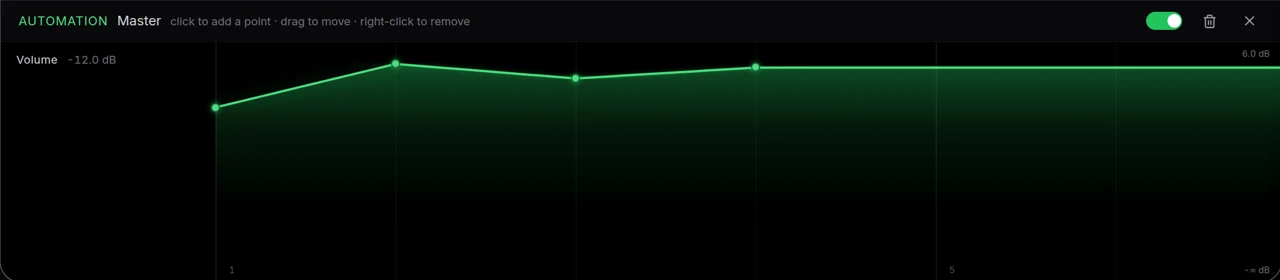
If a passage still needs help, automate it rather than squash it. Right-click an eligible knob and choose Automate to ride a level up through the soft bridge and back down for the chorus, the way an engineer would.
Singing and playing on one mic
When you sing as you play, the voice and the piano reach the phone as one track. Separate into Stems puts the voice on the vocals stem and the piano on the other stem, and from then on they mix like two microphones. Clean the voice with De-Esser and Noise Removal on the Clean stage, keep the piano warm and wide, and set the vocal a few dB on top. The same method for guitar is in mix a vocal cover video.
Let CoProducer mix it
Ask CoProducer to "clear the room noise without thinning the left hand, warm the piano slightly, add a soft hall and master it gently for YouTube". It uses the same Mix & Master flow and effect cards, on your real tracks. Then refine in sentences: "less reverb", "a touch brighter".
For the general method, see how to clean raw video audio and remove background noise from video. Every guide in the series is linked from clean up audio in a video. The AI mastering page covers the final step in depth.
Export and post
Export from your avatar, choose MP4, and the picture leaves with the mixed and mastered piano. Free on every plan, with no cap and no watermark. Covers of someone else's song still belong to its writers; check how your platform handles covers before you post.
The prompt to paste into CoProducer
Separate the audio from your clip first, then paste this:
"Mix my solo piano cover video: take out the room hiss and the low rumble without thinning the left hand, warm the low mids slightly, soften any harsh high notes, add a soft hall with a long decay, then master it gently so it stays dynamic but sits at a good level for YouTube."
Related reading: clean up audio in a video, mix a vocal cover video, remove background noise from video, clean audio for playthrough videos.
Try this in Veena
Mix my solo piano cover video: take out the room hiss and the low rumble without thinning the left hand, warm the low mids slightly, soften any harsh high notes, add a soft hall with a long decay, then master it gently so it stays dynamic but sits at a good level for YouTube.
Frequently asked questions
How do you mix a piano cover video?
Import the video into Veena, right-click it and choose Separate Audio. On the new audio track, add a gentle high-pass Filter and Noise Removal, warm the tone on the 8-Band EQ, add a Reverb or the Hall space, then run Master project and export the MP4. It is free in your browser, with no watermark on the export.
Should I high-pass a piano recording?
Gently. The piano's lowest notes reach far down, so in Veena keep a high-pass Filter low, just under the lowest note you played, to catch rumble and pedal thumps without thinning the left hand. Bypass the card while a low passage loops: if the bass notes lose weight, move the filter lower.
How do I mix a piano cover when I also sing?
Split the audio into stems in Veena. Your voice lands on the vocals stem and the piano on the other stem, time-aligned. Now each has its own fader and FX rack: De-Esser and Noise Removal on the voice, a warm EQ and a soft reverb on the piano, and the vocal set a few dB on top.
How much reverb should a piano cover have?
Enough to place the piano in a room you would want to hear it in. In Veena, try Hall or Plate on the Mix stage of Mix & Master, or add a Reverb to the piano track and set Decay and Mix by ear. Raise the Mix until the reverb is audible, then back it off slightly.
Can CoProducer mix my piano cover?
Yes. After Separate Audio, ask CoProducer in Veena to clear the room noise, warm the piano, add a soft hall and master the result gently. It reaches the same Mix & Master flow and effect cards you use by hand, and every change stays editable on your real tracks, so you can adjust any knob afterwards.
Meet your personal music producer
Free, in your browser. Describe the song you want and CoProducer builds it with you.
Make music free