How to Mix a Band Rehearsal Video
How to mix a band rehearsal video in Veena: split the room recording into vocals, drums, bass and other, rebalance, master and export MP4. Free.
How do I mix a band rehearsal video?
To mix a band rehearsal video, import it into Veena, separate the sound from the picture, split the room recording into vocals, drums, bass and other, rebalance the band, tighten the low end, master the result and export an MP4. One phone propped on an amp becomes a mix the band is happy to post. Free, in your browser.
Veena is an AI DAW with a personal music producer built in. Describe the song you want and CoProducer builds it with you — beats, chords, melody, arrangement and mix — as real tracks you can edit, mix and export. Free, in your browser.
Rehearsal footage is where a band's best takes often live. The pressure is off, the song is new, and everyone plays like nobody is listening. Then the recording comes back with the drums swallowing the vocal, the bass rattling the whole room and the guitars a smear of mids, because a phone in a small loud room hears the room more than the band. A rehearsal video worth posting needs the balance a sound engineer would have set, applied afterwards.
Why rehearsal rooms are hard to record
- They are small and loud. Drums and amps fill a little room with reflections, and the low mids pile up into mud.
- The vocal goes through a small PA. The singer is often the quietest thing in the room, and the phone picks them up last.
- The phone sits closest to one player. Whoever is nearest the camera dominates the recording, whatever the song needs.
Splitting the recording into stems answers all three: the room's balance stops being fixed.
Mix a band rehearsal video in Veena, step by step
- Import the rehearsal. Drag the video onto the arrangement or press Upload. Veena reads MP4, M4V, MOV, WebM, MKV and AVI.
- Separate Audio. Right-click the video clip and choose Separate Audio, so the sound becomes its own clip under the picture.
- Split into stems. Stop playback, right-click the audio clip and choose Separate into Stems. Four tracks appear in 45 to 120 seconds for a full song: vocals, drums, bass and other, where guitars and keys sit. For a long rehearsal, press C for split mode, cut it into songs and separate each one.
- Set a rough balance. Play the loudest section. Bring the vocal up until the words land, set the drums so the snare cracks without burying the voice, bring the bass in until the low end feels solid but not boomy, and set the other stem so the guitars drive without fighting the vocal.
- Clear the mud. Add the 8-Band EQ to the bass and other stems and cut gently in the 200 to 300 Hz range. Add a Filter to the other stem to roll off the lows under the guitars, where only the bass and kick belong.
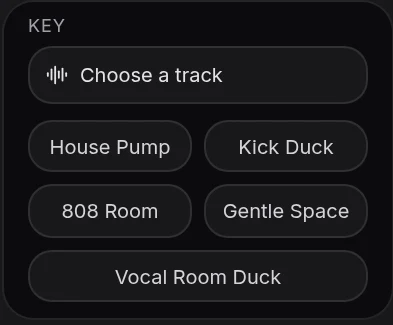
- Lock the bass to the kick. Add Sidechain to the bass track and choose the drums track as its key source. The Kick Duck preset dips the bass slightly when the drums hit, so the low end reads as one punchy rhythm instead of two competing booms.
- Clean the vocal. Open Mix & Master. On Parts, tag the vocals stem as Lead vocal and the others by instrument, and raise the vocal's importance. On Clean, add Noise Removal and De-Esser.
- AutoMix in a Room. On Mix, choose a Genre and the Room space so the band sounds like it is in one place. Press AutoMix.
- Master and export. Pause, open Master and press Master project. Export an MP4 for the video, and WAV or MP3 stems if the band wants to keep working on the song.
The clean up audio in a video page covers every kind of raw video, and the stem splitter page explains the split in depth.
Mix it as a band
Veena has real-time collaboration, so the band does not need to crowd around one laptop. Share the project and each player joins from their own browser: the drummer sets the drum stem, the bassist checks the low end, the singer listens for the words, and everyone hears the same mix as it changes. It settles the oldest argument in any band, whose part is too quiet, with everyone listening to the same thing.
Turn the rehearsal into the next version
A rehearsal mix often shows what the song needs next. With the stems in the project, the band can hear its parts in isolation and decide on changes before the next session. Mute the guitars to hear the bass and drums lock, solo the vocal to check the harmony line, or ask CoProducer to write a new part over the rehearsal, such as a keys pad for the bridge, to try an idea before anyone learns it. Export the stems as a zip so everyone takes their part home.
When the gig comes
The method that mixes a rehearsal mixes a show, too, with the crowd added in. See the clean live performance video audio guide. For the drum-heavy side of a band mix, the mix a drum cover video guide goes deeper on the kit.
Hand the mix to CoProducer
Describe the band in producer terms: the genre, the tempo and key, what leads and how hard it should hit. CoProducer splits the recording, tags the parts and runs Mix & Master on your project, and every fader and card it sets stays editable.
Paste this into CoProducer:
"Mix this band rehearsal video: alt-rock at about 140 BPM in A, recorded on one phone in the rehearsal room. Split it into stems, tag vocals as Lead vocal, then drums, bass and guitars, bring the vocal up with Noise Removal and De-Esser, tighten the bass and duck it a little under the kick with Sidechain, clear the room boom from the guitars around 250 Hz, AutoMix for alt-rock with a Room space, then master the project so it hits hard but stays clean."
Related reading: clean up audio in a video · clean live performance video audio · mix a drum cover video · stem splitter · AI mixing assistant
Try this in Veena
Mix this band rehearsal video: alt-rock at about 140 BPM in A, recorded on one phone in the rehearsal room. Split it into stems, tag vocals as Lead vocal, then drums, bass and guitars, bring the vocal up with Noise Removal and De-Esser, tighten the bass and duck it a little under the kick with Sidechain, clear the room boom from the guitars around 250 Hz, AutoMix for alt-rock with a Room space, then master the project so it hits hard but stays clean.
Frequently asked questions
How do I mix a band rehearsal video?
Import the rehearsal video into Veena, right-click it to choose Separate Audio, then Separate into Stems. Veena splits the room recording into vocals, drums, bass and other, all lined up with the picture. Rebalance the faders, clean the vocal in Mix & Master, tighten the low end with EQ, press AutoMix and Master project, then export an MP4.
Can I mix a rehearsal recorded on one phone?
Yes. Veena's stem separation turns a single room recording into four tracks: vocals, drums, bass and other, where guitars and keys sit. Each gets its own fader, EQ and effects, so you mix a one-phone rehearsal much like a multitrack one. The separated tracks stay time-aligned with the video, so the MP4 export stays in sync.
Why does my rehearsal recording sound so muddy?
Rehearsal rooms are small, and loud amps and drums fill them with low-mid energy that builds up around 200 to 300 Hz. In Veena, split the recording into stems and cut that range on the bass and guitar tracks with the 8-Band EQ, roll off rumble with a Filter, and let the vocal stem come forward. Master project then evens out the overall tone.
Can the band work on the rehearsal mix together?
Yes. Veena has real-time collaboration, so bandmates can join the same project from their own browsers and hear changes as they happen. The drummer can set the drum stem while the singer checks the vocal, and everyone hears the same mix before you export the MP4 or share stems.
Can CoProducer mix our rehearsal for us?
Yes. Describe the band and the balance you want, such as 'vocal up, bass tighter, guitars wide, punchy drums', and Veena's CoProducer splits the recording, tags the parts and runs the Mix & Master workflow on your project. Every change it makes is an editable fader or effect card the band can adjust afterwards.
Meet your personal music producer
Free, in your browser. Describe the song you want and CoProducer builds it with you.
Make music free