How do I connect a microphone to record?
How do I connect a microphone to record? Plug it in, let your browser use it, pick it as the input and calibrate once. A USB microphone plugs straight into your computer; an XLR microphone goes into an audio interface, and the interface plugs in by USB. In Veena, an AI DAW with a personal music producer, CoProducer, built in, you then press Record and your take lands on the timeline, ready for CoProducer to build a song around it. It is free and runs in your browser.
Veena is an AI DAW with a personal music producer built in. Describe the song you want and CoProducer builds it with you — beats, chords, melody, arrangement and mix — as real tracks you can edit, mix and export. Free, in your browser.
Connect a microphone and record in Veena, step by step
1. Plug the microphone in. A USB mic goes into a USB port. An XLR mic goes into your audio interface, with the interface connected to your computer. Plug wired headphones into the interface or your computer.
2. Open the studio. Go to daw.veena.studio in Chrome, Edge or another modern browser, sign in with Google and open a project.
3. Press Record. The red button in the transport bar opens the Record panel; choose Audio on its left.
4. Allow the microphone. The first time you record, your browser asks for permission. Allow it for daw.veena.studio.
5. Pick your input. Choose your microphone from the input menu in the Record panel. You can also set it under Settings, then Studio Settings, then Audio Settings, in Input Device (Microphone).
6. Calibrate once. Open Calibrate and run Volume calibration and Latency calibration. Switch on Monitoring if you want to hear yourself.
7. Record. Set a count-in of 1 or 2 bars from the metronome's options, press Start recording, and perform. Press Stop Recording when you're done.
Which microphone connects how
| Microphone | How it connects | In Veena |
|---|---|---|
| Your laptop's built-in mic | Already connected | Pick it as the input and record |
| USB microphone | Straight into a USB port | Pick it as the input and record |
| XLR microphone | Into an audio interface, then USB | Pick the interface as the input; set gain on the interface |
| Headset or earbuds mic | USB or the headphone jack | Wired is best: Bluetooth adds delay |
When the microphone doesn't work
- No input level: check the browser's microphone permission for daw.veena.studio and the input chosen in the Record panel.
- Too quiet or distorted: run Volume calibration, and back off the gain on your interface.
- Takes land slightly late: run Latency calibration again after changing mic, interface or headphones.
- Clicks or dropouts: raise the buffer size in Audio Settings; 512 is recommended.
Build a song around your take
I just recorded a vocal take at 84 BPM in A minor. Build a moody R&B beat around it: soft Jazz kit drums, Electric Piano chords with minor ninths, a Round Bass line that follows my phrasing, and leave space where I sing.
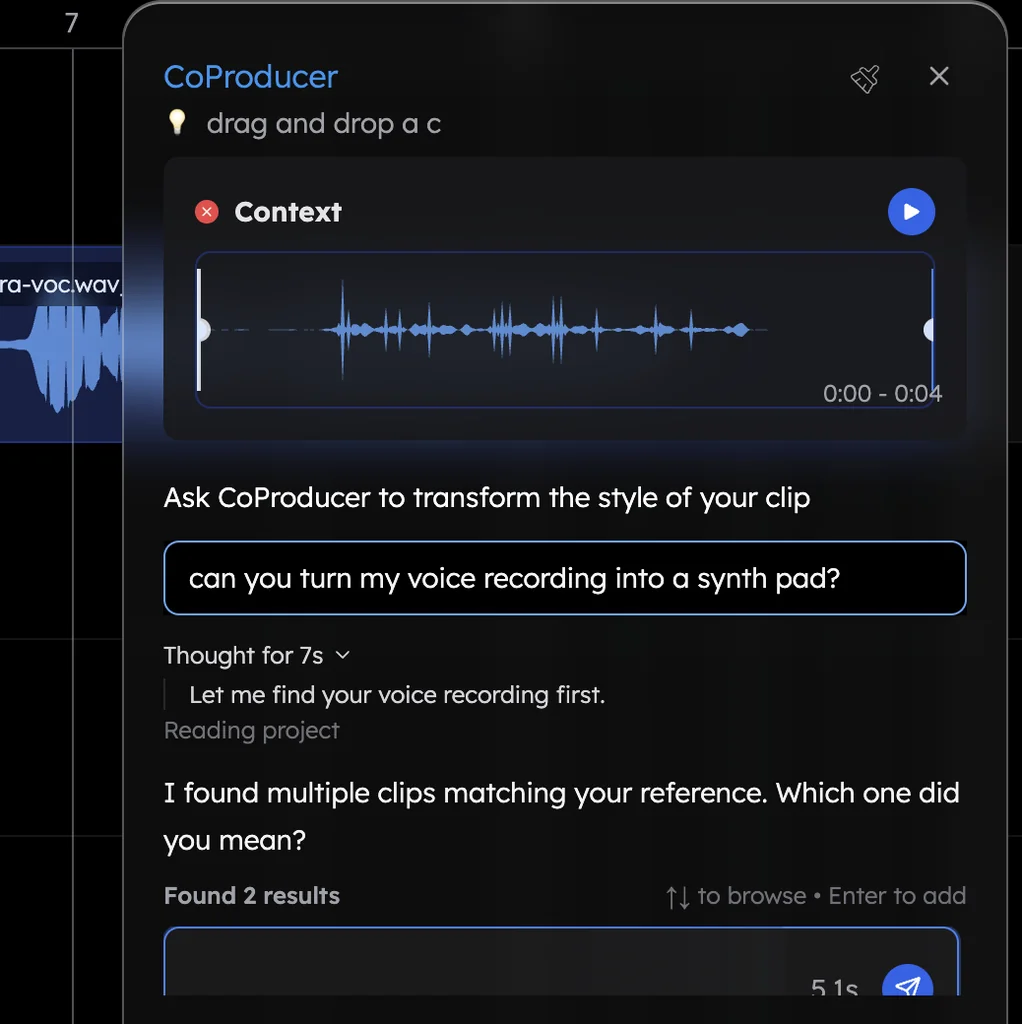
Drag the clip into the CoProducer panel and send that. CoProducer measures your take, sets the project tempo to match and writes every new part around your phrasing.
What's free
- Recording: microphone input, Volume and Latency calibration, monitoring, a count-in and loop recording, on every plan.
- Vocal tools: Noise Removal, De-Esser and Auto-Tune in Mix & Master, plus 17 built-in effects.
- CoProducer: a daily allowance of requests to build the song around your take.
- Export: WAV 24-bit/48 kHz, MP3 320 kbps, MIDI and stems, with no cap and no watermark, with up to 5 projects at a time.
Veena Pro, $20 a month, removes the daily request cap and unlocks the premium models.
For a quick take with nothing to set up, use the page to record your voice online. Plugging in a keyboard instead is in how do I connect a MIDI keyboard, late takes are fixed in how do I fix latency when recording, and the whole workflow is in recording in Veena. Every other answer is in the Veena help centre.
Related reading: Record your voice online · How do I connect a MIDI keyboard? · How do I fix latency when recording?
Try this in Veena
I just recorded a vocal take at 84 BPM in A minor. Build a moody R&B beat around it: soft Jazz kit drums, Electric Piano chords with minor ninths, a Round Bass line that follows my phrasing, and leave space where I sing.
Frequently asked questions
How do I connect a microphone to record?
Plug a USB microphone into your computer, or plug an XLR microphone into an audio interface and the interface in by USB. Open Veena at daw.veena.studio, allow microphone access when your browser asks, pick the mic in the Record panel and press Start recording. Veena is an AI DAW with a personal music producer built in, free in your browser.
Why is my microphone not showing up?
Usually the browser has not been given access. Check the microphone permission for daw.veena.studio in your browser's site settings, reconnect the mic, and choose it again under Settings, Studio Settings, Audio Settings, Input Device (Microphone). In Veena the input menu in the Record panel lists every microphone your browser can see.
Do I need an audio interface to record?
Not for a USB microphone or your laptop's built-in mic, which plug straight in. An XLR microphone needs an audio interface, which also gives you a gain knob and a headphone output. Either way, Veena records it in your browser for free, with Volume and Latency calibration so every take sits on the beat.
How do I stop my recording sounding late?
Use wired headphones and run Latency calibration once in Veena's Record panel. Veena measures your setup's delay and moves every take earlier by exactly that much. Run it again after you change the microphone, interface, headphones or buffer size, and your vocal lands on the beat you sang it to.
What can I do with my recording once it's in?
In Veena, the take is a real clip on your timeline. Trim it, fade it, clean it with Noise Removal and De-Esser, add Auto-Tune, or drag it into the CoProducer panel and ask for a song around it. CoProducer measures your tempo and phrasing and writes every new part to fit your performance.
Meet your personal music producer
Free, in your browser. Describe the song you want and CoProducer builds it with you.
Make music free