Record Your Voice Online
Record your voice online, free, in Veena: an online voice recorder in your browser with a personal music producer built in. Press Record, speak or sing, trim the take and download it as MP3 or WAV, with nothing to install. Then, if the idea is a song, CoProducer builds the music around your voice as real tracks you can edit.
Record, trim and download is where a plain voice recorder ends. In Veena, that take is the first track of a studio: clean it, tune it, layer harmonies over it, or hand it to a producer.
Who records their voice online in Veena
- Singers and songwriters catching a melody or a verse the moment it arrives, before it is gone.
- Rappers laying down a verse to hear how it flows, then building the beat around it.
- Musicians learning a song who want to hear themselves back and record the line again.
- Anyone on a phone, a Chromebook or a work laptop, because the voice recorder runs in the browser with nothing to download.
What you need to record your voice online
- A microphone. The built-in mic on your laptop or phone is fine for ideas; a USB mic or an audio interface is better for keepers. Veena records from whichever input your browser sees.
- Headphones, if there is music playing. They keep the backing out of your voice; wired ones add no delay.
- A modern browser. Chrome, Edge, Brave, Arc, Firefox or Safari. Allow microphone access when it asks.
Record your voice online in six steps
- Open daw.veena.studio and sign in with Google. A new project opens.
- Allow the microphone when the browser asks.
- Press Record in the transport bar and choose your input. Run Volume calibration once so the take never clips, and Latency calibration so it lands in time with any music.
- Count yourself in. Set a count-in of 1 or 2 bars, or leave it off for a quick voice note.
- Speak or sing. The waveform draws live as you go. Press Stop when you finish, and the take is a clip on its own track.
- Trim and download. Cut the silence at either end, then Export a 320 kbps MP3 or a 24-bit/48 kHz WAV, with no watermark.
Want another take? Set a loop over the hard line and keep going: loop recording keeps your last complete pass.
Tips for a clean voice recording
- Get close, then stay put. A hand's width from the mic, at the same distance for the whole take, gives an even level and less room sound.
- Pick the quietest, softest room you have. Curtains, a sofa and a bed soak up echo; bare walls and a kitchen bounce it back.
- Turn off fans and notifications before you press Record, so the only thing on the take is you.
- Record a few seconds of silence first. It gives you a clean place to trim, and a quiet start for Noise Removal to work from.
- Do one more take than you think you need. In Veena every take is a clip on the timeline, so keeping the best one costs nothing.
Make your voice recording sound better
Every take in Veena opens onto the same effects a studio uses, free:
| Problem | Fix in Veena |
|---|---|
| Background hiss or room noise | Noise Removal |
| Sharp, spitty S sounds | De-Esser |
| Notes a little flat or sharp | Auto-Tune, set to your key and scale |
| Quiet words get lost | The Compressor's Vocals preset |
| Thin or boomy tone | The 8-Band EQ |
| A voice that sounds dry and close | A Plate reverb, a Slap delay |
Prefer to describe it? Ask CoProducer "clean up my vocal and give it a little space", and it sets the chain as track effects you can adjust. For pitch, free auto tune online goes deeper on natural and hard tuning.
Turn your voice recording into a song
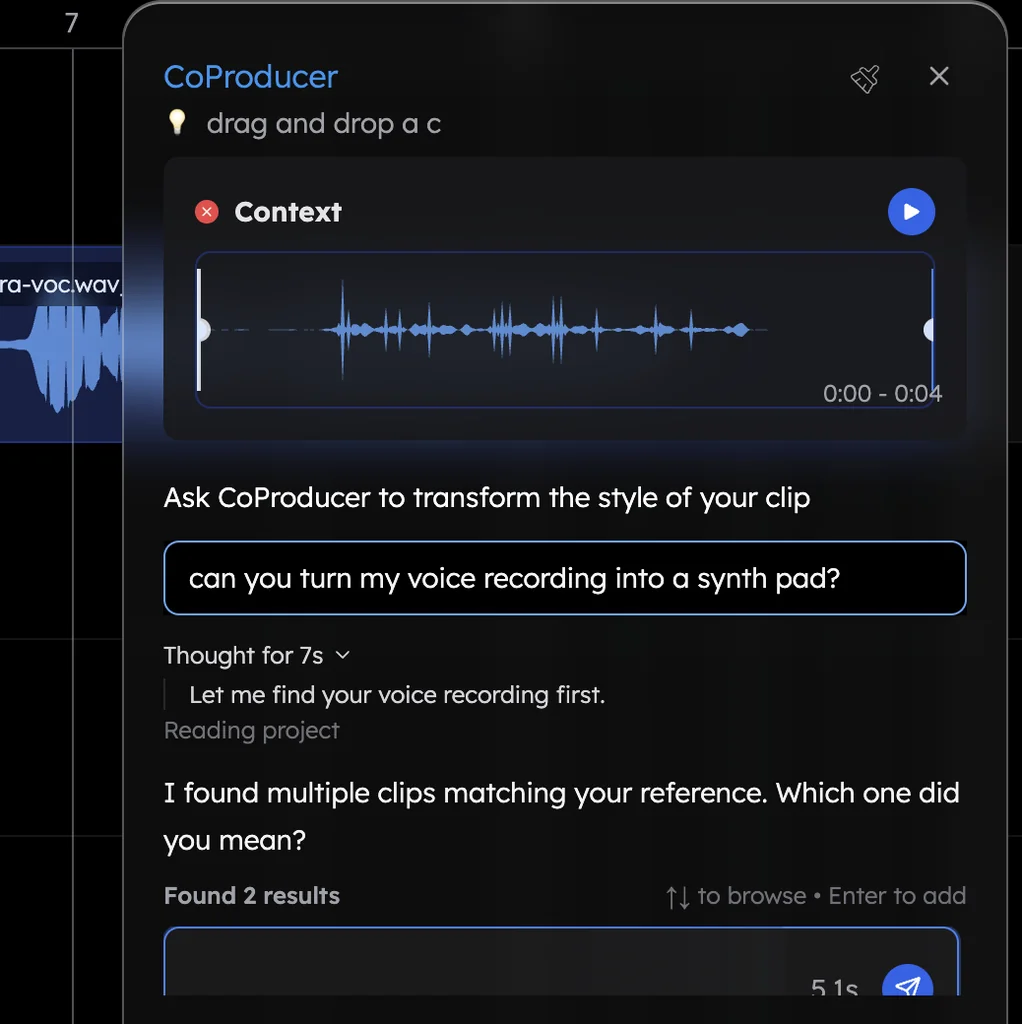
This is what an online voice recorder with a producer adds. In Veena's own data, about 1 in 4 first requests refer to the user's own audio: a recording, a demo, a loop or a voice memo. Drag your take into the CoProducer panel and ask for the song: it measures the recording's tempo, downbeat and where your syllables land, sets the project to match, then writes drums, bass and chords that follow your phrasing.
Your voice can become an instrument too. Hum a melody and ask "turn my humming into a piano melody" for editable MIDI notes, or "make my humming a saxophone" to re-voice the take itself. The voice to instrument page shows how.
Voice recorder or recording studio?
Both are Veena. This page is the quick path: one voice, one take, download it or build on it. When you are recording a full song, with vocals, guitar and a backing track, the online recording studio page covers monitoring, comping takes with loop recording and recording MIDI from a keyboard, and record audio in Veena has every setting.
Looking for more free music software that runs in your browser? Start there, or record your voice free now.
Try this in Veena
Build a slow acoustic pop song around my voice recording on track 1: keep my vocal exactly as it is and follow its tempo and key, clean it with Noise Removal and a light De-Esser, add a fingerpicked acoustic guitar, soft Electric Piano chords and a gentle Brush kit groove that stays out of the way when I sing, and leave the first 2 bars as just my voice.
Frequently asked questions
How can I record my voice online for free?
Open Veena in your browser, allow the microphone, press Record and speak or sing; the take lands as a clip you can trim and download as MP3 or WAV. Veena is an AI DAW with a personal music producer built in. Describe the song you want and CoProducer builds it with you — beats, chords, melody, arrangement and mix — as real tracks you can edit, mix and export. Free, in your browser.
Do I need to download anything to record my voice?
No. Veena's voice recorder runs in Chrome, Edge, Brave, Arc, Firefox and Safari on a computer or phone, with nothing to install. Any microphone your browser sees works: the laptop's built-in mic, a USB mic or an audio interface. Run Veena's one-time volume and latency calibration and every take lands at the right level and in time.
Can I download my voice recording as an MP3?
Yes. Export in Veena gives you a 320 kbps MP3 or a 24-bit/48 kHz WAV, of the whole mix or one file per audible track, with no cap and no watermark on the free plan. Your recordings also save to your account inside the project, so you can come back, trim or re-record later.
How do I remove background noise from a voice recording?
Add Noise Removal to the vocal in Veena, from its track's FX or from the Clean stage of Mix & Master, alongside De-Esser for sharp S sounds. Record close to the mic in a quiet room for the cleanest start. Or ask CoProducer to 'clean up my vocal' and it sets the chain as editable track effects.
Can I record my voice on my phone?
Yes. Open Veena in your phone's browser and Pocket Studio opens, Veena on your phone, which records too. Allow the microphone, record your take, and it saves to the same project you can open on a laptop later, where every edit, effect and export is waiting.
Can Veena turn my voice recording into a song?
Yes. Ask CoProducer to build around your take: it measures the recording's tempo, downbeat and where your syllables land, then writes drums, bass and chords that follow your phrasing, as real tracks you can edit. It can also turn a hummed melody into MIDI, or re-voice your humming as another instrument.
Meet your personal music producer
Free, in your browser. Describe the song you want and CoProducer builds it with you.
Make music free