Can you use soothe2 in a browser DAW?
Can you use soothe2 in a browser DAW? Yes: in Veena, soothe2 and the soothe3 that replaced it run on your vocal, guitar and bus tracks inside the studio in your browser. oeksound ships VST3 on Windows and AU and VST3 on a Mac, and Veena Bridge, a free helper app on your computer, hosts exactly those. If you are after a soothe2 alternative instead, Veena's De-Esser, 8-Band EQ and Match EQ are free in the same studio.
Veena is an AI DAW with a personal music producer built in. Describe the song you want and CoProducer builds it with you — beats, chords, melody, arrangement and mix — as real tracks you can edit, mix and export. Free, in your browser.
soothe's formats, from oeksound's own pages
Read on oeksound.com's soothe3, what's new and downloads pages on 18 November 2026:
- soothe3, Windows: "Windows 10 - 11 (no ARM support)", "64-bit VST3 and AAX".
- soothe3, Mac: Mac OS X 10.14 (Mojave) to macOS 27, "64-bit VST3, AU and AAX"; Apple Silicon supported, Intel up to macOS 15.
- soothe2: listed as "legacy:soothe2", v1.3.3, "VST, VST3, AU, AAX" for Mac OS X 10.13 to macOS 27.
- Licence: iLok account and iLok License Manager, no dongle; one licence on 3 machines.
- Price and trial: soothe3 $249, $55 to upgrade from an earlier soothe, with a 20-day trial and trial resets "through november".
How soothe's formats meet Veena Bridge
| Your computer | oeksound ships | Veena Bridge hosts | In Veena |
|---|---|---|---|
| Mac, Intel or Apple silicon | VST3, AU, AAX | AU and VST3, one universal helper | soothe on any track or the master |
| Windows 10 or 11, 64-bit | VST3, AAX | VST3 | soothe on any track or the master |
| Chromebook or phone | Not installed there | Built-in effects | Veena's De-Esser, 8-Band EQ and Match EQ |
Veena Bridge scans Audio Units and the standard VST3 folders, plus any folder you add, and opens each plug-in's own window, so soothe's spectrum display and Delta listen are a click away. Setup and troubleshooting are on VST and AU plugins in Veena.
Veena and a desktop DAW, both hosting soothe
| Veena with soothe | A desktop DAW with soothe | |
|---|---|---|
| The studio's price | Free | The DAW's own price |
| Install | Veena Bridge only; the studio opens in your browser | The full DAW, plus soothe |
| Writes and arranges the song | Yes, CoProducer, from a sentence | You write it |
| Built-in effects alongside | 17, including De-Esser and Match EQ | The DAW's own |
| Export | WAV, MP3, MIDI and stems, free | Depends on the DAW |
soothe smooths the same resonances in any host. The host decides how quickly there is a song to mix, and in Veena the producer is built in.
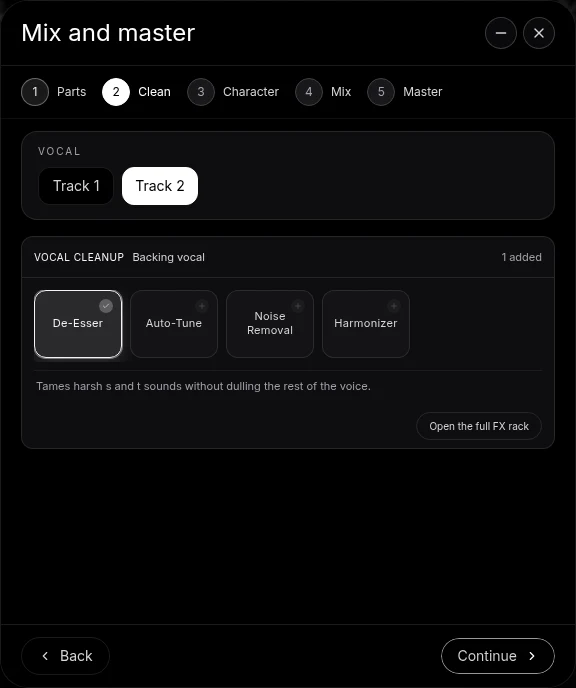
Use soothe in Veena, step by step
- Install soothe3, its 20-day trial or your soothe2 licence, as VST3, or as an Audio Unit on a Mac, and activate it in iLok License Manager.
- Open Veena at daw.veena.studio and paste the neo-soul prompt below; CoProducer builds the song, then record your vocal.
- Install Veena Bridge when Veena asks: press Download, install, then Launch and allow local network access.
- Open the vocal track's FX, press VST and pick soothe; use Open plugin window to set the depth.
- Export WAV 24-bit/48 kHz, MP3, MIDI or stems, free, with soothe in the mix.
Whether soothe pays for itself is on is soothe2 worth it?. The same steps for guitar and mastering tools: can you use AmpliTube in a browser DAW? and can you use Ozone in a browser DAW?
Make a 88 BPM neo-soul song in E flat major: a laid-back kit with a ghost-note snare, a warm fingered bass under Ebmaj9, Cm11, Abmaj7 and Bb13, Rhodes chords, a soft string pad, room for my recorded lead vocal and stacked harmony pads in the chorus. Intro 4 bars, verse 16, chorus 8, verse 16, chorus 8, outro 8. Then mix it.
Related reading: Veena help centre · VST and AU plugins in Veena · VST plugins in your browser · Is soothe2 worth it? · Does IK Multimedia go on sale for Black Friday? · Can you use AmpliTube in a browser DAW? · Can you use FabFilter in a browser DAW? · Plug-in bridge troubleshooting
Try this in Veena
Make a 88 BPM neo-soul song in E flat major: a laid-back kit with a ghost-note snare, a warm fingered bass under Ebmaj9, Cm11, Abmaj7 and Bb13, Rhodes chords, a soft string pad, room for my recorded lead vocal and stacked harmony pads in the chorus. Intro 4 bars, verse 16, chorus 8, verse 16, chorus 8, outro 8. Then mix it.
Opens a new project in Veena, and CoProducer starts building from this prompt.
Frequently asked questions
Can you use soothe2 in a browser DAW?
Yes, in Veena. oeksound lists soothe2 as VST, VST3, AU and AAX on macOS and soothe3 as 64-bit VST3 and AAX on Windows and VST3, AU and AAX on macOS (oeksound.com, read 18 Nov 2026), and the free Veena Bridge helper hosts VST3 on Mac and Windows and Audio Units on a Mac, so soothe plays inside Veena's studio in your browser. Veena is an AI DAW with a personal music producer built in. Describe the song you want and CoProducer builds it with you — beats, chords, melody, arrangement and mix — as real tracks you can edit, mix and export. Free, in your browser.
What is a free alternative to soothe2?
Veena's built-in De-Esser, 8-Band EQ and Match EQ, free on every plan, handle sibilance, ringing frequencies and tone matching, and CoProducer sets levels, pan and effects as it mixes the song with you. soothe3 is $249 on oeksound's site (read 18 Nov 2026).
Does soothe3 work in Veena?
Yes. soothe3 runs on Windows 10–11 as VST3, with no ARM support, and on Mac OS X 10.14 to macOS 27 as VST3 or AU, Apple Silicon included (oeksound.com, read 18 Nov 2026). Launch Veena Bridge, open a track's FX, press VST and pick soothe3.
Can I try soothe in Veena before buying?
Yes. oeksound offers "a fully featured 20-day trial" of soothe3, and through November it resets expired trials (read 18 Nov 2026). Install the trial as VST3 or AU, launch Veena Bridge and use it on a Veena song for the full 20 days.
Does soothe need an iLok in Veena?
soothe needs an iLok account and iLok License Manager, not a dongle, and online access for the first activation (oeksound.com, read 18 Nov 2026). Once it is activated on your computer, Veena Bridge hosts it like any other VST3 or Audio Unit.
Can I use soothe in Veena on a Chromebook or phone?
soothe runs on the Mac or Windows computer where it is installed. On a Chromebook or phone, Veena plays its own 17 built-in effects, among them a De-Esser, 8-Band EQ, Match EQ and Compressor, free.
Meet your personal music producer
Free, in your browser. Describe the song you want and CoProducer builds it with you.
Make music free