Can I use Plugin Alliance plugins in a browser DAW?
Can I use Plugin Alliance plugins in a browser DAW? Yes: in Veena, bx_console, Shadow Hills, Maag and the rest of Plugin Alliance's catalogue run on your tracks and on the master inside the studio in your browser. Plugin Alliance ships VST3 and Audio Units, among other formats, and Veena Bridge, a free helper app on your computer, hosts VST3 on Mac and Windows and Audio Units on a Mac. Install Bridge once, pick a plug-in from a track's FX, and it processes the song in playback and in the file you export.
Veena is an AI DAW with a personal music producer built in. Describe the song you want and CoProducer builds it with you — beats, chords, melody, arrangement and mix — as real tracks you can edit, mix and export. Free, in your browser.
Plugin Alliance plugins in browser: the formats, from Plugin Alliance's own pages
From plugin-alliance.com's bx_console SSL 4000 E specifications, Installation Manager and subscription pages, read 18 November 2026:
- Formats: "AAX AudioSuite, AAX DSP, AAX Native, AU, VST2, VST3".
- Computers: "macOS 26 down to macOS 13" on Intel or Apple Silicon; "Windows 11 down to Windows 10" on an x64-compatible CPU.
- Install: the Plugin Alliance Installation Manager with a free account; "No serial numbers or dongles required!"
- Trials: a 14-day trial per plug-in, started when you first launch it in a DAW, and 30 days free on the CORE and PRO subscriptions.
- Price: CORE $14.99 a month or $149.99 a year, PRO $29.99 a month or $299.99 a year; 6 free plug-ins; a Cyber Season Sale of "up to 86%".
How Plugin Alliance's formats meet Veena Bridge
| Your computer | Plugin Alliance ships as | Veena Bridge hosts | In Veena |
|---|---|---|---|
| Mac, Intel or Apple Silicon | AU, VST3, VST2, AAX | AU and VST3, one universal helper | Any Plugin Alliance plug-in on a track or the master |
| Windows 10 or 11, x64 | VST3, VST2, AAX | VST3 | Any Plugin Alliance plug-in on a track or the master |
| Chromebook or phone | Not installed there | Built-in effects | Veena's own effects, or a collaborator's render |
Veena Bridge scans Audio Units and the standard VST3 folders, plus any folder you add, routes the audio through the plug-in in playback and export, and opens the plug-in's own window. Setup and troubleshooting are on VST and AU plugins in Veena.
Veena and a desktop DAW, both hosting Plugin Alliance
| Veena with Plugin Alliance | A desktop DAW with Plugin Alliance | |
|---|---|---|
| The studio's price | Free | The DAW's own price |
| Install | Veena Bridge only; the studio opens in your browser | The full DAW, plus the plug-ins |
| Writes and arranges the song | Yes, CoProducer, from a sentence | You write it |
| Real-time collaboration | Yes, free; the owner's computer renders the plug-in for the session | Depends on the DAW |
| Export | WAV, MP3, MIDI and stems, free | Depends on the DAW |
Plugin Alliance's strength is modelled analog gear from 40+ brands, and it sounds the same in any host. The host decides how fast that console sound sits on a finished song, and in Veena the producer is built in.
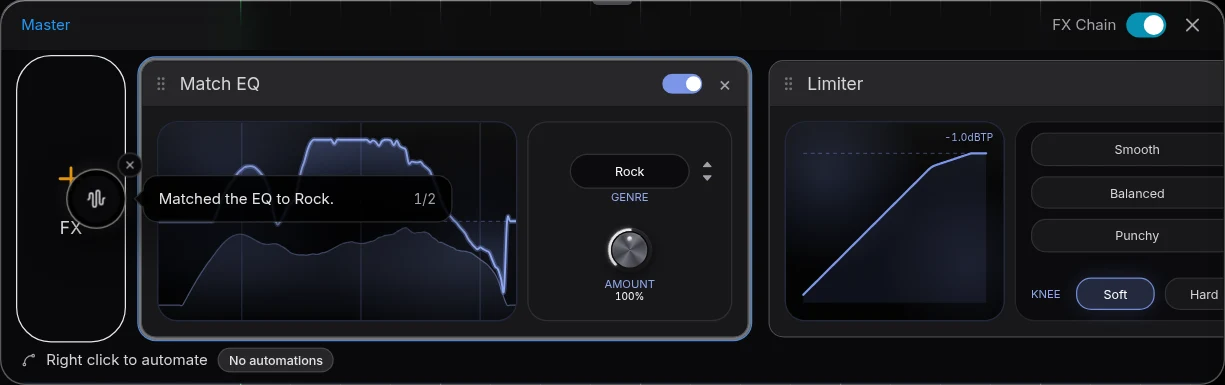
Use Plugin Alliance in Veena, step by step
- Install the Installation Manager from plugin-alliance.com, sign in, and install the free plug-ins, a trial or the ones you bought, in VST3, or as Audio Units on a Mac.
- Open Veena at daw.veena.studio and open your song, or paste the neo-soul prompt below into CoProducer.
- Install Veena Bridge when Veena asks: press Download, install, then Launch and allow local network access.
- Open a track's FX or Master FX and press VST. Pick bx_console, bx_masterdesk or any Plugin Alliance effect.
- Open plugin window to set it in the plug-in's own interface. The settings save with the project.
- Export a WAV 24-bit/48 kHz, MP3, MIDI file or stems, free, with Plugin Alliance in the mix.
The same steps work for Soundtoys on do Soundtoys plugins work in a browser DAW. This week's Plugin Alliance prices are on does Plugin Alliance go on sale for Black Friday, with every dated deal in Black Friday DAW deals 2026.
Make a 90 BPM neo-soul groove in Eb major with an analog console sound: a lazy behind-the-beat kit with a ghost-note snare, a round fingered bass, Rhodes chords on Ebmaj9, Cm11, Abmaj7 and Bb13, a muted guitar answering the keys, a warm string pad in the chorus, a console channel strip on every track and tape-style saturation on the mix bus. Intro 4 bars, verse 16, chorus 8, verse 16, chorus 8, outro 8.
Related reading: Veena help centre · VST and AU plugins in Veena · VST plugins in your browser · Does Plugin Alliance go on sale for Black Friday? · Do Soundtoys plugins work in a browser DAW? · Can you use UAD plugins in a browser DAW? · Plug-in bridge troubleshooting
Try this in Veena
Make a 90 BPM neo-soul groove in Eb major with an analog console sound: a lazy behind-the-beat kit with a ghost-note snare, a round fingered bass, Rhodes chords on Ebmaj9, Cm11, Abmaj7 and Bb13, a muted guitar answering the keys, a warm string pad in the chorus, a console channel strip on every track and tape-style saturation on the mix bus. Intro 4 bars, verse 16, chorus 8, verse 16, chorus 8, outro 8.
Opens a new project in Veena, and CoProducer starts building from this prompt.
Frequently asked questions
Can I use Plugin Alliance plugins in a browser DAW?
Yes, in Veena. Plugin Alliance lists its plug-ins as AAX, AU, VST2 and VST3 for macOS 13 to 26 and Windows 10 and 11 (plugin-alliance.com, read 18 November 2026). The free Veena Bridge helper hosts VST3 on Mac and Windows and Audio Units on a Mac, so bx_console runs inside Veena's studio in your browser. Veena is an AI DAW with a personal music producer built in. Describe the song you want and CoProducer builds it with you — beats, chords, melody, arrangement and mix — as real tracks you can edit, mix and export. Free, in your browser.
Do Plugin Alliance's free plugins work in Veena?
Yes. Plugin Alliance gives 6 free plug-ins with a free account: Soft Limit, 254E, bx_masterdesk, bx_boom V3, bx_console N and bx_refinement V3 (read 18 November 2026). Install them with its Installation Manager, launch Veena Bridge, and pick them from a track's FX or Master FX with VST, free.
Does a Plugin Alliance subscription work in Veena?
Yes. CORE and PRO install the same plug-ins through the Installation Manager, on up to 3 computers, with a 30-day free trial (read 18 November 2026). Each installed VST3 or Audio Unit appears in Veena's plug-in picker once Veena Bridge scans it, and plays in playback and the file you export.
Do Plugin Alliance trials work in Veena?
Yes. Plugin Alliance says you "Launch a plugin in your DAW to automatically start your 14-day free trial" (read 18 November 2026). Open the trial plug-in in Veena through Veena Bridge and it runs in the browser studio like any plug-in you own, so you can test a console strip on a real song before the sale ends.
Can I use Plugin Alliance in Veena on a Chromebook or phone?
Plugin Alliance plug-ins run on the Mac or Windows computer where they are installed. On a Chromebook or phone, Veena plays its own 17 effects, among them the Compressor, 8-Band EQ and Limiter, and in a shared song a collaborator's computer that owns the plug-in renders that part for you to hear.
Meet your personal music producer
Free, in your browser. Describe the song you want and CoProducer builds it with you.
Make music free