Can you use UAD plugins in a browser DAW?
Can you use UAD plugins in a browser DAW? Yes: in Veena, Universal Audio's native plug-ins run on your tracks and on the master inside the studio in your browser. UA ships UADx as VST3, AU and AAX plug-ins that need no Apollo, and Veena Bridge, a free helper app on your computer, hosts VST3 on Mac and Windows and Audio Units on a Mac. Put the 1176 on the drum bus or a Pultec on the bass and it processes the song, in playback and in the WAV you export.
Veena is an AI DAW with a personal music producer built in. Describe the song you want and CoProducer builds it with you — beats, chords, melody, arrangement and mix — as real tracks you can edit, mix and export. Free, in your browser.
UAD's formats, from Universal Audio's own pages
Read on uaudio.com and UA's system requirements article for UAD Native plug-ins, on 17 November 2026:
- Formats: "A supported DAW compatible with VST3, AU, or AAX plug-in file formats."
- Operating systems: "macOS Big Sur 11, Monterey 12, Ventura 13, Sonoma 14, Sequoia 15, Tahoe 26, and Golden Gate 27" and "Windows 10 or Windows 11 (64-bit editions)", on an "Intel, AMD, or Apple silicon processor".
- Hardware: UAD Spark Studio "requires no Apollo interface and no UA hardware of any kind."
- Licensing: a "Free iLok account" and the "Free UA Connect application for managing UAD Native plug-ins (UADx)"; an iLok USB key is supported "but not required".
- Activations: "Each license includes three activations" (1176 Classic Limiter Collection page).
- Demos: "14-day free demos of UAD native plug-ins, no credit card required."
How UAD's formats meet Veena Bridge
| Your computer | UADx ships as | Veena Bridge hosts | In Veena |
|---|---|---|---|
| Mac, Intel or Apple Silicon | VST3, AU, AAX | AU and VST3, one universal helper | UAD effects on any track or the master, UAD instruments on a MIDI clip |
| Windows 10 or 11 | VST3, AAX | VST3 | UAD effects on any track or the master, UAD instruments on a MIDI clip |
| Chromebook or phone | Not installed there | Built-in instruments and effects | Veena's 17 built-in effects, or a collaborator's UAD render |
Veena Bridge scans Audio Units and the standard VST3 folders, plus any folder you add from the picker, routes the audio through the plug-in in playback and export, and opens the plug-in's own window. UADx's VST3 and AU builds are the formats it hosts.
| Read 17 Nov 2026 | Veena with UADx | LUNA Free with UADx | UADx in another desktop DAW |
|---|---|---|---|
| The DAW's price | $0 | $0 | A host DAW bought separately |
| Runs in a browser | Yes, the whole studio | No, macOS and Windows | No |
| Writes and arranges the song | Yes, CoProducer builds it with you | No | No |
| Real-time collaboration | Yes, the owner's computer renders the plug-in for the session | No | Depends on the host |
| Console and tape modelling in the mixer | Your UAD plug-ins on any track | Oxide Tape; API, Studer and Ampex in LUNA Studio | Depends on the host |
LUNA's strength is UA's console and tape emulation built into its mixer, and that is the row it takes. Veena is the free studio that plays the same UAD plug-ins, makes the song with you and shares the session.
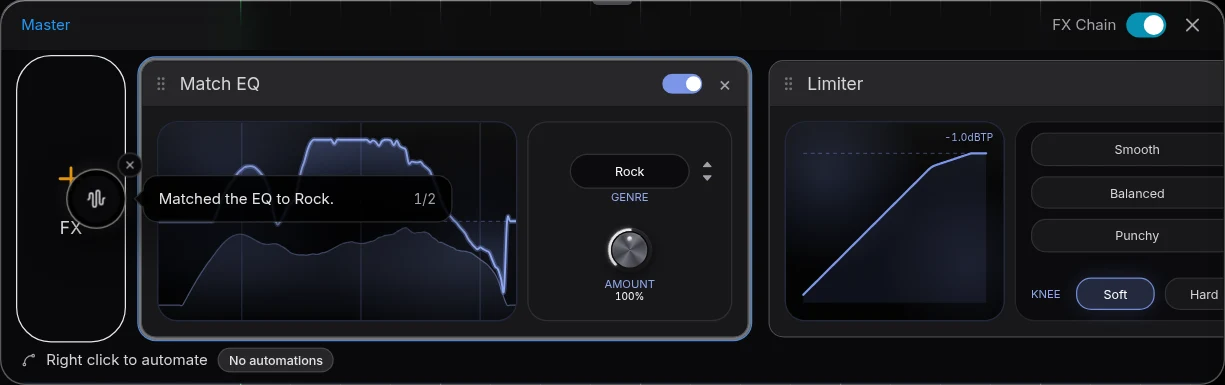
Use UAD plugins in Veena, step by step
- Install UA Connect, sign in with your free iLok account, and install your UADx titles, a Spark Studio subscription or a 14-day demo.
- Open Veena at daw.veena.studio and open your song, or paste the funk-pop prompt below into CoProducer.
- Install Veena Bridge from the setup panel's Download, press Launch and allow local network access.
- Open a track's FX or Master FX and press VST, then pick the UAD plug-in. For a UAD instrument such as PolyMAX or the Minimoog, open a MIDI clip's Instrument card.
- Open plugin window to work in UA's own interface on the playing song. The settings save with the project.
- Export WAV, MP3, MIDI or stems, processed through UAD, free.
Setup details are on VST and AU plugins in Veena, connection states on Veena Bridge troubleshooting, and the full picture on VST plugins in browser. If you are deciding between native and Apollo, see can you use UAD plugins without hardware.
A UAD plug-in bought this Black Friday plays in a free studio
UA's sale takes up to 80% off, with 10 plug-ins for $99 on 17 November 2026: the dated details are on is UAD on sale for Black Friday, and every maker's sale on Black Friday DAW deals 2026. Other plug-in families work the same way: can you use FabFilter in a browser DAW?
Make a 118 BPM retro funk-pop song in B-flat major: tight live drums with a crisp snare, a slap bass locked to the kick, choppy clean guitar on Bbmaj7, Gm7, Cm7 and F7, a vintage analog synth lead in the hook and a bright brass section. Intro 4 bars, verse 16, pre-chorus 8, chorus 16, verse 16, chorus 16, outro 8. Leave headroom on the vocal and the drum bus for analog-style compressors.
Related reading: Veena help centre · VST and AU plugins in Veena · Can you use UAD plugins without hardware? · Is UAD on sale for Black Friday? · Can you use Kontakt in a browser DAW? · Veena Bridge troubleshooting
Try this in Veena
Make a 118 BPM retro funk-pop song in B-flat major: tight live drums with a crisp snare, a slap bass locked to the kick, choppy clean guitar on Bbmaj7, Gm7, Cm7 and F7, a vintage analog synth lead in the hook and a bright brass section. Intro 4 bars, verse 16, pre-chorus 8, chorus 16, verse 16, chorus 16, outro 8. Leave headroom on the vocal and the drum bus for analog-style compressors.
Opens a new project in Veena, and CoProducer starts building from this prompt.
Frequently asked questions
Can you use UAD plugins in a browser DAW?
Yes, in Veena. Universal Audio says its native UADx plug-ins work in "all major DAWs that support the VST3, AU, and AAX formats" (read 17 Nov 2026), and the free Veena Bridge helper hosts VST3 on Mac and Windows and Audio Units on a Mac, so the 1176 or a Neve 1073 opens inside Veena's studio. Veena is an AI DAW with a personal music producer built in. Describe the song you want and CoProducer builds it with you — beats, chords, melody, arrangement and mix — as real tracks you can edit, mix and export. Free, in your browser.
Do I need an Apollo to use UAD plugins in Veena?
No. UA says UAD Spark Studio and its native plug-ins need "no Apollo interface and no UA hardware of any kind", and run on your computer's CPU (read 17 Nov 2026). Those native builds are the ones Veena Bridge hosts. UA's DSP versions run on an Apollo, Satellite or UAD-2 card instead.
Do UAD plugins need UA Connect and iLok to work in Veena?
On your computer, yes. UA lists a free iLok account and the free UA Connect app "for managing UAD Native plug-ins (UADx)" (read 17 Nov 2026). Install and authorize your titles there as usual; Veena Bridge then hosts the VST3 or AU build, and you work in the plug-in's own window.
Can I use UAD Spark Studio plugins in Veena?
Yes. UA says Spark Studio plug-ins "work in all major DAWs" with VST3, AU or AAX support and that "Using LUNA Studio is not a requirement" (read 17 Nov 2026). Install them through UA Connect and they appear in Veena's plug-in picker once Veena Bridge is running.
Does Veena save my UAD plugin settings?
Yes. Veena Bridge reports changes made in a plug-in's own window, so a preset, a threshold or a knob turned on a UAD compressor saves with the Veena project once playback stops. Reopen the project with Bridge running and the plug-in comes back with the same sound.
Can I use UAD plugins in Veena on a Chromebook or phone?
UADx installs on macOS and Windows, on Intel, AMD or Apple silicon, UA's requirements say (read 17 Nov 2026). On a Chromebook or phone, Veena mixes with its 17 built-in effects, and in a shared song a collaborator's computer that owns the UAD plug-in renders that part so you hear it while editing the rest.
Meet your personal music producer
Free, in your browser. Describe the song you want and CoProducer builds it with you.
Make music free