How to make a backing track for a cover video
Make a backing track for a cover video in Veena: CoProducer builds drums, bass and chords in your key and tempo, or split the original and pitch it to you.
A backing track for a cover video is the band behind your performance: drums, bass, chords and texture in your key and at your tempo, with room left for your voice or instrument. Veena gives you two ways to make one. CoProducer builds a new arrangement from a sentence, or you split the original song into stems, mute the vocal and move it into your key. Either way you play or sing over it, then mix and export the video.
Veena is an AI DAW with a personal music producer built in. Describe the song you want and CoProducer builds it with you — beats, chords, melody, arrangement and mix — as real tracks you can edit, mix and export. Free, in your browser.
A cover video with a full band behind a single performer sounds finished in a way a lone guitar rarely does. The trouble with the backing tracks you find online is that they are fixed: wrong key for your voice, too fast, with a part baked in that you wanted to play yourself. In Veena every one of those is a setting. This page is part of the guide to clean up audio in a video.
Two ways to make a backing track for a cover video
| CoProducer builds a new arrangement | Split the original into stems | |
|---|---|---|
| What you get | Drums, bass, chords and pads as editable MIDI tracks | The original's drums, bass and other as audio stems |
| Change the key | Ask CoProducer; it rewrites every part | Pitch Shift each stem by the same semitones |
| Change the tempo | Change the project tempo; every MIDI part follows | Match to BPM or stretch each clip |
| Change one part | Rewrite or replace any note or instrument | Mute, rebalance or rebuild a stem |
| Sounds like | Your own arrangement of the song | The original record without its vocal |
Route one: build a new backing track with CoProducer
- Find the key and tempo. Work it out by ear, or import the original and use Find Key in the Waveform panel, then pick the key that suits your voice.
- Write down the chords. List the progression for each section: verse, pre-chorus, chorus, bridge. CoProducer follows chords you give it.
- Brief CoProducer. Name the style, tempo, key, length, the parts you want and the one you will play yourself. Ask it to leave the melody out so your voice owns it.
- Shape the arrangement. Ask for a quieter first verse and a bigger last chorus, or move and split clips yourself on the timeline.
- Practise at a slower tempo. Drag the tempo down in the transport and every MIDI part follows; put it back before you film.
- Export a practice and filming mix. Export a WAV or MP3 of the backing to play in your headphones while you record.
For more on this route, the AI backing track generator page shows the full workflow.
Route two: sing over the original's accompaniment
Self-sung covers are a supported workflow in Veena:
- Import the original song for reference. Drag it onto the timeline or press Upload.
- Split it. Stop playback, right-click the clip and choose Separate into Stems. Vocals, drums, bass and other arrive on four time-aligned tracks.
- Mute the vocals stem. The remaining three stems are the accompaniment. Or ask CoProducer to isolate the vocals, which gives you two tracks: the vocal and the rest of the mix.
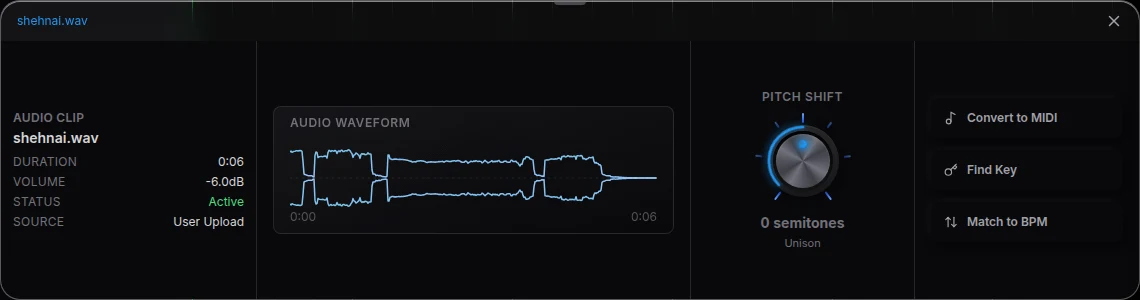
- Move it to your key. Select each stem and turn Pitch Shift in the Waveform panel by the same number of semitones.
- Record your own voice over it. Press Record, run Latency calibration once and sing over the accompaniment.
The quickest version of this split is on the vocal remover page.
Film the cover over the backing track
- Listen on closed headphones while you film, so the camera and your mic hear only you.
- Clap once at the start, in view of the camera, with the backing track playing.
- Import the video into the same Veena project, choose Separate Audio and line the clap up with the backing track's start. The method is in how to sync audio and video for music covers.
- Mix your performance over the backing. Open Mix & Master, tag your vocal as Lead vocal, clean it in Clean, then press AutoMix and Master project.
- Export the MP4. Your performance and the backing track leave as one video.
Make the backing serve the performance
- Leave the melody out. Any instrument doubling the tune competes with your voice.
- Keep the low end simple. A bass that follows the chords' roots in the verse leaves space for your guitar.
- Build towards the last chorus. Add a pad, open the drums or bring in a second guitar part there.
- Mix the backing below the voice. In a cover, the performer is the lead; the band supports.
Covers and rights
A cover uses a song someone else wrote. The parts CoProducer builds for you and your recordings are yours under Veena's terms, which say you own the Output you generate. The composition belongs to its writers and any original recording you split belongs to its owners, so follow each platform's rules for covers before you post.
Related guides
To finish the sound, read how to make a cover video sound professional. For the voice itself, read how to mix a vocal cover video, and for an acoustic arrangement, how to make acoustic cover videos sound better.
The prompt to paste into CoProducer
Open the studio and paste this into the CoProducer panel, with your own style, tempo, key and chords:
Build a backing track for my acoustic pop cover at 90 BPM in A major, 4 minutes: a soft Pop kit groove with brushes in the verses that opens up in the chorus, a Round Bass that follows the chords, warm Electric Piano chords and a light Glass Pad in the last chorus. Leave the melody out completely so my vocal and guitar sit on top, with a 4-bar intro and a clean ending.
Related reading: clean up audio in a video · make a cover video sound professional · sync audio and video for music covers · AI backing track generator
Try this in Veena
Build a backing track for my acoustic pop cover at 90 BPM in A major, 4 minutes: a soft Pop kit groove with brushes in the verses that opens up in the chorus, a Round Bass that follows the chords, warm Electric Piano chords and a light Glass Pad in the last chorus. Leave the melody out completely so my vocal and guitar sit on top, with a 4-bar intro and a clean ending.
Frequently asked questions
How do I make a backing track for a cover video?
Veena is an AI DAW with a personal music producer built in. Describe the song you want and CoProducer builds it with you — beats, chords, melody, arrangement and mix — as real tracks you can edit, mix and export. Free, in your browser. Tell CoProducer the key, tempo, style and chords, leave the melody out, and play or sing your cover over the result.
Can I use the original song's instrumental as a backing track in Veena?
Yes, for a self-sung cover. Import the original into Veena for reference, right-click it and choose Separate into Stems, then mute the vocals stem. The drums, bass and other stems become your accompaniment. Use Pitch Shift in the Waveform panel to move it into your key, then record your own voice over it.
How do I change the key of a backing track to fit my voice?
In Veena, a backing track CoProducer built is MIDI, so ask CoProducer to move it up a whole step or down a minor third and it rewrites the parts in the new key. For audio stems, select each clip and turn Pitch Shift in the Waveform panel by the same number of semitones on every stem.
Can I slow down a backing track to practise the cover?
Yes. Drag or tap the tempo in Veena's transport bar and every MIDI part CoProducer wrote follows at once, so you can practise at 70 BPM and film at 90. For audio stems, use Match to BPM in the Waveform panel or drag a clip's right edge, which stretches it while keeping its pitch.
Do I own a backing track I make in Veena?
Veena's terms say you own the Output you generate, so the parts CoProducer writes for you and your recordings are yours. The song you cover, its melody, lyrics and composition, belongs to its writers, and an original recording you split belongs to its owners. Follow each platform's rules for covers when you post.
Meet your personal music producer
Free, in your browser. Describe the song you want and CoProducer builds it with you.
Make music free