Free Song Cutter
A song cutter keeps the part you want and throws away the rest. Veena's free song cutter does it on a real timeline: click where the part starts, click where it ends, delete the rest, fade the edges and export a WAV or MP3. Then the part you kept can become something new, because the timeline belongs to an AI DAW with a personal producer, CoProducer, who can loop it, build on it and turn eight bars into a song.
Veena is an AI DAW with a personal music producer built in. Describe the song you want and CoProducer builds it with you — beats, chords, melody, arrangement and mix — as real tracks you can edit, mix and export. Free, in your browser.
How to use the free song cutter, step by step
- Open daw.veena.studio and sign in with Google. A new project opens in the browser.
- Bring in the song. Press Upload or drag the file onto the timeline: your own track, a demo, a rehearsal take, a voice memo. WAV, MP3, M4A, FLAC, AIFF and other formats import.
- Find the part. Press Space to play and click the ruler to move the playhead. Zoom in to see the waveform where your part begins.
- Cut it. Press C for Toggle Split Mode, click the clip where the part starts, then click where it ends. Turn on Grid Snap to cut exactly on the beat.
- Delete the rest. Press C again to leave split mode, select each piece you don't want and press Delete.
- Move it to the start. Drag the part you kept to bar 1.
- Fade the edges. Hover the clip and drag the handle on its top-left corner for a fade-in, or its top-right corner for a fade-out.
- Export. Click Export, pick WAV or MP3 and Full mix: a 24-bit/48 kHz WAV or a 320 kbps MP3, with no watermark.
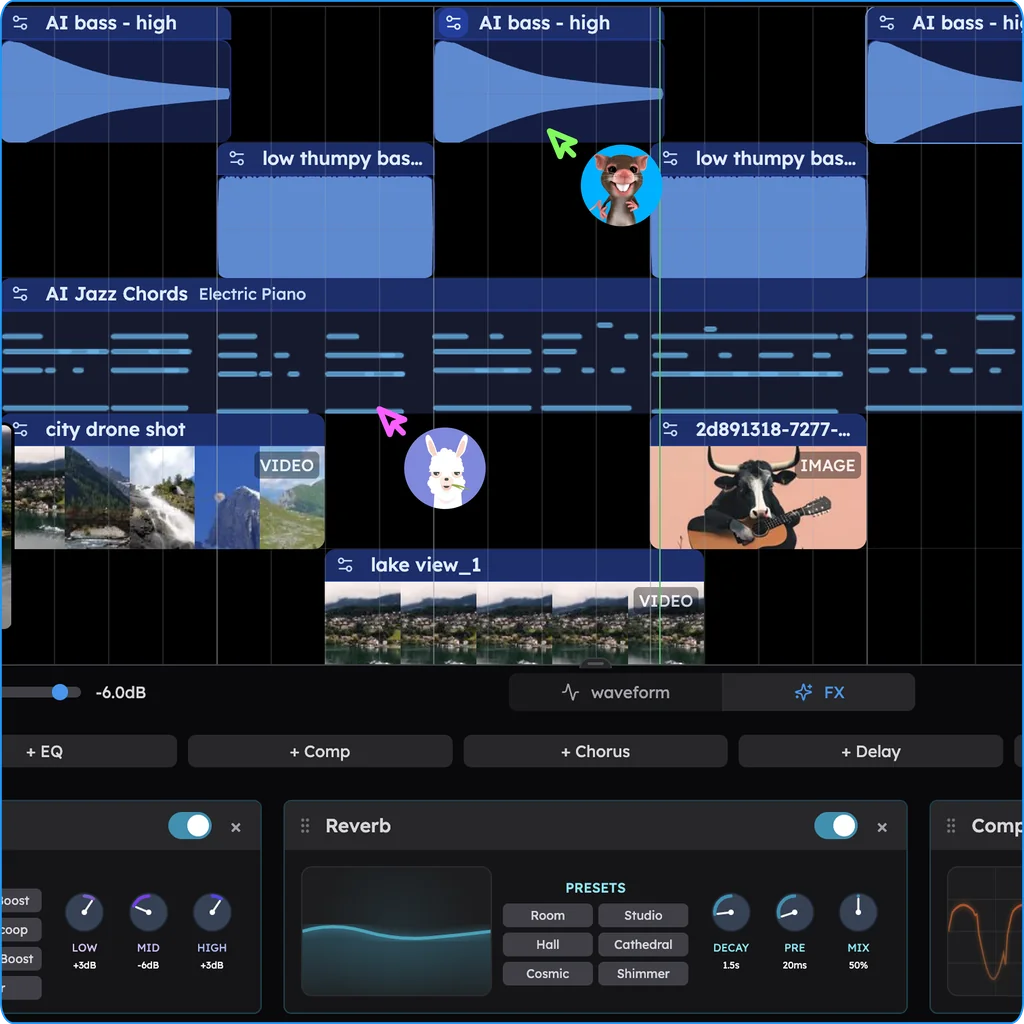
What you can cut, and how
| You want | Do this in Veena |
|---|---|
| Just the chorus | Split at both edges of the chorus, delete the rest, drag it to bar 1 |
| A 30-second clip for a ringtone or a video | Split about 30 seconds apart, fade both edges, export an MP3 |
| A song without its long intro | Split where the song really starts, delete the piece before it |
| A section gone from the middle | Split at both edges, delete the middle, drag the end up to close the gap |
| A section that repeats | Cut it on bar lines, select it and press D for each repeat |
| Only the vocal or only the beat | Right-click the clip and choose Separate into Stems, then cut the stem |
Dragging an audio clip's right edge in Veena stretches it in time rather than cutting it, which is why split mode is the cutting tool. The trim guide covers the start and the end in detail.
Loop the part you cut
Cut on bar lines with Grid Snap on, and the part loops cleanly. Select the clip and press D: Veena places a copy right after the original, flush against its end. Press D again for every repeat you need, and overlap the copies by a beat if you want each pass to crossfade into the next. Turn on the loop button in the transport bar to hear it cycle while you work.
Putting parts back together, from one song or several, is the other half of the job: the free audio joiner lines files up end to end and crossfades the joins.
Then build a song on it
A cut is a starting point. Ask CoProducer for drums under your loop, a new bassline, or chords that answer the melody you kept. It writes each part as a real track you can edit, with three takes of each new part to choose from. Eight bars of your own demo become a full arrangement in the same project, and the export is yours: you own the Output you generate on every plan.
Free song cutter: how Veena compares
| Veena | A song cutter website | A phone ringtone app | |
|---|---|---|---|
| Runs in the browser | Yes, phones included | Yes | Install required |
| Cut anywhere, many times | Yes, split mode on the timeline | Usually one start and one end | Usually one start and one end |
| Cut on the beat | Yes, with Grid Snap | No | No |
| Fade the edges | Yes, drag the corner handles | Sometimes | Sometimes |
| Loop the part you cut | Yes, one key per repeat | No | No |
| Build a song on the cut | Yes, with CoProducer | No | No |
| Export | WAV or MP3, no watermark | Usually one file | Varies |
Veena is the free song cutter that also gives you a studio and a producer: cut the part you love, loop it and build your next song on it. See every other free music tool, or cut your first song free now.
Related reading: Free audio joiner · How do I trim a song? · Edit audio in Veena
Try this in Veena
Make a 30-second 100 BPM pop hook in C major with a bright synth lead, claps, a punchy bass and warm chords, written as an 8-bar loop whose last bar flows straight back into its first.
Opens a new project in Veena, and CoProducer starts building from this prompt.
Frequently asked questions
Is there a free song cutter online?
Yes. Veena is an AI DAW with a personal music producer built in. Describe the song you want and CoProducer builds it with you — beats, chords, melody, arrangement and mix — as real tracks you can edit, mix and export. Free, in your browser. Split mode, fades, looping and export, everything a song cutter does, are part of the free studio.
How do I cut a part out of a song?
In Veena, drop the song on the timeline, press C for Toggle Split Mode and click where the part starts, then where it ends. Press C again, select each piece you don't want and press Delete. Drag the part you kept to bar 1, fade its edges and export it as a WAV or MP3.
How do I loop a song or a section of it?
Cut the section in Veena with split mode, on bar lines with Grid Snap on, then select the clip and press D. Veena places a copy right after the original, so press D again for as many repeats as you need. Turn on the loop button in the transport bar to hear it cycle while you work.
How do I cut a song for a ringtone or a short video?
In Veena, split the song about 30 seconds apart around the part you want, delete the rest and drag the clip to bar 1. Drag the corner handles to fade it in and out so it never starts with a click. Export it as a 320 kbps MP3 for your phone or a 24-bit/48 kHz WAV for a video editor.
Does cutting a song in Veena lower its quality?
No. In Veena, a cut changes where a clip starts and stops; the audio you keep plays exactly as it was imported. Export writes it once, as a 24-bit/48 kHz WAV or a 320 kbps MP3, with no watermark and no export cap on the free plan. Every cut is one Ctrl+Z if you change your mind.
Can I cut a song by asking in words?
Yes. Tell CoProducer, Veena's personal music producer, what to keep, such as "cut my recording to start at bar 5 and end after the last chorus, and fade out over 4 bars". It trims and fades the clips in your project, the same edits you make by hand, and each one lands as a step you can undo.
Meet your personal music producer
Free, in your browser. Describe the song you want and CoProducer builds it with you.
Make music free