How do I trim a song?
How do I trim a song? Split it where it should start and end, delete what you don't want, and fade the new edges. In Veena, an AI DAW with a personal music producer, CoProducer, built in, that is three clicks with split mode, or one sentence to CoProducer: "trim my recording to start at bar 5". Then export the trimmed song as a WAV or MP3. It is free and runs in your browser, on your own recordings, demos and voice memos.
Veena is an AI DAW with a personal music producer built in. Describe the song you want and CoProducer builds it with you — beats, chords, melody, arrangement and mix — as real tracks you can edit, mix and export. Free, in your browser.
Trim a song in Veena, step by step
1. Bring in your recording. Go to daw.veena.studio, sign in with Google and open a project. Press Upload or drag your file onto the timeline: a demo, a rehearsal take, a voice memo or an old bounce.
2. Find the cut points. Press Space to play and click the ruler to move the playhead. Zoom in so you see the waveform where the song should start.
3. Split at the start. Press C for Toggle Split Mode and click the clip where the song should begin.
4. Split at the end. Still in split mode, click where the song should end.
5. Delete the rest. Press C again to leave split mode, click the unwanted piece and press Delete. Do the same for the other end.
6. Move it to the start. Drag the trimmed clip to bar 1. With Grid Snap on, it lands on the beat.
7. Fade the edges. Hover the clip and drag the white handle on its top-left corner inward for a fade-in, or the top-right one for a fade-out.
8. Export. Choose Export from your avatar menu, pick WAV or MP3 and Full mix.
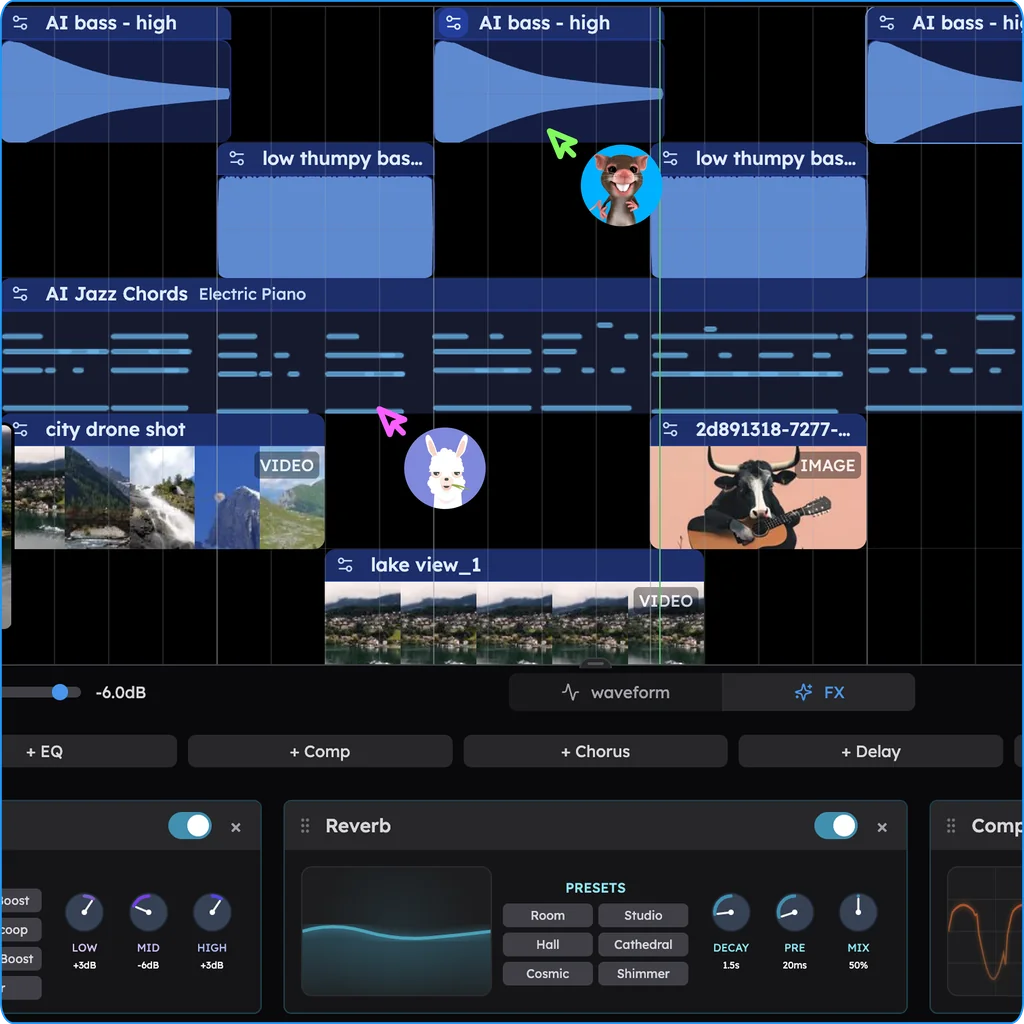
Or ask CoProducer
Type what you want trimmed:
Trim my recording so it starts on the first downbeat of the verse and ends after the last chorus, fade it in over 1 bar and out over 4 bars.
CoProducer trims and fades the clips in your project, and each change is one Ctrl+Z.
Trimming, cutting and shortening
| You want | Do this in Veena |
|---|---|
| Cut silence or count-in from the start | Split before the first sound, delete the piece |
| End the song earlier | Split after the last bar you want, delete the rest, fade out |
| Remove a section from the middle | Split at both edges, delete the middle, drag the end up to close the gap |
| Make the song shorter without cuts | Ask CoProducer to shorten a section, such as "make the second verse 8 bars" |
| Make it play faster or slower | Drag the clip's right edge to time-stretch; the pitch holds |
Dragging an audio clip's right edge stretches it rather than trims it, which is why split mode is the trimming tool.
What's free
- Editing: split, delete, move, fades and crossfades, time-stretch and pitch shift, on every plan.
- CoProducer: a daily allowance of requests.
- The studio: timeline, mixer, recording and 17 built-in effects, with up to 5 projects at a time.
- Export: WAV 24-bit/48 kHz, MP3 320 kbps, MIDI and stems, with no cap and no watermark.
Veena Pro, $20 a month, removes the daily request cap and unlocks the premium models.
GarageBand runs only on Apple devices, and Audacity is a desktop audio editor with no instruments to build on what you keep (as of October 2026). Veena trims in the browser on any computer, then gives you a producer to build the song around what is left.
The edges are covered in detail in fade in and out. Every clip tool is in edit audio in Veena, word-based edits are in edit a song with CoProducer, and making the take is recording in Veena. Every other answer is in the Veena help centre.
Related reading: Fade in and out · Edit audio in Veena · Edit a song with CoProducer
Try this in Veena
Trim my recording so it starts on the first downbeat of the verse and ends after the last chorus, fade it in over 1 bar and out over 4 bars, then add soft Jazz kit drums underneath.
Frequently asked questions
How do I trim a song?
In Veena, turn on Toggle Split Mode with C, click the clip where the song should start, then where it should end, and delete the pieces you don't want. Drag the corner handles to fade the new edges, then export a WAV or MP3. Veena is an AI DAW with a personal music producer built in, free in your browser.
Can I trim a song by asking in words?
Yes. In Veena, tell CoProducer "trim my recording to start at bar 5 and end after the last chorus, and fade out over 4 bars". CoProducer trims and fades the clips in the project, the same edits you make by hand, and each change is one Ctrl+Z if you want it back.
How do I cut the silence at the start of a recording?
In Veena, zoom in on the clip, press C for split mode and click just before the first sound. Turn split mode off, select the silent piece and press Delete, then drag the remaining clip to the start of the timeline. A short fade-in on the new edge removes any click.
Does trimming a song in Veena lower its quality?
No. In Veena, splitting and deleting changes where the clip starts and stops; the audio you keep plays exactly as recorded. Export the trimmed song as a 24-bit/48 kHz WAV or a 320 kbps MP3 with no watermark, on the free plan.
Meet your personal music producer
Free, in your browser. Describe the song you want and CoProducer builds it with you.
Make music free