Free Audio Joiner
An audio joiner glues files together. Veena's free audio joiner joins them on a real timeline: drop in your recordings, line them up end to end, overlap the edges for a smooth crossfade and export one WAV or MP3. Then keep going, because the timeline belongs to an AI DAW with a personal producer, CoProducer, who can write the transition between two takes that were never meant to meet.
Veena is an AI DAW with a personal music producer built in. Describe the song you want and CoProducer builds it with you — beats, chords, melody, arrangement and mix — as real tracks you can edit, mix and export. Free, in your browser.
How to use the free audio joiner, step by step
- Open daw.veena.studio and sign in with Google. A new project opens in the browser.
- Drop in every file at once. Select your files and drag them onto the timeline, or press Upload and pick them together. WAV, MP3, M4A, FLAC, AIFF and other formats import, in order, each as its own clip. If Veena offers to Extract metadata, choose Skip so every file stays whole.
- Line them up on one track. Drag the second clip onto the first clip's track. It snaps flush against the end of the first clip, so the join has no gap and no overlap. Do the same for the third file, and the fourth.
- Smooth the joins. For a crossfade, drag a clip back so it overlaps the one before it by a beat or a bar. Veena fades the first out and the second in across the overlap. For a hard cut, leave them butted end to end.
- Fade the outside edges. Hover the first clip and drag the handle on its top-left corner for a fade-in, and the last clip's top-right handle for a fade-out.
- Export. Click Export, pick WAV or MP3 and Full mix. Veena renders every joined clip into one 24-bit/48 kHz WAV or 320 kbps MP3, with no watermark.
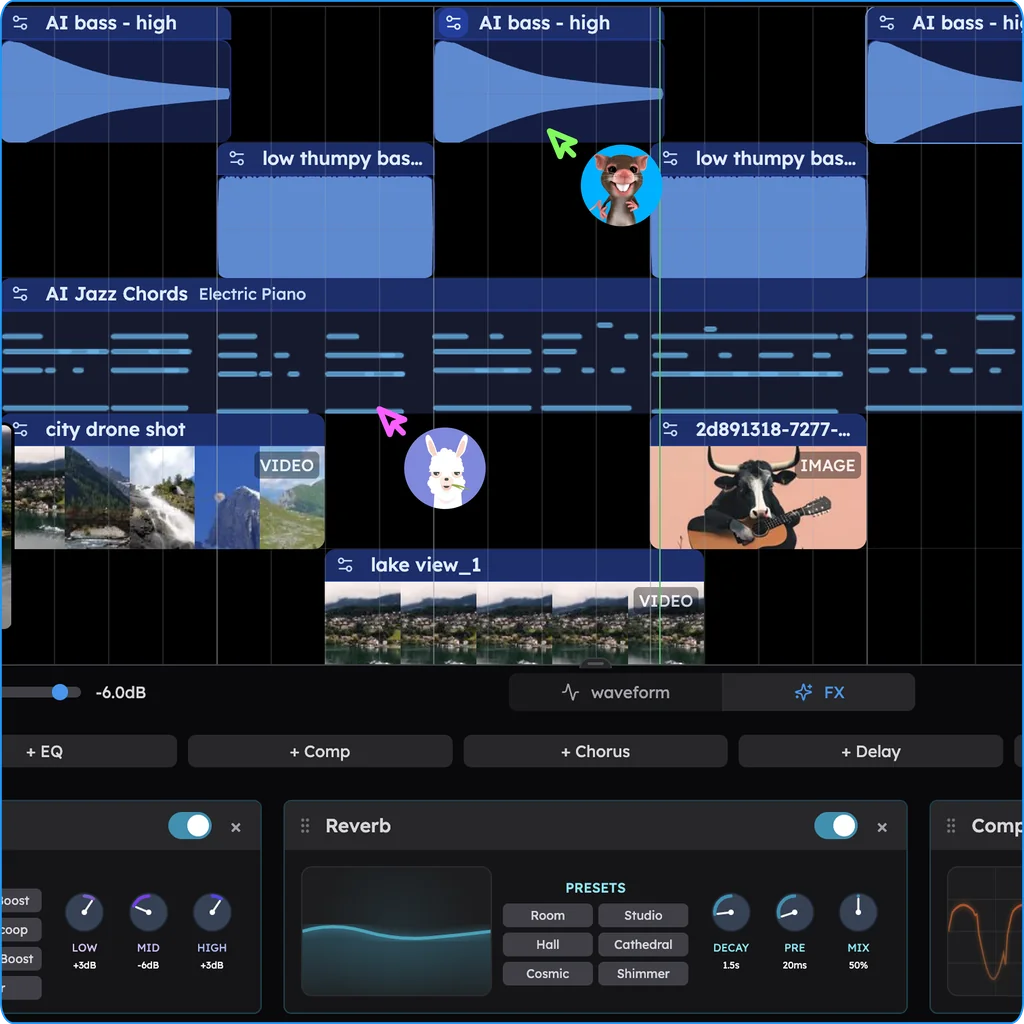
Three ways to join audio in Veena
| The join you want | How to make it | What you hear |
|---|---|---|
| Back to back, no gap | Drag the clip until it snaps to the end of the one before | One file straight into the next |
| A crossfade | Overlap the two clips on the same track | The first fades out as the second fades in |
| A space between | Leave a gap of a beat or a bar on the grid | A breath of silence, then the next file |
| A real transition | Ask CoProducer for a fill, a riser or a bridge | New music that carries one part into the next |
Hold Alt while you drag to place a clip freely, off the grid. Every move is one Ctrl+Z.
Join takes, demos and voice memos into one song
The best reason to join audio is a song in pieces: a verse recorded on Monday, a chorus from a rehearsal, a voice memo of the bridge. Put them on one track in song order and the song exists for the first time. Different rooms, different levels? Ask CoProducer to balance them, or split a take with the free stem splitter to keep the vocal and lose the room.
Need the opposite, a shorter piece cut from a longer one? The free song cutter splits a song wherever you click, and how do I trim a song? walks through every cut. Blending two songs at once rather than one after the other is the job of the free song mashup maker.
Then the producer walks in
A joiner stops at the join. Veena starts there. Ask CoProducer for drums under the whole run, a bassline that ties the sections together or a 4-bar build into the last part. It writes each one as a real track you can edit, with three takes of each new part to choose from, and every change is a step you can undo.
Free audio joiner: how Veena compares
| Veena | An audio joiner website | A desktop audio editor | |
|---|---|---|---|
| Runs in the browser | Yes, phones included | Yes | Install required |
| Join many files in one go | Yes, drop them all at once | Usually | Yes |
| Crossfade the joins | Yes, overlap the clips | Sometimes, one setting for every join | Yes, by hand |
| Hear each join before you export | Yes, on the timeline | Usually not | Yes |
| Add new music between the parts | Yes, with CoProducer | No | No |
| Export | WAV or MP3, no watermark | Usually one file | Varies |
Veena is the free audio joiner that also gives you a studio and a producer: join the parts, smooth every edge and finish them into one song. See every other free music tool, or join your first files free now.
Related reading: Free song cutter · How do I trim a song? · Fade in and out
Try this in Veena
Make a 90 BPM lo-fi hip hop beat in D minor with dusty drums, Rhodes chords and a warm bass, then write a 4-bar transition with a filtered drum fill and a rising pad that carries the beat into a second, brighter section with a piano lead.
Opens a new project in Veena, and CoProducer starts building from this prompt.
Frequently asked questions
Is there a free audio joiner online?
Yes. Veena is an AI DAW with a personal music producer built in. Describe the song you want and CoProducer builds it with you — beats, chords, melody, arrangement and mix — as real tracks you can edit, mix and export. Free, in your browser. Dropping files on the timeline, placing them end to end, crossfades and export are all part of the free studio.
How do I join two audio files into one?
Open daw.veena.studio, sign in with Google and drop both files onto the timeline. Drag the second clip onto the first clip's track; it snaps flush against the first clip's end. Press Space to hear the join, then click Export, pick WAV or MP3 and Full mix. Veena writes both clips into one file.
How do I crossfade two songs together?
In Veena, put both songs on the same track and drag the second clip back so it overlaps the end of the first by a bar or two. Veena crossfades across the overlap on its own: the first song fades out as the second fades in, drawn as an X on the clips. Drag the clips apart and the crossfade is gone.
Can I join more than two audio files at once?
Yes. Drop as many files as you like onto Veena's timeline in one go; they import in order, each as its own clip. If Veena asks whether to extract metadata, choose Skip so your files stay whole. Then drag each clip onto one track, end to end, and export the whole run as a single WAV or MP3.
Can I fill the gap between two songs with new music?
Yes, and that is what an audio joiner website cannot do. In Veena, ask CoProducer for a transition, such as "write a 4-bar drum fill and a rising pad between these two sections". It writes the parts as real tracks on your timeline, with takes to choose from, so the join becomes part of the music instead of a cut.
Will joining files in Veena lower the quality?
No. Veena plays every clip as you imported it and renders the joined mix once, at export. Choose a 24-bit/48 kHz WAV for full quality or a 320 kbps MP3 for a smaller file. There is no watermark and no export cap on the free plan, and you own the Output you generate on every plan.
Meet your personal music producer
Free, in your browser. Describe the song you want and CoProducer builds it with you.
Make music free