How to autotune in REAPER
REAPER autotune is ReaTune, and it ships with a trap: the plug-in comes with REAPER, but its scale starts on Chromatic, so out of the box it snaps a vocal to the nearest semitone, not to your song's key. Then there is the licence, $60 or $225 once the 60-day evaluation ends. Veena has Auto-Tune built in, Natural or Hard, free on every plan in your browser, and a personal producer to build the beat around your take.
Veena is an AI DAW with a personal music producer built in. Describe the song you want and CoProducer builds it with you — beats, chords, melody, arrangement and mix — as real tracks you can edit, mix and export. Free, in your browser.
REAPER autotune: what Cockos's own pages say
Read on reaper.fm (the purchase and download pages, and the Cockos Effects Summary Guide, version 2.00) on 20 November 2026:
- ReaTune's modes: "ReaTune has three main modes – tuning mode, automatic pitch correction, and manual pitch correction."
- The default scale: Key mode offers "Major, Minor, Chromatic, Dorian, Phrygian, Lydian, Mixolydian, Locrian, Arabian and Egyptian. The default setting is Chromatic."
- For vocals: the Algorithm for vocals "is likely to be elastique 2.1 soloist".
- Price: "You get 60 days of evaluation free, with full functionality, and no strings attached", then "$60 : discounted license" or "$225 : commercial license". "All license purchases are final."
- Where it runs: Windows, macOS and Linux, version 7.86 of 13 November 2026, installed on a computer.
How to autotune in REAPER with ReaTune
- Insert ReaTune. Add it to the FX chain of the vocal track or media item.
- Open automatic pitch correction. Click its tab near the top of the window.
- Set Key name and Key mode. Pick the song's root, A through G#, then change Key mode from Chromatic to the song's scale.
- Set Attack time and Algorithm. Attack time is how long after a note starts ReaTune begins correcting it; shorter is harder. Choose elastique 2.1 soloist for a vocal.
- Or draw it by hand. In manual correction mode, drag a horizontal bar over a note and move it up or down to the pitch you want.
Autotune your voice free: Veena vs REAPER
| As of November 2026 | Veena | REAPER |
|---|---|---|
| Pitch correction | Auto-Tune, built in, free | ReaTune, with the app |
| Starts in your key | Yes: right-click uses the project key | No: Key mode starts on Chromatic |
| Settings | Key, Scale, Amount, Natural or Hard | Key name, Key mode, notes allowed, Attack time, Algorithm |
| Beat to sing over | CoProducer builds it around your take | You build it |
| Where it runs | Any browser, a Chromebook, a phone | Installed on Windows, macOS or Linux |
| Price | Free studio, Auto-Tune included | $60 or $225 after 60 days |
REAPER's strength is ReaTune's manual mode, where you draw each note's corrected pitch by hand. For tuning a vocal today and turning it into a finished song, every other row goes to Veena. The autotune online, free page shows the whole vocal chain, and how to use autotune covers the settings in depth.
Autotune in Veena, free, in 4 steps
Start from a blank canvas: paste the synth-pop prompt at the bottom of this page into CoProducer and a beat in C minor arrives with a guide melody to sing along to. Or bring your own recordings, a vocal take you already have, and tune that.
- Open daw.veena.studio and sign in with Google. Press Record and sing, or drag your vocal file onto the timeline.
- Find the key. Select the vocal clip and use Find Key if you don't know it.
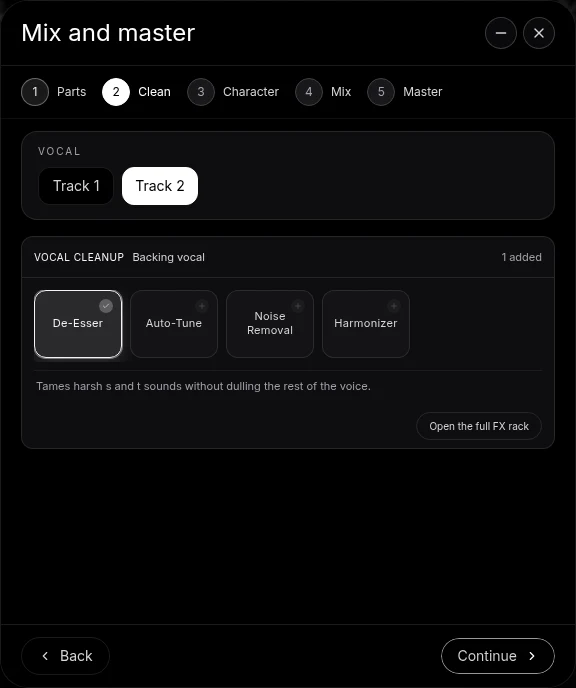
- Right-click the clip and choose Auto-Tune. For full control, open the clip's FX tab and set Key, Scale, Amount from 0 to 100% and Style: Natural for polish, Hard for the robotic glide.
- Export. A 24-bit/48 kHz WAV or 320 kbps MP3, the mix or every track on its own, with no watermark.
Already own a pitch-correction plug-in? Veena Bridge runs your VST3 plug-ins on Mac and Windows, and Audio Units on Mac, in the same session. Veena's free plan includes Auto-Tune and every other effect, and gives CoProducer a daily allowance; Veena Pro, $20 a month, removes the daily request cap and unlocks the premium models.
Make a 126 BPM synth-pop beat in C minor for me to sing over and auto-tune: a four-on-the-floor kick with an open hi-hat on the off-beat, a pulsing synth bass on Cm, Ab, Eb and Bb, bright arpeggiated synths, a wide pad and a simple guide melody on a soft lead I can follow with my voice. Set the project key to C minor. Intro 8 bars, verse 16, chorus 16, verse 16, chorus 16, outro 8.
Related reading: Veena help centre · Autotune online, free · How to use autotune · How to autotune in Audacity · Is REAPER free? · Veena vs REAPER · Is REAPER good for beginners?
Try this in Veena
Make a 126 BPM synth-pop beat in C minor for me to sing over and auto-tune: a four-on-the-floor kick with an open hi-hat on the off-beat, a pulsing synth bass on Cm, Ab, Eb and Bb, bright arpeggiated synths, a wide pad and a simple guide melody on a soft lead I can follow with my voice. Set the project key to C minor. Intro 8 bars, verse 16, chorus 16, verse 16, chorus 16, outro 8.
Opens a new project in Veena, and CoProducer starts building from this prompt.
Frequently asked questions
Does REAPER have autotune?
Yes, ReaTune, one of the Cockos plug-ins supplied with REAPER. Its effects guide lists "three main modes – tuning mode, automatic pitch correction, and manual pitch correction" (reaper.fm, read 20 Nov 2026). REAPER itself costs $60 or $225 after a 60-day evaluation. Veena has Auto-Tune built in, free on every plan. Veena is an AI DAW with a personal music producer built in. Describe the song you want and CoProducer builds it with you — beats, chords, melody, arrangement and mix — as real tracks you can edit, mix and export. Free, in your browser.
How do I autotune in REAPER?
Insert ReaTune into the vocal track's FX chain and open its automatic correction tab. Set Key name to the song's root and Key mode to its scale, because the default is Chromatic; choose elastique 2.1 soloist as the Algorithm for vocals (Cockos effects guide, read 20 Nov 2026). In Veena you right-click the vocal, choose Auto-Tune and pick Natural or Hard, free.
Why does ReaTune sound like nothing changed?
Check Key mode. Cockos's guide says the default setting is Chromatic, which lets every one of the 12 notes through, so an off note snaps to the nearest semitone rather than to your song's key. Set it to Major or Minor in the right key. Veena's Auto-Tune uses the project key on a right-click, and Find Key detects it from your recording.
How do I get the hard autotune sound in REAPER?
In ReaTune's automatic mode, shorten the Attack time, which the guide defines as the time between the start of a note and when ReaTune starts correcting it. In Veena, set Auto-Tune to the song's key, choose the Hard style and push Amount to 100%, free in your browser, and CoProducer builds the beat around your tuned take.
Is REAPER's autotune free?
ReaTune comes with REAPER, and REAPER gives "60 days of evaluation free, with full functionality"; after that a licence is "$60 : discounted license" or "$225 : commercial license", and "All license purchases are final" (reaper.fm, read 20 Nov 2026). Veena's Auto-Tune is free on every plan, with no evaluation clock.
Meet your personal music producer
Free, in your browser. Describe the song you want and CoProducer builds it with you.
Make music free