Can you use Neural DSP plugins in a browser DAW?
Can you use Neural DSP plugins in a browser DAW? Yes: in Veena, an Archetype runs on your guitar track inside the studio in your browser. Neural DSP ships every plugin as VST3, and as an Audio Unit on a Mac, among its formats, and Veena Bridge, a free helper app on your computer, hosts exactly those. Record your guitar, load the rig, and CoProducer builds the band around your part.
Veena is an AI DAW with a personal music producer built in. Describe the song you want and CoProducer builds it with you — beats, chords, melody, arrangement and mix — as real tracks you can edit, mix and export. Free, in your browser.
Neural DSP's formats, from its own pages
Read on neuraldsp.com's Archetype: Gojira X, Archetype: John Mayer X, Darkglass Ultimate and Mantra pages on 18 November 2026:
- Formats: "64-bit VST2 / VST3 / AU / AAX / Standalone"; Darkglass Ultimate's page lists the same set.
- Systems: "Latest OS Compatibility for Windows & Mac, including Native Apple Silicon."
- Licence: "Free iLok License Manager and iLok account needed."
- Trial: a "14-day free trial" on every plugin page.
- Price: listed from €99.00 to €169.00, with 20% off for returning customers and for new customers buying two or more.
How Neural DSP's formats meet Veena Bridge
| Your computer | Neural DSP ships | Veena Bridge hosts | In Veena |
|---|---|---|---|
| Mac, Intel or Apple silicon | VST2, VST3, AU, AAX, standalone | AU and VST3, one universal helper | Archetype on any guitar or bass track |
| Windows | VST2, VST3, AAX, standalone | VST3 | Archetype on any guitar or bass track |
| Chromebook or phone | Not installed there | Built-in effects | Veena's Distortion, Chorus, Delay and Reverb |
Veena Bridge was read in Veena's own code on 18 November 2026: it scans the Mac's Audio Units and the standard VST3 folders, plus any folder you add, and opens each plugin's own window, so an Archetype's amps, pedals and cabinets are a click away. Setup and troubleshooting are on VST and AU plugins in Veena.
Veena and a desktop DAW, both hosting Archetype
| Veena with Neural DSP | A desktop DAW with Neural DSP | |
|---|---|---|
| The studio's price | Free | The DAW's own price |
| Install | Veena Bridge only; the studio opens in your browser | The full DAW, plus the plugin |
| A band around your guitar | CoProducer writes drums, bass and keys to your take | You program or record them |
| Built-in effects alongside | 17, including Compressor and 8-Band EQ | The DAW's own |
| Export | WAV, MP3, MIDI and stems, free | Depends on the DAW |
Neural DSP's strength is the signature rig, built with the guitarist whose name it carries, and it sounds the same in any host. Veena adds what a guitarist recording alone is missing: a producer who writes the rest of the band to your part.
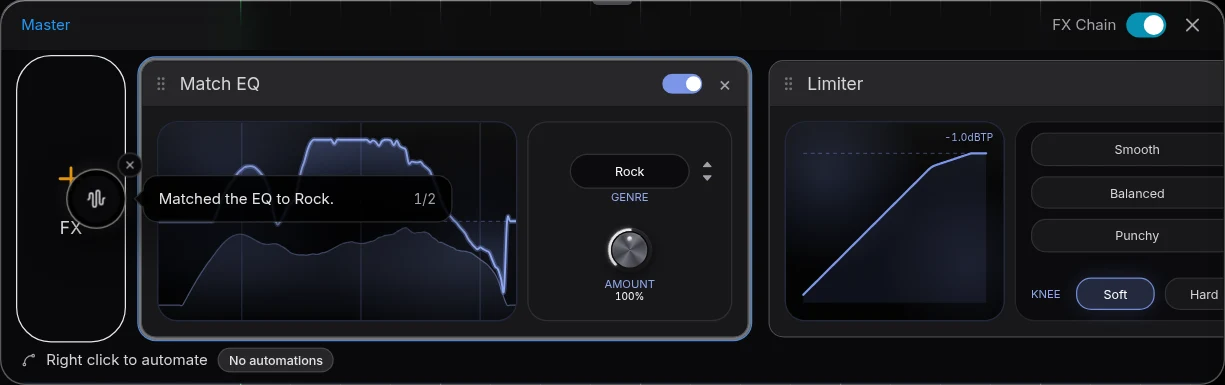
Record guitar through Archetype in Veena
- Install the plugin, or its 14-day trial, and activate it in iLok License Manager.
- Open Veena at daw.veena.studio, plug your guitar into your audio interface and record a clean take. Input setup is on how do I connect a microphone?
- Install Veena Bridge when Veena asks: press Download, install, then Launch and allow local network access.
- Open the guitar track's FX, press VST and pick the Archetype; open its window and choose a preset.
- Ask CoProducer for the band with the funk-rock prompt below, then export WAV 24-bit/48 kHz, MP3, MIDI or stems, free.
This week's Neural DSP prices are on does Neural DSP go on sale for Black Friday?. The same steps for other guitar rigs: can you use BIAS FX in a browser DAW? and can you use AmpliTube in a browser DAW?
Make a 104 BPM funk-rock song in E minor: a tight pocket groove with ghost notes on the snare, a slap bass on Em7 and A7, space for my recorded clean guitar through Archetype, a Rhodes comping on the off-beats and a horn-style synth stab in the chorus. Intro 4 bars, verse 16, chorus 8, verse 16, chorus 8, solo 16, chorus 8. Then mix it.
Related reading: Veena help centre · VST and AU plugins in Veena · VST plugins in your browser · Does Neural DSP go on sale for Black Friday? · Can you use BIAS FX in a browser DAW? · Does Positive Grid go on sale for Black Friday? · Can you use AmpliTube in a browser DAW? · Black Friday DAW deals 2026 · Can you use Helix Native in a browser DAW? · Can you use Guitar Rig 7 in a browser DAW?
Try this in Veena
Make a 104 BPM funk-rock song in E minor: a tight pocket groove with ghost notes on the snare, a slap bass on Em7 and A7, space for my recorded clean guitar through Archetype, a Rhodes comping on the off-beats and a horn-style synth stab in the chorus. Intro 4 bars, verse 16, chorus 8, verse 16, chorus 8, solo 16, chorus 8. Then mix it.
Opens a new project in Veena, and CoProducer starts building from this prompt.
Frequently asked questions
Can you use Neural DSP plugins in a browser DAW?
Yes, in Veena. Neural DSP's plugins come in "64-bit VST2 / VST3 / AU / AAX / Standalone" for Windows and Mac (neuraldsp.com, read 18 Nov 2026), and the free Veena Bridge helper hosts VST3 on Mac and Windows and Audio Units on a Mac. Veena is an AI DAW with a personal music producer built in. Describe the song you want and CoProducer builds it with you — beats, chords, melody, arrangement and mix — as real tracks you can edit, mix and export. Free, in your browser.
Which Neural DSP format should I use in Veena?
VST3 on Windows, and VST3 or AU on a Mac. Veena Bridge scans the standard VST3 folders, plus any folder you add from the picker, and the Mac's Audio Units. Neural DSP's VST2 and AAX builds are for other hosts; Veena reads the VST3 and AU builds.
Can I try a Neural DSP Archetype in Veena before buying?
Yes. Every Neural DSP plugin page offers a "14-day free trial" (read 18 Nov 2026). Install the trial, activate it in iLok License Manager, and it loads on a guitar track in Veena's free studio through Veena Bridge, so you hear the rig on a full song before you pay.
How do I record guitar through Archetype in Veena?
Plug your guitar into your audio interface, record a clean take on a Veena track, then put the Archetype on that track's FX and pick a preset in its own window. The recording stays clean, so you can change amp after the take, while CoProducer writes drums, bass and keys to your part.
Do Neural DSP plugins work in Veena on a Chromebook or phone?
Neural DSP's plugins run on the Windows or Mac computer where they are installed. On a Chromebook or phone, Veena records your guitar into the full studio or Pocket Studio and plays its own 17 built-in effects, Distortion, Chorus, Delay and Reverb among them, free.
Is Neural DSP on sale for Black Friday?
On 18 November 2026 neuraldsp.com showed 20% off for returning customers on all plugins and for new customers buying two or more, with no Black Friday wording or end date; Archetypes were listed from €99.00 to €169.00. Each one plays in Veena's free studio through Veena Bridge.
Meet your personal music producer
Free, in your browser. Describe the song you want and CoProducer builds it with you.
Make music free