How to mix a bass playthrough video
Mix a bass playthrough video for free: split your bass from the backing with stems, even it out with compression, add growl, then master it in Veena.
How do you mix a bass playthrough video?
To mix a bass playthrough video, make the bass the loudest idea in the room and the easiest one to follow: in Veena, separate the clip's audio, split it into stems so your bass sits on its own track, even out the notes, add the attack that phone speakers need, clear the kick, master and export the MP4. It is free, in your browser.
Veena is an AI DAW with a personal music producer built in. Describe the song you want and CoProducer builds it with you — beats, chords, melody, arrangement and mix — as real tracks you can edit, mix and export. Free, in your browser.
Bass is the most misunderstood instrument on video. Played in a room through an amp, it sounds huge. Recorded on a phone and played back on a phone, most of what made it huge is gone: small mics and small speakers both struggle with the lowest octaves. On top of that, the backing track's drums and the room swallow the attack of each note. The result is a playthrough where viewers see fingers moving and hear a vague hum. The fix is to separate the bass and give it both halves of its sound: weight for headphones and attack for phones.
Mix a bass playthrough video, step by step
- Import the video. Drag it onto the arrangement or press Upload. Veena opens MP4, M4V, MOV, WebM, MKV and AVI.
- Separate the audio. Right-click the video clip and choose Separate Audio.
- Split it into stems. Stop playback, right-click the audio and choose Separate into Stems. Your bass lands on the bass stem; the backing spreads across drums, vocals and other.
- Even out the notes. On the bass stem's FX, add a Compressor with a moderate ratio and a medium attack, so every note sits at a similar level and the pluck still comes through.
- Add the attack. On the 8-Band EQ, lift the upper mids where the finger or pick attack lives. That is what reads on a phone speaker.
- Clean the bottom. Trim boom in the low mids if the bass sounds woolly. Keep any Filter high-pass just under your lowest note, or skip it.
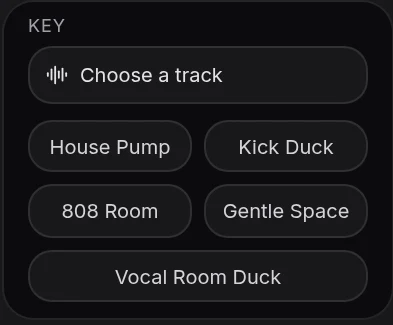
- Clear the kick. Trim the bass slightly where the kick punches, or add Sidechain with the drums stem as the key source.
- Balance, then Mix & Master. Tag the bass as the most important part on Parts, press AutoMix, then Master project, and Export an MP4.
Bass problems on video, and the fix for each
| What you hear | The move in Veena |
|---|---|
| Notes jumping in level | Compressor, moderate ratio, medium attack |
| Bass vanishes on phone speakers | Upper-mid lift on the 8-Band EQ for attack |
| Woolly, boomy tone | A small low-mid cut on the 8-Band EQ |
| Kick and bass blur together | A small cut where the kick punches, or Sidechain from the drums stem |
| Sub rumble from the room | Filter high-pass, set just under the lowest note |
| Backing louder than the bass | Bass stem up, or the other stems down |
Weight and attack: the two halves of a bass sound
A bass note has two parts. The fundamental is the low, round tone you feel; the attack and the overtones above it are what tell the ear which note was played. Headphones and good speakers reproduce both. Phones and laptops reproduce mostly the second. A bass mixed for weight alone disappears on the devices most viewers watch on.
So mix in two passes. First, set the low end for headphones: full, steady and clear of the kick. Then switch to the smallest speaker you have and lift the upper mids until every note is easy to follow. Bypass the EQ card to hear both versions back to back.
Slap, pick and fingerstyle
Slap bass has huge transients. Use a faster attack on the Compressor to catch the pops, and go easy on the upper-mid lift, which slap already has.
Pick playing brings its own attack. Lift less, and put the work into evening out the low end.
Fingerstyle benefits most from the upper-mid lift, because the attack is softest. A slower compressor attack keeps the pluck intact.
Let CoProducer mix it
Ask CoProducer to "split this, put the bass up front with even compression and more attack for phone speakers, keep the kick clear and master it for YouTube". It works with the same stem separation, Mix & Master flow and effect cards, on your real tracks. Then refine in sentences: "less low mids on the bass", "the drums up a touch".
The guide to clean audio for playthrough videos covers the method for any instrument, and mix a drum cover video covers the kick side of the same relationship. Every guide in this series is linked from clean up audio in a video, and the AI mixing assistant page covers the mix stage.
Export and post
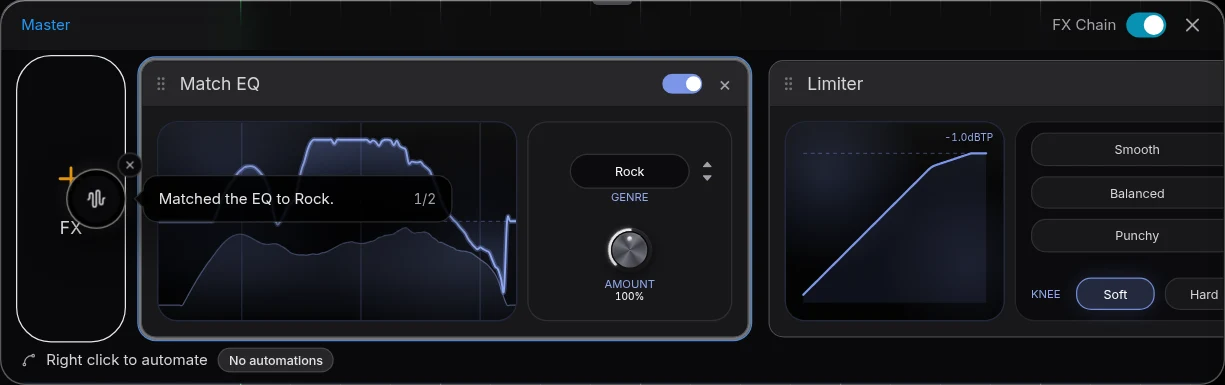
Export from your avatar, choose MP4, and the picture leaves with the mixed and mastered bass. Free on every plan, with no cap and no watermark.
The prompt to paste into CoProducer
Separate the audio from your clip first, then paste this:
"Mix my bass playthrough video: split the audio into stems, put the bass stem up front with a compressor to even out the notes, lift the upper mids so the finger and pick attack reads on phone speakers, keep the kick clear of the bass and the rest of the backing tucked under, then master it loud and clean for YouTube."
Related reading: clean up audio in a video, clean audio for playthrough videos, mix a drum cover video, mix a guitar playthrough video.
Try this in Veena
Mix my bass playthrough video: split the audio into stems, put the bass stem up front with a compressor to even out the notes, lift the upper mids so the finger and pick attack reads on phone speakers, keep the kick clear of the bass and the rest of the backing tucked under, then master it loud and clean for YouTube.
Frequently asked questions
How do you mix a bass playthrough video?
Import the video into Veena, right-click it and choose Separate Audio, then Separate into Stems. Your bass lands on the bass stem, apart from the drums and the rest of the backing. Compress it for even notes, lift the upper mids for attack, set it above the backing, run AutoMix and Master project, and export the MP4.
Why can't I hear the bass in my playthrough on a phone?
Phone speakers reproduce very little low end, so a bass that is all fundamental vanishes on them. In Veena, lift the upper mids of the bass stem on the 8-Band EQ, where the string and finger attack lives, so the notes read on small speakers while the low end still carries on headphones.
Should I high-pass a bass track?
Only very low. The bass fundamental sits in the lowest octaves, so in Veena keep any high-pass Filter just under your lowest note to clear sub rumble, and skip it entirely if the low end sounds right. Bypass the card while the lowest passage loops and listen for lost weight.
How do I stop the kick and bass from blurring together?
Give each its own space. In Veena, split the audio so the kick sits on the drums stem and your bass on the bass stem, then trim a little of the bass where the kick's punch lives on the 8-Band EQ. Veena's Sidechain effect can also duck the bass briefly on each kick hit.
Can CoProducer mix my bass playthrough?
Yes. After Separate Audio, ask CoProducer in Veena to split the audio, put the bass up front with even compression and more attack, and master the result for YouTube. It reaches the same stem separation, Mix & Master flow and effect cards you use by hand, and every change stays editable on your real tracks.
Meet your personal music producer
Free, in your browser. Describe the song you want and CoProducer builds it with you.
Make music free