Why does Suno block words in my lyrics?
Why does Suno block words in my lyrics? Because Suno screens every prompt and lyric sheet before it generates, and its help centre says "inappropriate content may get flagged before you can generate a song" (read 21 Nov 2026). The list it publishes covers artist and people's names, trademarks and profanity, which is how an ordinary word that happens to be a famous surname gets caught. In Veena nothing stands between your lyric and your song: you sing the words yourself, and CoProducer builds the music around them.
Veena is an AI DAW with a personal music producer built in. Describe the song you want and CoProducer builds it with you — beats, chords, melody, arrangement and mix — as real tracks you can edit, mix and export. Free, in your browser.
Why does Suno block words in my lyrics? What Suno's own pages say
Read on help.suno.com ("Does Suno moderate songs?"), suno.com/blog and suno.com/terms on 21 Nov 2026:
- It screens before the song exists. The help centre says generation may fail for content that includes "The names of well known artists or people", "Copyrighted or trademarked terms" and "Excessive profanity", along with derogatory or defamatory language.
- Artist names are stripped. Suno's blog post of 6 Aug 2026 says "we've never allowed prompts for specific artists or copyrighted songs", and that it will "remove the artist's name and redirect the request toward descriptive musical characteristics".
- Lyrics are checked by outside providers. The same post says Suno uses third-party providers "to screen uploaded audio files and lyrics for potential unauthorized use of artists' work".
- There is no published word list. The help centre's answer to a flag is an email: "feel free to reach our team at support@suno.com."
The filter is Suno's answer to the lawsuits against it, which are logged case by case in our Suno lawsuit ledger. A blocked word is the lyric side of the same screen that flags uploaded audio.
Suno banned words vs writing in Veena
| Read 21 Nov 2026 | Veena | Suno |
|---|---|---|
| Who sings your lyric | You, recorded in the studio | An AI singer, after the screen |
| A word that is also a famous name | Stays in your vocal | Can be flagged before generation |
| Who owns the lyrics | You | You |
| Who owns a free-plan song | You | Suno |
| Download on the free plan | WAV, MP3 and stems, no cap | "No monthly song downloads" |
Suno's strength is a sung demo from a lyric sheet in one click. Veena puts your own voice and your own words on the record, and gives you every track under them.
Write it, sing it, keep every word in Veena
- Write the lyrics. Open Notes in the left sidebar, press New Note and paste your lyric sheet, every word as you wrote it.
- Start the song. Create a new project and paste the prompt at the bottom of this page into CoProducer. Guitar, drums, bass and pad arrive as separate tracks, 3 options each.
- Sing it. Press record in the transport bar, pick a count-in of 1 or 2 bars and sing the verse and chorus from your note.
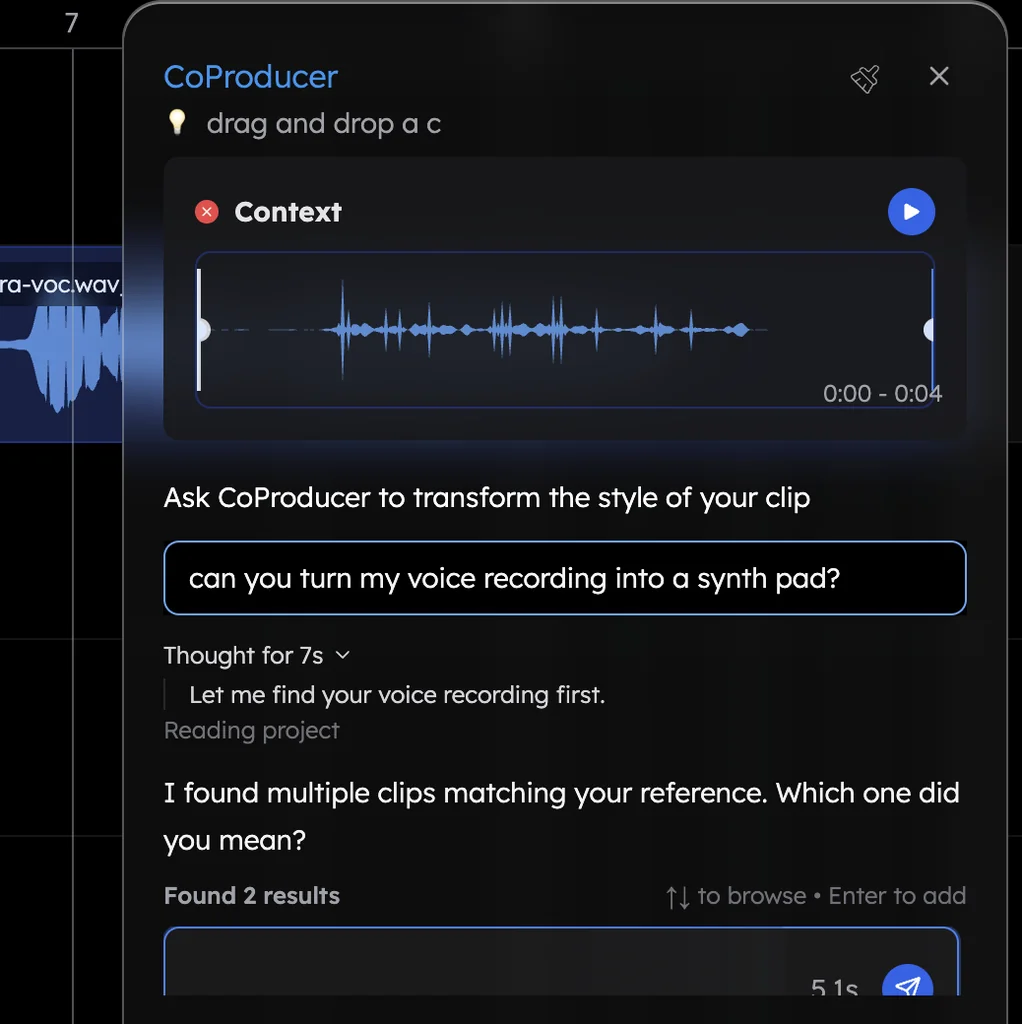
- Build around your voice. Ask CoProducer to "fit the arrangement around my vocal". It reads where your syllables land and shapes the parts to your phrasing.
- Change the voice if you like. Right-click the vocal clip, choose Re-sing… and pick the same line, an octave, a double or a harmony, in a voice close to your own.
- Export. Click Export, pick WAV or MP3, full mix or stems. No watermark, no cap.
What's free in Veena
- Your vocal: mic recording with count-in, Auto-Tune, the Harmonizer and the De-Esser, plus one free re-sing.
- CoProducer: a daily allowance of requests. Picking or skipping options does not use it.
- The studio: timeline, piano roll, Beat Maker, mixer and real-time collaboration, with no project limit.
- Export: WAV 24-bit/48 kHz, MP3 320 kbps, MIDI and stems, with no cap and no watermark.
- Ownership: you own the Output you generate, on every plan.
Veena Pro, $20 a month, removes the daily request cap and unlocks the premium models.
Who owns the words is answered in do I own my lyrics on Suno?. Two other Suno questions this week: do you need a Suno account to listen? and will Suno shut down?. Every other answer is in the Veena help centre.
Make a 96 BPM indie pop song in G major: 4-bar intro, 16-bar verse, 8-bar pre-chorus, 8-bar chorus, 16-bar verse, 8-bar chorus, 8-bar bridge, 8-bar chorus. Clean electric guitar arpeggios, a punchy Pop kit, a warm synth bass and a soft pad lifting the choruses. Leave space for my lead vocal.
Related reading: Do I own my lyrics on Suno? · Suno lawsuit ledger · Record your voice for a song
Try this in Veena
Make a 96 BPM indie pop song in G major: 4-bar intro, 16-bar verse, 8-bar pre-chorus, 8-bar chorus, 16-bar verse, 8-bar chorus, 8-bar bridge, 8-bar chorus. Clean electric guitar arpeggios, a punchy Pop kit, a warm synth bass and a soft pad lifting the choruses. Leave space for my lead vocal.
Opens a new project in Veena, and CoProducer starts building from this prompt.
Frequently asked questions
Why does Suno block words in my lyrics?
Suno's help centre says it moderates content and that "inappropriate content may get flagged before you can generate a song", listing the names of well-known artists or people, copyrighted or trademarked terms and excessive profanity (read 21 Nov 2026). Veena is an AI DAW with a personal music producer built in. Describe the song you want and CoProducer builds it with you — beats, chords, melody, arrangement and mix — as real tracks you can edit, mix and export. Free, in your browser.
What are Suno's banned words?
Suno publishes categories, not a word list. Its help centre names well-known artists or people, copyrighted or trademarked terms, derogatory or defamatory language and excessive profanity, and says to email support@suno.com if you are unsure why something was flagged (read 21 Nov 2026). In Veena you write your lyrics in Notes and sing them yourself, word for word.
Why does Suno flag an ordinary word?
Suno's blog says that when a prompt names an artist, "we remove the artist's name and redirect the request toward descriptive musical characteristics", and that it screens lyrics with third-party providers (read 21 Nov 2026). A word that is also a surname can trip that screen. In Veena your lyric is a vocal you record, so every word you sing stays on the track.
Can I write any lyrics I want in Veena?
Your lyrics are yours in Veena. Write them in Notes, record your own voice singing them in the studio, and CoProducer builds the drums, chords, bass and melody around your take as separate tracks. Auto-Tune, the Harmonizer and the De-Esser polish the vocal, all on the free plan, and you export WAV, MP3 or stems with no watermark.
Can Veena change the voice on my lyrics?
Yes, with your own performance. Right-click your recorded vocal and choose Re-sing… to have it sung again as the same line, an octave, a double or a harmony, in one of the voices closest to your own from more than 700 or one of 14 hand-picked voices. A free account re-sings once; Veena Pro sings up to four voices at once.
Meet your personal music producer
Free, in your browser. Describe the song you want and CoProducer builds it with you.
Make music free