Do I own my lyrics on Suno?
Do I own my lyrics on Suno? Yes: Suno's help centre says "If you wrote the lyrics for the songs you've made in Suno, you own those lyrics", on any plan (read 15 Nov 2026). The song is another matter. On the free plan, Suno says "we retain ownership of the songs you generate". In Veena you sing your own lyrics over a song CoProducer builds with you, and you own what you make on every plan, free included.
Veena is an AI DAW with a personal music producer built in. Describe the song you want and CoProducer builds it with you — beats, chords, melody, arrangement and mix — as real tracks you can edit, mix and export. Free, in your browser.
Do I own my lyrics on Suno? Lyrics vs the song
Read from help.suno.com on 15 Nov 2026:
- The lyrics are yours. "Regardless of which plan you're using, the lyrics are yours to use as you wish."
- The free-plan song is Suno's. "If you are using the free version of Suno (our Basic tier), we retain ownership of the songs you generate", with non-commercial use allowed.
- Subscribing later does not change that. Pro or Premier "does not give you retroactive commercial use licensing for the songs made with a free plan by default."
- Paid songs are yours, copyright aside. Songs made while subscribed are yours, but "the material may not be eligible for copyright protection".
The plan-by-plan detail is in who owns Suno songs, and how the generators were trained is in does Suno train on my music.
Your lyrics, your song: Veena vs Suno
| Read 15 Nov 2026 | Veena | Suno |
|---|---|---|
| Who owns the lyrics you wrote | You | You |
| Who owns a free-plan song | You | Suno |
| Who sings | You, recorded in the studio | AI-sung vocals |
| The backing as tracks you edit | Every part, free | Studio, on Premier |
| Download on the free plan | No cap, no watermark | 0 downloads |
Suno's strength is a sung demo from a lyric sheet in one click. Veena puts your own voice on the record and gives you every track under it.
Turn your lyrics into a song in Veena
- Write them down. Open Notes in the left sidebar, press New Note and paste or write your lyrics.
- Start blank. Create a new project and paste the prompt at the bottom of this page into CoProducer. Guitar, drums, bass and pad arrive as separate tracks, 3 options each.
- Sing it. Press record in the transport bar and sing the verse and chorus from your note. A count-in and a live waveform show where the take lands.
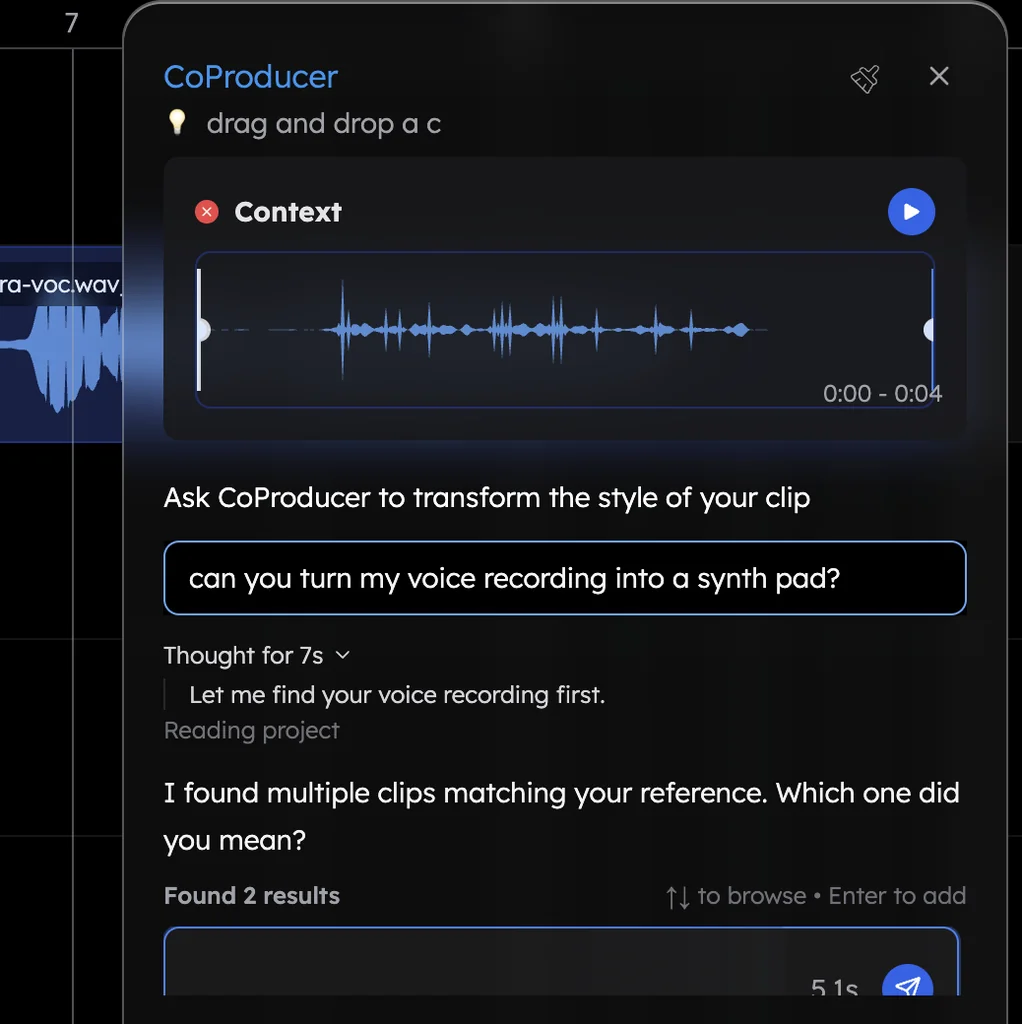
- Build around your voice. Ask CoProducer to "fit the arrangement around my vocal". It reads where your syllables land and shapes the parts to your phrasing.
- Polish and export. Add Auto-Tune or the Harmonizer to your vocal, balance the mix, then export WAV, MP3, stems or MIDI.
What's free in Veena
- Your vocal: mic recording with count-in, Auto-Tune, the Harmonizer and the De-Esser.
- CoProducer: a daily allowance of requests. Picking or skipping options does not use it.
- The studio: timeline, piano roll, Beat Maker, mixer, recording and real-time collaboration, with up to 5 projects at a time.
- Export: WAV 24-bit/48 kHz, MP3 320 kbps, MIDI and stems, with no cap and no watermark.
- Ownership: you own the Output you generate.
Veena Pro, $20 a month, removes the daily request cap and unlocks the premium models.
Taking your songwriting somewhere you own the whole song? Our Suno alternative guide covers the switch, and record your voice for a song walks through the mic setup.
Make a 92 BPM acoustic folk-pop song in D major: verse, chorus, verse, chorus, bridge, chorus. Fingerpicked acoustic guitar on the chords, a light Pop kit that enters in the first chorus, a soft upright-style bass and a warm pad under the bridge. Leave space for my vocal.
Related reading: Who owns Suno songs? · Turn lyrics into a song · Can I copyright a Suno song? · Who owns music made in Veena
Try this in Veena
Make a 92 BPM acoustic folk-pop song in D major: verse, chorus, verse, chorus, bridge, chorus. Fingerpicked acoustic guitar on the chords, a light Pop kit that enters in the first chorus, a soft upright-style bass and a warm pad under the bridge. Leave space for my vocal.
Frequently asked questions
Do I own my lyrics on Suno?
Yes. Suno's help centre says lyrics you wrote are yours on any plan, but on the free plan Suno keeps ownership of the song generated from them (read 15 Nov 2026). Veena is an AI DAW with a personal music producer built in. Describe the song you want and CoProducer builds it with you — beats, chords, melody, arrangement and mix — as real tracks you can edit, mix and export. Free, in your browser.
If I write my own lyrics on Suno's free plan, who owns the song?
Suno does. Its help centre says that on the free plan "we retain ownership of the songs you generate", with non-commercial use allowed, even though the lyrics stay yours (read 15 Nov 2026). In Veena you own the Output you generate on every plan, free included, and your recorded vocal is your own recording.
Can I reuse my lyrics from Suno somewhere else?
Yes. Suno's help centre says lyrics you wrote are yours to use as you wish (read 15 Nov 2026). Paste them into Veena's Notes, record yourself singing them, and CoProducer builds the arrangement around your take as real tracks you edit, mix and export with no watermark.
Can Veena sing my lyrics for me?
Veena is built for your own voice. You record the vocal in the studio from your mic, and CoProducer reads where your syllables land, sets the tempo to your take and builds drums, chords, bass and melody around it. Auto-Tune, the Harmonizer and the De-Esser polish the take, all on the free plan.
What is the best way to turn my lyrics into a song I own?
Write the lyrics in Veena's Notes, sing a rough take into your mic, and ask CoProducer to build the song around it. Every part arrives as a separate track you change in words or by hand. You own the Output you generate on every plan, and export WAV, MP3, stems or MIDI with no cap.
Meet your personal music producer
Free, in your browser. Describe the song you want and CoProducer builds it with you.
Make music free