How can I start making songs?
How can I start making songs? Start with one idea you already have, a mood, a beat, a line of lyrics or a melody you keep humming, and build it into a song with a structure. Veena makes that first step short. It is an AI DAW with a personal music producer, CoProducer, built in: you describe the song or hum the idea, and CoProducer builds drums, chords, bass and melody with you as real tracks you change, sing over and finish. It is free and runs in your browser.
Veena is an AI DAW with a personal music producer built in. Describe the song you want and CoProducer builds it with you — beats, chords, melody, arrangement and mix — as real tracks you can edit, mix and export. Free, in your browser.
Start making songs in Veena, step by step
1. Catch the idea. Hum the melody into your phone's voice memo, write the chorus line, or name the genre, tempo and mood you hear. That is your seed.
2. Open the studio. Go to daw.veena.studio and sign in with Google. Double-click New Project: 6 empty tracks and the CoProducer panel.
3. Bring the idea in. Press Record and hum or sing it, or drag your voice memo onto the timeline.
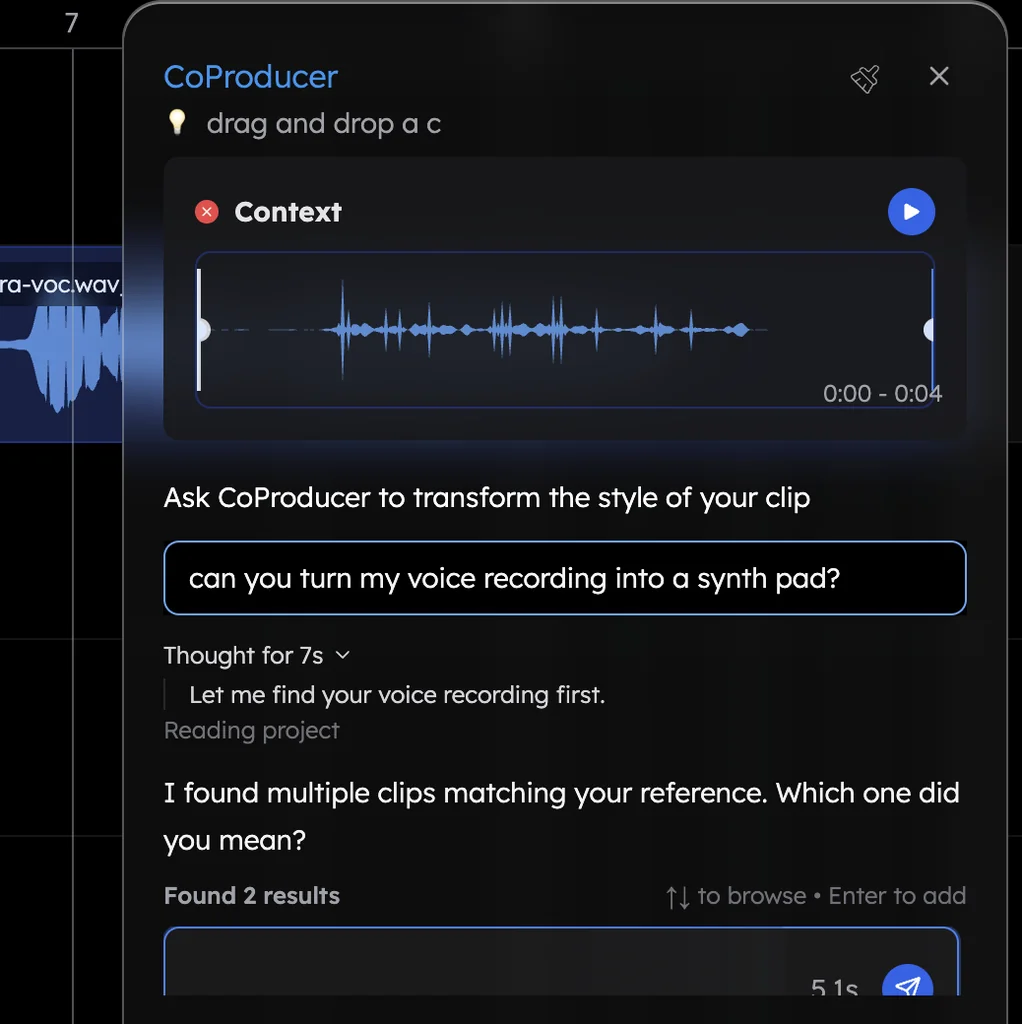
4. Ask for the song. Drag the clip into the CoProducer panel and describe the rest:
Build a 96 BPM acoustic pop song in G major around my hummed melody: 4-bar intro, 16-bar verse, 8-bar chorus, 16-bar verse, 8-bar chorus, 4-bar outro. Acoustic Guitar strums, soft Jazz kit drums, a Round Bass line and a warm Electric Piano under the chorus. Follow my phrasing.
CoProducer measures your take, sets the tempo to match and writes every part around your phrasing.
5. Choose every part. Each part arrives as 3 options. Keep the one that sounds like your song.
6. Make it yours. Ask "turn my humming into a cello line", change notes in the piano roll, or record your vocal over the finished arrangement. Your recorded take stays in the song as CoProducer arranges.
7. Finish and export. Ask CoProducer to mix and master the song, then choose Export for a WAV or MP3 with no watermark.
Three habits that get songs finished
- Finish small. A two-minute song you finish teaches more than a long one you abandon. Ask for 16-bar verses and 8-bar choruses.
- Decide the structure first. Verse, chorus, verse, chorus, outro. Veena's song-section ribbon under the ruler shows each section, so you see where the song is going.
- Keep the first version. Duplicate the project before a big change; every CoProducer change is one Ctrl+Z.
What's free
- CoProducer: a daily allowance of requests. Picking or skipping options does not use it.
- The studio: timeline, piano roll, Beat Maker, mixer and recording, 61 instrument presets and 8 drum kits, with up to 5 projects at a time.
- On your phone: Pocket Studio opens the same project, so an idea on the bus becomes a song at your desk.
- Export and ownership: WAV, MP3, MIDI and stems with no cap and no watermark, and you own the Output you generate.
Veena Pro, $20 a month, removes the daily request cap and unlocks the premium models.
For the craft behind each step, read how to make a song. The guided walk-through of the studio is make your first song in Veena, the genre-by-genre version is make a song with AI, and what costs nothing is in make a song with AI for free. Every other answer is in the Veena help centre.
Related reading: How to make a song · Make your first song in Veena · Make a song with AI
Try this in Veena
Build a 96 BPM acoustic pop song in G major around my hummed melody: 4-bar intro, 16-bar verse, 8-bar chorus, 16-bar verse, 8-bar chorus, 4-bar outro. Acoustic Guitar strums, soft Jazz kit drums, a Round Bass line and a warm Electric Piano under the chorus. Follow my phrasing.
Frequently asked questions
How can I start making songs?
Start with one idea, a mood, a beat or a melody you hum, and build it into a full song in a DAW. Veena is an AI DAW with a personal music producer built in. Describe the song you want and CoProducer builds it with you — beats, chords, melody, arrangement and mix — as real tracks you can edit, mix and export. Free, in your browser.
Can I make songs if I don't play an instrument?
Yes. In Veena you describe the song in words and CoProducer writes the drums, chords, bass and melody as editable tracks. Hum a melody into your microphone and CoProducer turns it into MIDI notes or another instrument in the song's key. Your computer keyboard plays notes too, so the ideas are all you need.
What do I need to start making songs?
A computer or phone with a browser, and headphones. Open Veena at daw.veena.studio and sign in with Google: the studio, CoProducer and export are free. A microphone lets you sing or record an instrument, and a MIDI keyboard lets you play parts in, but neither is required to finish your first song.
How do I finish my first song?
Give it a structure early: intro, verse, chorus, verse, chorus, outro. In Veena, ask CoProducer to build that arrangement around your idea, record your voice over it, then ask it to mix and master the song. Export a WAV with no watermark, and you have a finished song you own.
Meet your personal music producer
Free, in your browser. Describe the song you want and CoProducer builds it with you.
Make music free