Can you upload your own music to AIVA?
Can you upload your own music to AIVA? Yes, as an "influence": you upload a MIDI, MP3 or WAV file and AIVA generates a new composition that "shares some of the emotional qualities" of it, and the upload licenses AIVA to train its AI on your music "in perpetuity" (aiva.ai/legal/1, read 22 Nov 2026). In Veena, your recording is the song. Drop in your take and CoProducer, your personal music producer, builds the rest of the track around it, following your phrasing, and your music is never used to train AI.
Veena is an AI DAW with a personal music producer built in. Describe the song you want and CoProducer builds it with you — beats, chords, melody, arrangement and mix — as real tracks you can edit, mix and export. Free, in your browser.
Can you upload your own music to AIVA? What AIVA's own pages say
Read on aiva.ai/legal/1 (End User License Agreement) and AIVA's help centre, aiva.crisp.help (General User Manual and Upload Influence Guidelines), on 22 November 2026:
- What the upload is for. AIVA lets you upload "MIDI or Audio compositions (the 'Uploaded Influence')" so that it "can generate a unique MIDI and Audio Composition that shares some of the emotional qualities of the Uploaded Influence".
- Where. "Upload a MIDI or an Audio file in MP3 or WAV formats as an influence by clicking on the Create Track button and then selecting Upload an Influence."
- Audio files. "The uploaded audio file needs to be anywhere between 1 minute - 20 minutes long" and "in .mp3 or .wav formats". Above 5'30, you get the option to "Trim and upload only 5'30 minutes".
- MIDI files. "The MIDI files should have at least 8 bars", and "AIVA automatically trims the MIDI beyond 100 bars". A single melody or bass line has "not enough information to learn from".
- Training. "Licensee provides Licensor with a worldwide, non-exclusive, commercial and transferrable license to train AIVA's AI systems on the Uploaded Influence, in perpetuity."
- Your responsibility. You warrant that the upload does not "infringe upon the rights of any third party".
- MIDI for editing. Separately, "Import your own MIDI files into AIVA, and be able to edit them in our piano roll editor, with our built-in virtual instruments."
Your own music: Veena vs AIVA
| Read 22 Nov 2026 | Veena | AIVA |
|---|---|---|
| What your upload becomes | The song: your take stays on its own track | An influence for a new composition |
| Files | 24 audio formats, MIDI and video | MIDI, MP3 or WAV |
| Parts built to fit your take | CoProducer follows your tempo and phrasing | Not listed |
| Training on your upload | Never | Licensed to AIVA "in perpetuity" |
| Who owns the result, free | You own the Output | "Copyright owned by AIVA" |
AIVA's strength is orchestral and cinematic scoring across a long list of preset styles, and an influence steers that style. Veena keeps your own playing at the centre: the piano you recorded on your phone is still your piano in the finished song, with the strings, bass and drums written around it.
Build a song around your own recording, in Veena
- Sign in. Open daw.veena.studio and sign in with Google. No download, no card.
- Bring your take. Drag a voice memo, WAV or MP3 onto the timeline, or press record and play it in.
- Ask for the song. Paste the prompt at the bottom of this page into CoProducer. It measures your take and sets the project tempo to match.
- Pick your parts. Strings, cello and pad each arrive as 3 options written around your phrasing. Hover to hear, press Enter to keep one.
- Finish and export. Mix it, add a vocal of your own, then export the WAV, MP3, MIDI or stems with no watermark.
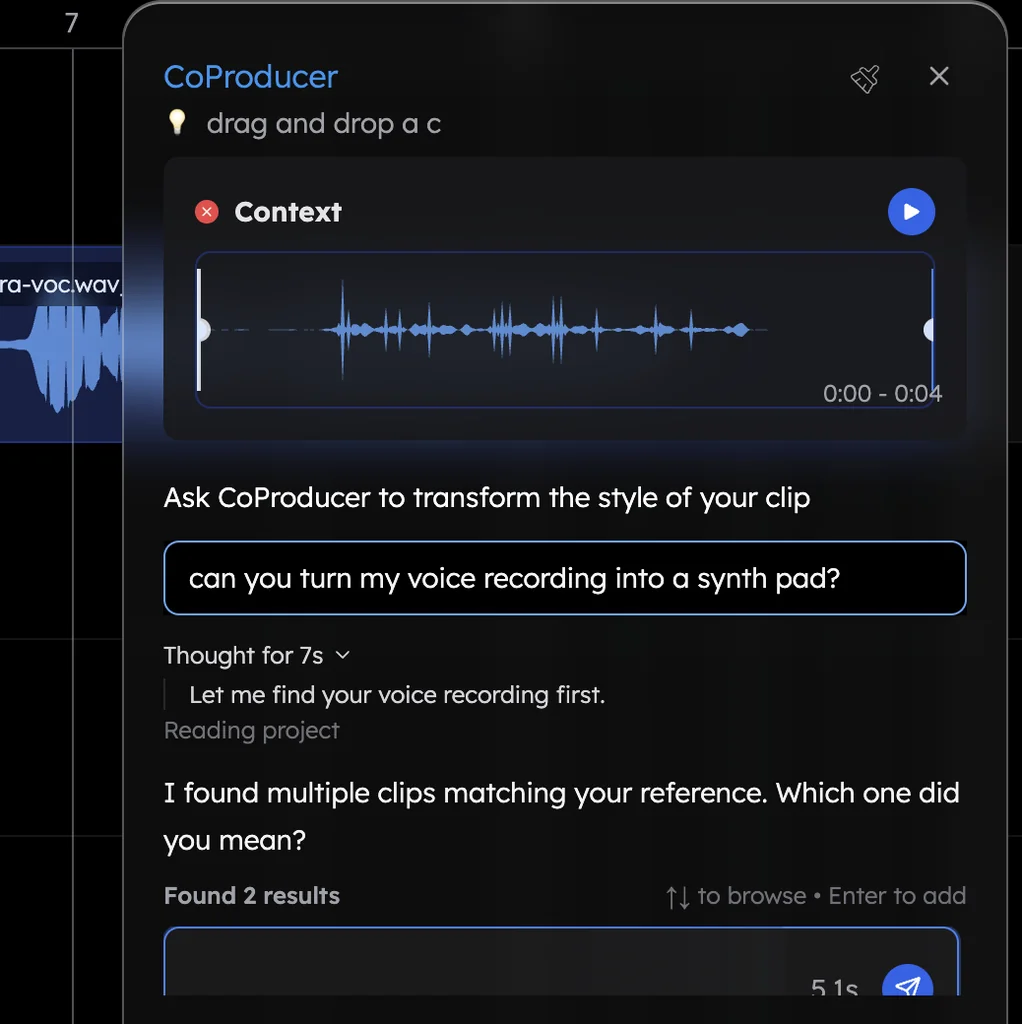
How do I make music from my own recording? walks through it step by step, and every other answer is in the Veena help centre. More on AIVA: is AIVA free?, can you edit AIVA songs? and our AIVA alternative guide.
Build a 76 BPM cinematic song in G minor around my piano recording: keep my take as it is, add legato strings that follow my phrasing, a low cello line under the second half, a soft pad in the gaps and slow toms that build into the last section. Leave space where my piano plays the melody.
Related reading: How do I make music from my own recording? · Is AIVA free? · Can you use AIVA music commercially? · Can you edit AIVA songs? · AIVA alternative
Try this in Veena
Build a 76 BPM cinematic song in G minor around my piano recording: keep my take as it is, add legato strings that follow my phrasing, a low cello line under the second half, a soft pad in the gaps and slow toms that build into the last section. Leave space where my piano plays the melody.
Opens a new project in Veena, and CoProducer starts building from this prompt.
Frequently asked questions
Can you upload your own music to AIVA?
Yes, as an influence. AIVA's manual says to upload "a MIDI or an Audio file in MP3 or WAV formats as an influence", and AIVA then generates a new composition that "shares some of the emotional qualities of the Uploaded Influence" (aiva.crisp.help and aiva.ai/legal/1, read 22 Nov 2026). Veena is an AI DAW with a personal music producer built in. Describe the song you want and CoProducer builds it with you — beats, chords, melody, arrangement and mix — as real tracks you can edit, mix and export. Free, in your browser.
Does AIVA train on the music I upload?
Yes. AIVA's licence says an upload gives AIVA "a worldwide, non-exclusive, commercial and transferrable license to train AIVA's AI systems on the Uploaded Influence, in perpetuity" (aiva.ai/legal/1, read 22 Nov 2026). Veena does not train AI on your music: your recordings, uploads, prompts and songs are not used to train or fine-tune AI models, on any plan.
What files can I upload to AIVA?
MIDI, MP3 or WAV. AIVA's help centre asks for audio "anywhere between 1 minute - 20 minutes long" and MIDI of "at least 8 bars", trimmed beyond 100 bars (read 22 Nov 2026). Veena imports 24 audio formats, including WAV, MP3, FLAC, M4A and AIFF, plus MIDI files and video, and builds the song around what you bring.
Can AI build a song around my own recording?
In Veena, yes. Drop in a voice memo, a guitar take or a piano idea and ask CoProducer to build around it: it measures the tempo, the downbeat and where your phrases land, sets the project to match, and writes each new part to follow your take, which stays in the song on its own track.
Can I sing on the song in Veena?
Yes. Record your voice on any track, with a live waveform and count-in, and Veena's mixer, Auto-Tune and effects are free. Re-sing then turns your own recorded take into a harmony or a double in a voice close to yours, on its own track; Veena Pro sings up to four voices at once as a choir.
Meet your personal music producer
Free, in your browser. Describe the song you want and CoProducer builds it with you.
Make music free