Can you record vocals in Audiotool?
Can you record vocals in Audiotool? Yes: add an Audio Track, connect your microphone and press Record, and Audiotool's Audio Editor trims, warps and shifts the take afterwards. Veena records your vocal free in the browser too, tunes it with built-in Auto-Tune, re-sings it as a harmony or double, and CoProducer, your personal music producer, builds the beat around your phrasing.
Veena is an AI DAW with a personal music producer built in. Describe the song you want and CoProducer builds it with you — beats, chords, melody, arrangement and mix — as real tracks you can edit, mix and export. Free, in your browser.
Can you record vocals in Audiotool? What Audiotool's own pages say
Read on audiotool.com/help/get-started/record-audio, audiotool.com/help/editing/audio, audiotool.com/help/supported-browsers and audiotool.com on 22 November 2026:
- Recording works. "Record audio from microphones or line inputs directly into your project. Add an Audio Track, connect your microphone or instrument, then press record." The home page lists "Record vocals & instruments".
- Latency correction. "On any audio track, click More → Latency Correction", and "future recordings will be automatically adjusted for that latency."
- Where takes go. "Recorded samples are automatically uploaded to your private cloud sample library."
- Editing the take. The Audio Editor sets "fades, gain, pitch, and warp markers on an audio region", with pitch-shift "in full semitone steps from -24 to +24 semitones" and fine-tuning "from -0.5 to +0.5 semitones".
- Browsers. On Firefox, "Not all audio input devices can be used to record audio"; "Safari and other niche browsers are currently out of scope."
- With plug-ins. Its VST Bridge page says "Audio recording latency can be worse with the VST Bridge than without."
Recording a vocal: Veena vs Audiotool
| Read 22 Nov 2026 | Veena | Audiotool |
|---|---|---|
| Record a vocal in the browser | Yes, free | Yes, free |
| Latency and level set-up | Latency and Volume calibration | Latency Correction |
| Pitch correction | Auto-Tune, Natural or Hard, free | Region pitch-shift and fine-tune |
| Vocal clean-up | De-Esser, Noise Removal, Harmonizer | Mixer and effects, by hand |
| Harmonies and doubles from your take | Re-sing, from voices closest to yours | Record each part |
| A beat built around your phrasing | CoProducer | You program it |
| Safari | Opens in Safari, recording included | "out of scope" |
Audiotool's real strength is its modular studio and its remix community, where you can open other people's tracks and see how they were patched. For singing over a song of your own and finishing it, every row above goes to Veena. The full head-to-head is Veena vs Audiotool.
Record and finish a vocal in Veena
- Sign in. Open daw.veena.studio in any browser and sign in with Google. Allow the microphone when the browser asks.
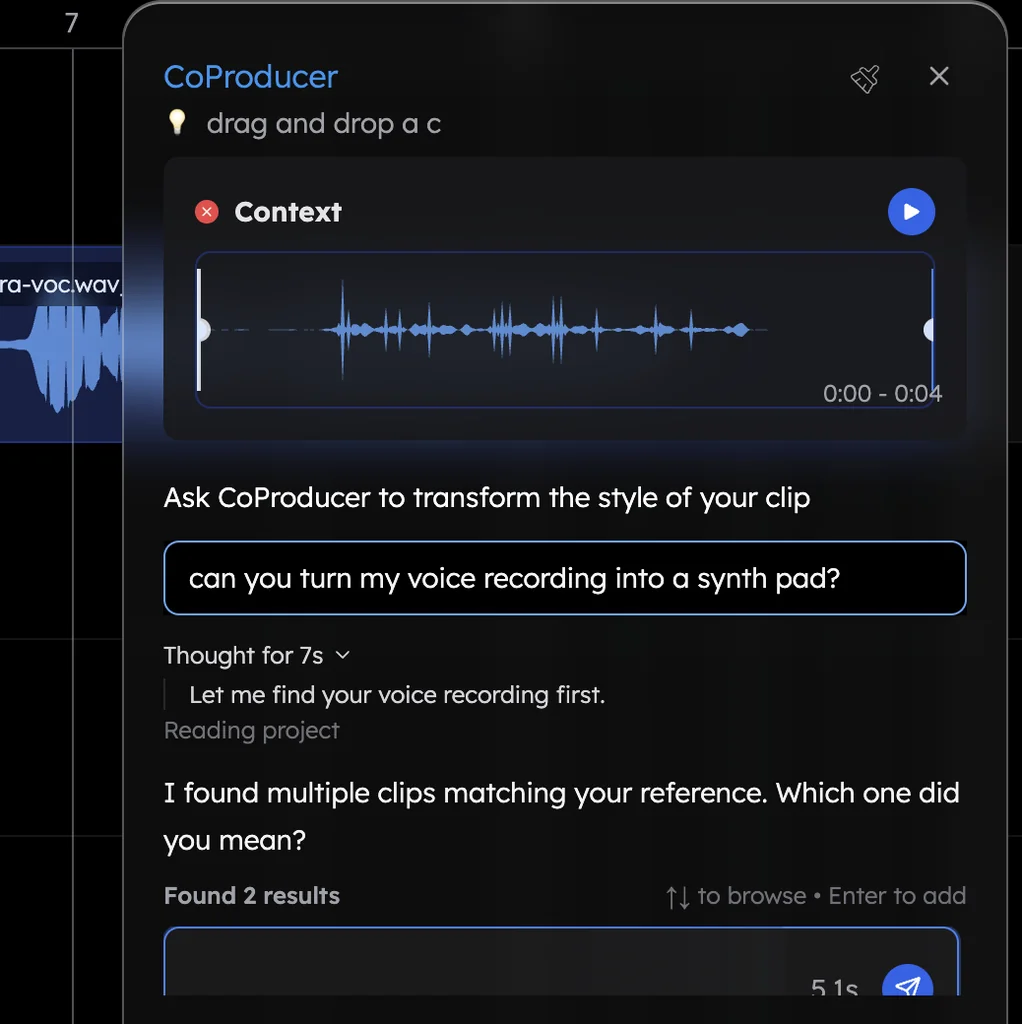
- Get a beat. Paste the prompt at the bottom of this page into CoProducer in an empty project, or record first and drag your take into the CoProducer panel so it builds around your phrasing.
- Record. Press Record, choose Audio, run Latency calibration and Volume calibration once, set a count-in and sing. Loop recording keeps the last complete pass.
- Tune and clean. Right-click the clip and choose Auto-Tune, then add De-Esser and Noise Removal in the Clean stage of Mix & Master.
- Stack it. Choose Re-sing… on the clip for a harmony, an octave or a double in a voice near your own, on its own track under yours.
- Export. WAV 24-bit/48 kHz, MP3, MIDI or every track as stems, with no cap and no watermark.
Veena's free plan includes recording, Auto-Tune and every effect, and gives CoProducer a daily allowance. Veena Pro, $20 a month, removes the daily request cap and unlocks the premium models.
Recording in Veena covers every setting, how do I add harmonies to my vocals? covers Re-sing, and the Veena help centre answers the rest. More Audiotool answers: is Audiotool free? and can you collaborate on Audiotool?
Build a 90 BPM lo-fi R&B beat in D minor around my vocal: dusty swung drums with a soft rimshot, warm Rhodes chords on Dm9, Gm9, Bbmaj7 and A7, a round bass that follows the kick, vinyl crackle and a short guitar fill between my lines. Leave space where I sing. Intro 4 bars, verse 16, hook 8, verse 16, hook 8, outro 4.
Related reading: Recording in Veena · Veena vs Audiotool · Is Audiotool free? · How do I add harmonies to my vocals?
Try this in Veena
Build a 90 BPM lo-fi R&B beat in D minor around my vocal: dusty swung drums with a soft rimshot, warm Rhodes chords on Dm9, Gm9, Bbmaj7 and A7, a round bass that follows the kick, vinyl crackle and a short guitar fill between my lines. Leave space where I sing. Intro 4 bars, verse 16, hook 8, verse 16, hook 8, outro 4.
Opens a new project in Veena, and CoProducer starts building from this prompt.
Frequently asked questions
Can you record vocals in Audiotool?
Yes. Audiotool's help centre says you "record audio from microphones or line inputs directly into your project": add an Audio Track, arm it and press Record or F9 (read 22 Nov 2026). Veena is an AI DAW with a personal music producer built in. Describe the song you want and CoProducer builds it with you — beats, chords, melody, arrangement and mix — as real tracks you can edit, mix and export. Free, in your browser.
Does Audiotool have autotune?
The pitch tools Audiotool's help centre documents for a recording live in its Audio Editor: shift a whole region from -24 to +24 semitones, or fine-tune it from -0.5 to +0.5 (read 22 Nov 2026). Veena has Auto-Tune built in, free on every plan: set the key, scale and amount, and choose Natural for polish or Hard for the robotic glide.
Where do Audiotool recordings go?
Audiotool's help centre says "recorded samples are automatically uploaded to your private cloud sample library", under My Uploads (read 22 Nov 2026). In Veena every take lands as a real clip on your timeline, saved to your account, and CoProducer can build the rest of the song around it.
Can I add harmonies to my recorded vocal?
In Veena, yes. Right-click your vocal clip, choose Re-sing…, pick Harmony, Double or Octave and a voice, and press Sing. Veena sings your own line again in one of the voices closest to yours, from more than 700, on its own track under your take. A free account gets one re-sing; Veena Pro sings up to four voices at once as a choir.
Can I record vocals on my phone?
In Veena, yes. Open daw.veena.studio on your phone and Pocket Studio records with the phone's microphone into the same project your laptop opens, free. Ask CoProducer for a beat first, sing over it, then finish the mix on a bigger screen.
Meet your personal music producer
Free, in your browser. Describe the song you want and CoProducer builds it with you.
Make music free