Can Moises separate guitar?
Can Moises separate guitar? Yes, but not on the free plan: Moises' help centre lists Guitars, Acoustic, Electric, Lead and Rhythm Guitars on Premium and Pro, while Free stops at 2 or 4 stem presets (read 15 Nov 2026). Moises hands you files. Veena splits any recording of your own into 4 stems free on every plan, lines them up on a timeline, and CoProducer builds the song around them.
Veena is an AI DAW with a personal music producer built in. Describe the song you want and CoProducer builds it with you — beats, chords, melody, arrangement and mix — as real tracks you can edit, mix and export. Free, in your browser.
Can Moises separate guitar? Plan by plan
Read from help.moises.ai and moises.ai on 15 Nov 2026:
- Free: "2 stems: Vocals and Instrumental" or "4 stems: Vocals, Drums, Bass and Other", on "5 uploads per month, with files up to 5 minutes long". Guitar stays in Other.
- Premium: Vocals, Lead Vocals and Background Vocals; Bass, Guitars, Acoustic Guitars, Electric Guitars, Lead Guitars, Rhythm Guitars and Strings; Piano, Grand Piano and Keys; Winds; Drums. "You can select up to 5 instruments per upload."
- Pro: everything on Premium, plus Female and Male Vocals; Brass, Reeds and Woodwind; Percussion, Kick, Snare, Toms, Hi-Hat and Cymbals; and Dialogue, Soundtrack and Effects.
- One guitar split at a time: "you can pick Guitars, or Acoustic and Electric, or Lead and Rhythm, but not all three."
- The menu: moises.ai says it can "Separate into 27 stem types".
Moises' widest instrument menu is a real strength for a guitarist learning a part by ear. For making something with the guitar you recorded, the split is where the work starts, and Veena vs Moises sets the two side by side.
Guitar songs: Veena vs Moises
| Read 15 Nov 2026 | Veena | Moises |
|---|---|---|
| Free split | Vocals, drums, bass and other, no daily cap on splits | 2 or 4 stems, 5 uploads a month |
| Guitar on its own | In the other stem; CoProducer transcribes it to MIDI on its own track | As audio, on Premium and Pro |
| Where the stems go | Time-aligned tracks on a DAW timeline | Files in your library |
| Build the band around your guitar | CoProducer writes drums, bass and keys that follow your chords | Moises Studio, a separate product |
| WAV export | WAV 24-bit/48 kHz, free | Premium and Pro only |
Build the band around your guitar, in Veena
- Sign in. Open daw.veena.studio and sign in with Google. No download, no install.
- Bring your recording. Drag in a demo, a rehearsal take or a guitar-and-vocal voice memo.
- Separate it. Stop playback, right-click the clip and choose Separate into Stems. Vocals, drums, bass and other land on four time-aligned tracks.
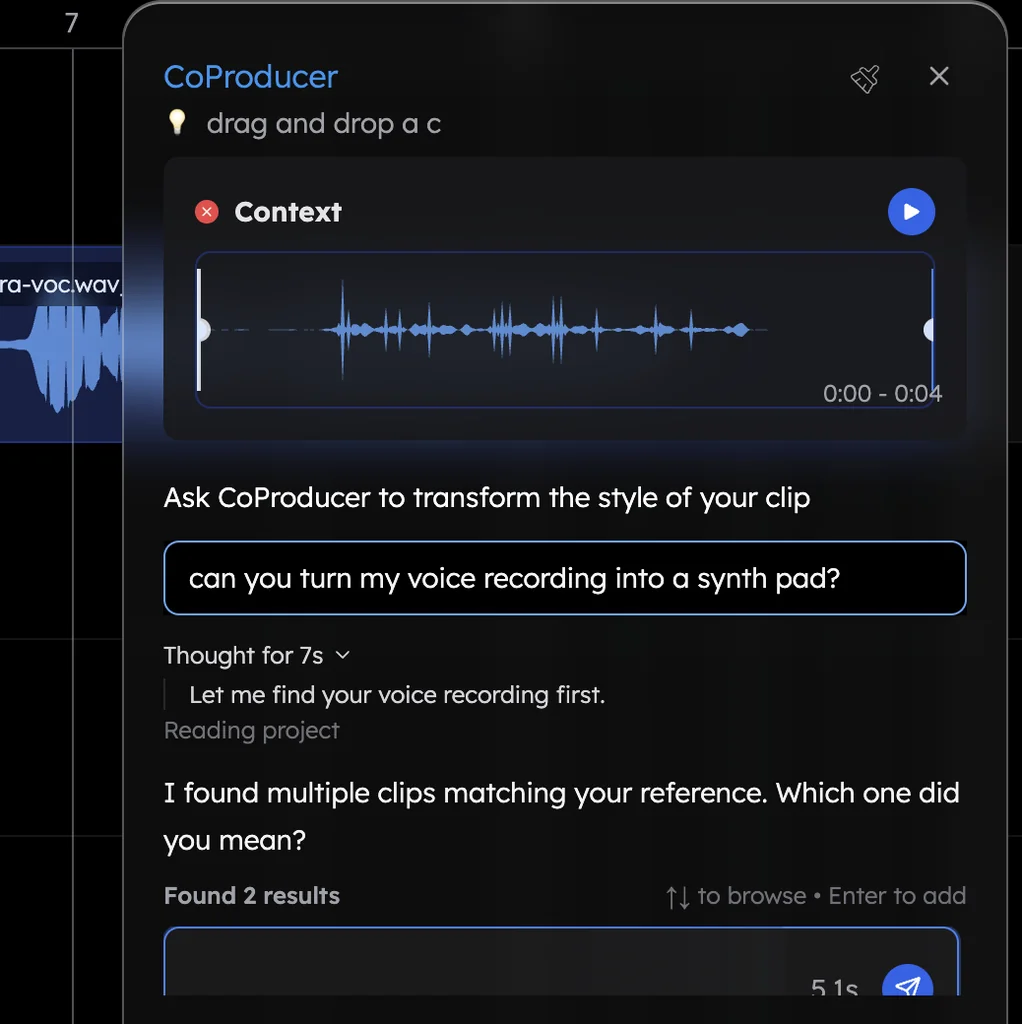
- Ask for the parts. Paste the prompt at the bottom of this page into CoProducer. It transcribes the other stem to MIDI so you keep the guitar notes, and writes drums and bass around it, 3 options for each part.
- Export it. Download the mix or every track as WAV, MP3, MIDI or stems, free, with no watermark.
What's free in Veena
- Stem separation: vocals, drums, bass and other, with no daily cap on splits.
- CoProducer: a daily allowance of requests. Picking or skipping options does not use it.
- The studio: timeline, piano roll, mixer, recording, your own VST3 and AU plug-ins through Veena Bridge, and real-time collaboration, with up to 5 projects at a time.
- Export: WAV 24-bit/48 kHz, MP3 320 kbps, MIDI and stems, with no cap and no watermark.
Veena Pro, $20 a month, removes the daily request cap and unlocks the premium models.
Try a split in the free stem splitter, and read every step and spec in stem separation in Veena.
Split my song into stems, then transcribe the guitar part from the other stem to MIDI on its own track. Keep my vocal, mute the original drums and write a new 100 BPM indie rock drum part with a driving hi-hat, a punchy snare on 2 and 4 and a fill into each chorus, plus a bass line that locks to the kick.
Related reading: Veena vs Moises · Best AI DAW for guitarists · Stem separation in Veena · Stem splitter
Try this in Veena
Split my song into stems, then transcribe the guitar part from the other stem to MIDI on its own track. Keep my vocal, mute the original drums and write a new 100 BPM indie rock drum part with a driving hi-hat, a punchy snare on 2 and 4 and a fill into each chorus, plus a bass line that locks to the kick.
Opens a new project in Veena, and CoProducer starts building from this prompt.
Frequently asked questions
Can Moises separate guitar?
Yes, on a paid plan. Moises' help centre lists Guitars, Acoustic Guitars, Electric Guitars, Lead Guitars and Rhythm Guitars on Premium, while Free offers only 2 or 4 stem presets (read 15 Nov 2026). Veena is an AI DAW with a personal music producer built in. Describe the song you want and CoProducer builds it with you — beats, chords, melody, arrangement and mix — as real tracks you can edit, mix and export. Free, in your browser.
Can Moises separate guitar on the free plan?
No. Moises' help centre says Free separates "Vocals and Instrumental" or "Vocals, Drums, Bass and Other", and "To choose which individual instruments to separate, you need a Premium or Pro plan" (read 15 Nov 2026). Veena's free plan splits your recording into vocals, drums, bass and other on a timeline, and CoProducer can transcribe the other stem to MIDI.
Can Moises separate piano?
Yes, on Premium and Pro. Moises' help centre lists Piano, Grand Piano and Keys among the Premium instruments, with up to 5 instruments per upload (read 15 Nov 2026). In Veena, piano sits in the other stem of a free 4-stem split, and CoProducer can write a new keys part on its own track around your vocal.
Can Moises separate lead and rhythm guitar?
Yes, on Premium and Pro, one way at a time. Moises' help centre says you can pick Guitars, or Acoustic and Electric, or Lead and Rhythm, "but not all three" (read 15 Nov 2026). In Veena, CoProducer writes a new lead or rhythm part as editable MIDI on its own track, so you choose every note.
What can I do with a guitar song in Veena?
Build the rest of the band around it. Split your recording into 4 stems free, keep the guitar and vocal, and ask CoProducer for drums, bass and keys that follow your chords. Every new part arrives as 3 options, lands as its own track and exports as WAV, MP3, MIDI or stems with no watermark.
Meet your personal music producer
Free, in your browser. Describe the song you want and CoProducer builds it with you.
Make music free