Can I upload my own audio to Suno?
Can I upload my own audio to Suno? Yes, a clip of it. Suno's help centre says Upload Audio takes a file or a new recording "between 6 and 60 seconds (up to 120 seconds for Pro/Premier users)", and you then "choose Extend, and build a new instrumental track" from it (read 15 Nov 2026). Veena takes the whole recording, keeps it as your lead track, and CoProducer builds the song around it as separate tracks you edit, free.
Veena is an AI DAW with a personal music producer built in. Describe the song you want and CoProducer builds it with you — beats, chords, melody, arrangement and mix — as real tracks you can edit, mix and export. Free, in your browser.
Can I upload my own audio to Suno? What Suno's own pages say
Read from help.suno.com on 15 Nov 2026:
- A short clip. "The Upload window will allow you import a file from your device or record a new audio clip between 6 and 60 seconds (up to 120 seconds for Pro/Premier users)."
- You vouch for it. You "agree to the terms stating that we own the material."
- Then Extend. "With the loop uploaded, we can now visit our Library, choose Extend, and build a new instrumental track."
- The output is new generations. "After tapping Create, two new instrumentals are generated and tagged as Part 2."
- Downloads are capped. "Free plan users receive 0 download credits", and Suno Studio workflows on Premier are not limited.
Leaving Suno for good? Our Suno alternative guide covers every route out.
Building on your own recording: Veena vs Suno
| Read 15 Nov 2026 | Veena | Suno |
|---|---|---|
| Length of your recording | The whole take | 6 to 60 seconds free, 120 on paid plans |
| Your recording in the song | Stays on its own track as the lead | The start of a new generation |
| Parts added around it | Drums, bass, chords, each a separate track | Extended instrumentals |
| Downloads on the free plan | No cap | 0 |
Build a song around your recording, in Veena
- Sign in. Open daw.veena.studio and sign in with Google. No download, no install.
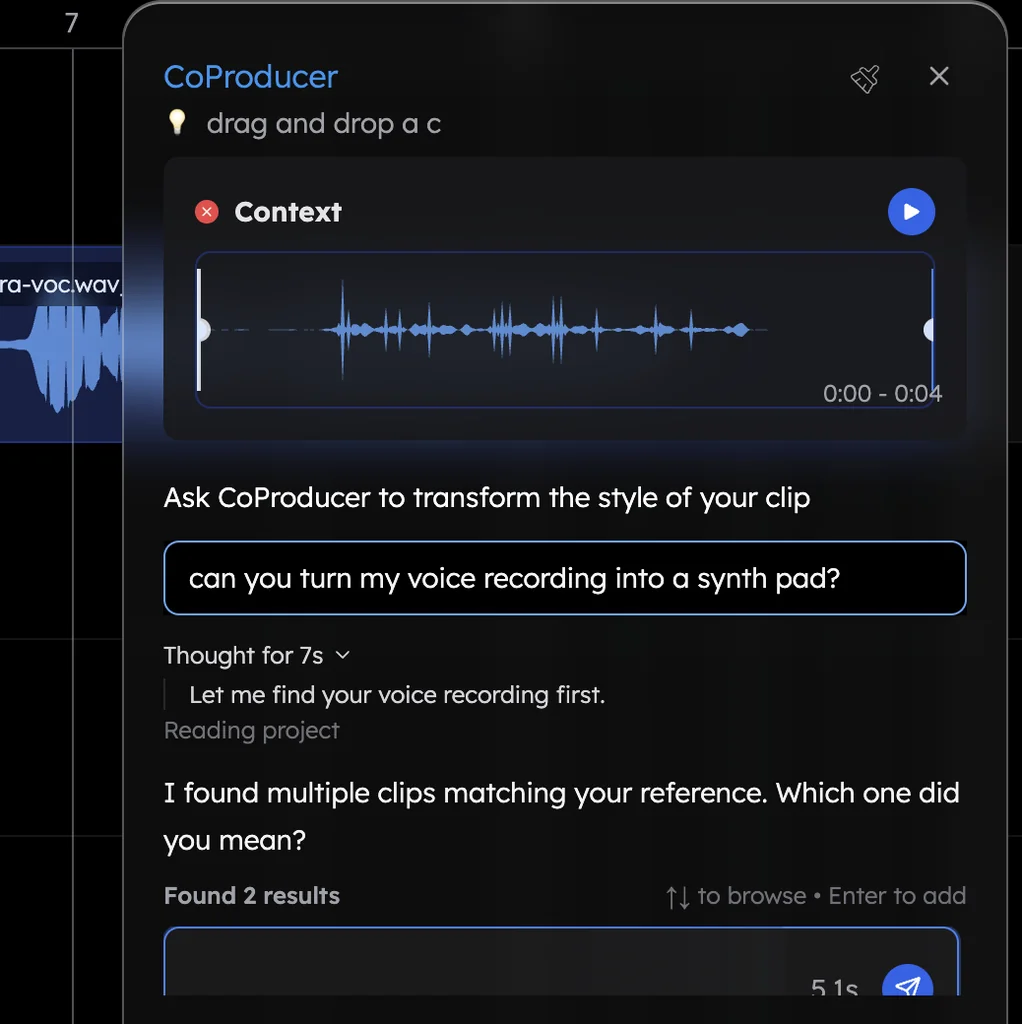
- Bring your take. Drag your voice memo, demo or rehearsal recording onto a new project, or press record and play it in.
- Ask CoProducer. Paste the prompt at the bottom of this page. It measures your tempo and phrasing and sets the project to match.
- Pick your parts. Drums, guitar, bass and strings each arrive as 3 options. Hover to hear, press Enter to keep one.
- Mix and export. Ask for a mix with your take up front, then export the WAV, MP3 or every track as stems.
What's free in Veena
- Import: WAV, MP3, M4A, AAC, OGG, Opus, FLAC, AIFF and CAF audio, plus MIDI and video.
- Build around your recording: CoProducer reads your tempo and phrasing, then writes the parts.
- CoProducer: a daily allowance of requests. Picking or skipping options does not use it.
- Export: WAV 24-bit/48 kHz, MP3 320 kbps, MIDI and stems, with no cap and no watermark.
- Ownership: you own the Output you generate.
Veena Pro, $20 a month, removes the daily request cap and unlocks the premium models.
How do I make music from my own recording? walks through it in detail, voice to instrument turns a hum into any instrument, and Veena vs Suno goes feature by feature.
Build a song around my recording: match the tempo and key of my take, then add a 16-bar arrangement of soft acoustic drums, fingerpicked guitar chords that follow my phrasing, a warm bass line and a light string pad in the choruses. Keep my recording as the lead.
Related reading: Suno alternative · How do I make music from my own recording? · Voice to instrument in Veena · Veena vs Suno
Try this in Veena
Build a song around my recording: match the tempo and key of my take, then add a 16-bar arrangement of soft acoustic drums, fingerpicked guitar chords that follow my phrasing, a warm bass line and a light string pad in the choruses. Keep my recording as the lead.
Frequently asked questions
Can I upload my own audio to Suno?
Yes, a clip of 6 to 60 seconds, or up to 120 on Pro and Premier, which you then Extend, Suno's help centre says (read 15 Nov 2026). Veena is an AI DAW with a personal music producer built in. Describe the song you want and CoProducer builds it with you — beats, chords, melody, arrangement and mix — as real tracks you can edit, mix and export. Free, in your browser.
How long can an audio upload to Suno be?
Suno's help centre gives 6 to 60 seconds on the free plan and up to 120 seconds for Pro and Premier (read 15 Nov 2026). Veena imports whole recordings, voice memos, rehearsal takes and demos, as WAV, MP3, M4A, FLAC, AIFF and more, and CoProducer builds parts around the full take, free.
Does Suno keep my original recording in the song?
Suno's help centre shows the upload used as the start of a new generation: you choose Extend, set the point to extend from, and two new instrumentals are generated (read 15 Nov 2026). In Veena your recording stays on its own track as the lead, and every part CoProducer adds sits beside it on separate tracks you edit.
Can I turn my humming into an instrument?
In Veena, yes. Record yourself humming, then ask CoProducer to make it a saxophone, a synth lead or a cello: it re-voices the take in the project's key. Or ask it to transcribe the hum into an editable MIDI part in the piano roll and pick any of Veena's 61 instrument presets.
Where can I build a full song around my own recording for free?
In Veena. Drag your recording onto a blank project and ask CoProducer to build around it. It measures your take's tempo, downbeat and where your phrases land, sets the project to match, and writes drums, bass and chords that follow your phrasing, each on its own track, on the free plan.
Meet your personal music producer
Free, in your browser. Describe the song you want and CoProducer builds it with you.
Make music free