Can I put my AI song on Spotify?
Can I put my AI song on Spotify? Yes. Spotify accepts music made with AI tools through a distributor, as long as you hold the rights and the song does not impersonate another artist or exist to spam the platform. In Spotify's words, "all music is treated equally, regardless of the tools used to make it" (newsroom, 25 September 2025, read 14 November 2026). Veena makes the rights part simple: it is an AI DAW with a personal music producer, CoProducer, built in, its terms say you own the Output you generate on every plan, and you export a release-ready 24-bit WAV with no watermark. This page is a how-to for releasing a song, not legal advice.
Veena is an AI DAW with a personal music producer built in. Describe the song you want and CoProducer builds it with you — beats, chords, melody, arrangement and mix — as real tracks you can edit, mix and export. Free, in your browser.
Put your song on Spotify, step by step
1. Make the song in Veena. Go to daw.veena.studio, sign in with Google and record your vocal, then ask CoProducer for the song around it:
Build a 104 BPM indie pop single in D major around my vocal: 4-bar intro, 16-bar verse, 8-bar pre-chorus, 16-bar chorus, 16-bar verse, 16-bar chorus, 8-bar outro. Pop kit drums, Acoustic Guitar strums, a Round Bass line and Strings lifting the last chorus. Then mix and master it for streaming.
2. Mix and master it. Open Mix & Master, press AutoMix, then Master project. Veena adds editable Match EQ and Limiter cards to the master bus.
3. Export the master. Choose Export from your avatar menu, pick WAV (24-bit/48 kHz) and Full mix. Keep the Stems export and the editable project for later versions.
4. Choose a distributor. Spotify takes releases from labels, distributors and music partners, so you upload through a service such as DistroKid or TuneCore. Read its rules for AI music first; the table below has two.
5. Fill in the credits honestly. Name yourself as the artist and writer of what you wrote and performed. If your distributor asks for AI credits, list the parts CoProducer wrote, such as the instrumental.
6. Upload and release. Add the WAV, your artwork and the release date. The song you own goes to Spotify and the other services your distributor serves.
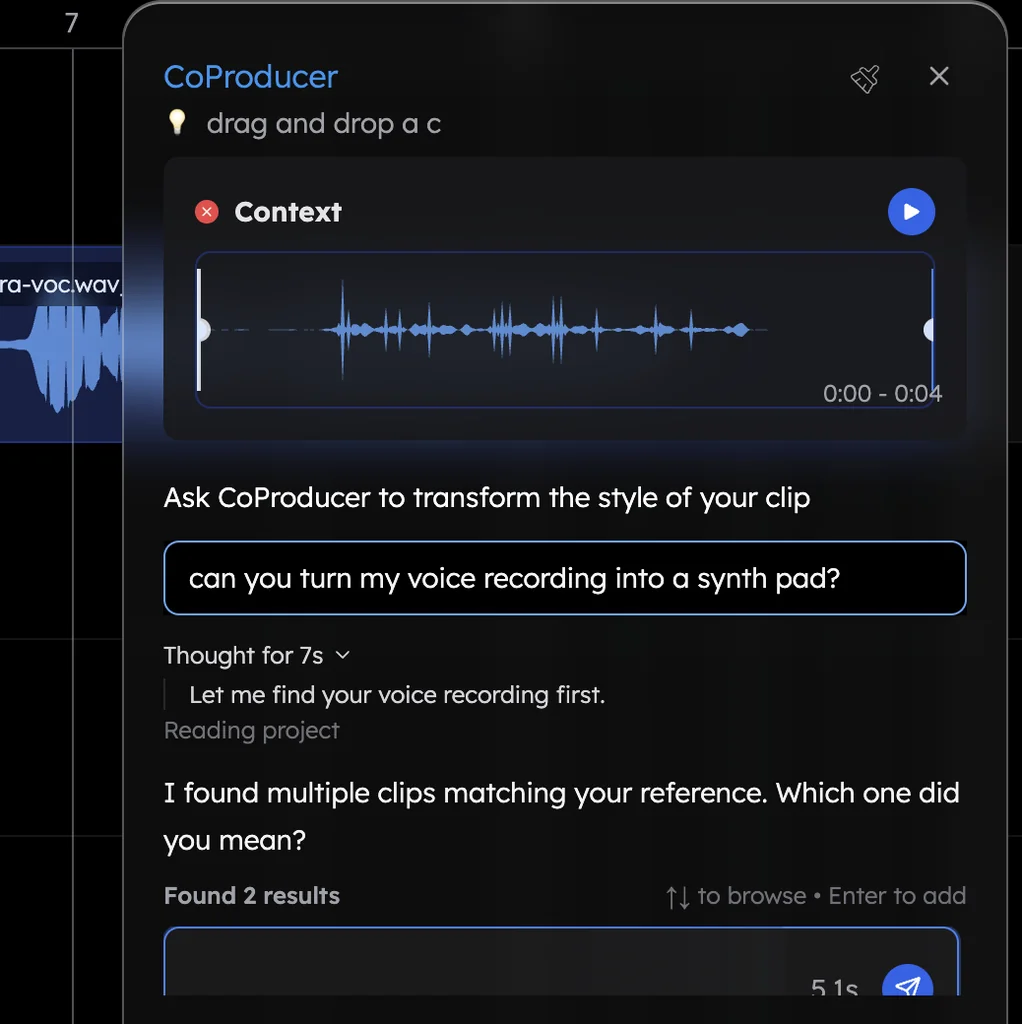
What you own in a song made in Veena
| What is in your song | Who holds it, per Veena's terms |
|---|---|
| Parts CoProducer wrote: drums, chords, melodies, basslines, arrangement | You: it is your Output |
| Your vocals, recordings and uploaded demos | You: it is your own content |
| Sounds from Veena's library: samples, loops, presets, instruments | Licensed to you for use inside your own songs |
| Anything else you imported, such as a sample from another source | Needs its own rights, and your plug-ins' sounds follow their own licences |
Veena's terms license the service "for personal or commercial purposes", ask for no royalties and no credit, and the same holds on the free plan and on Veena Pro.
Spotify's and the distributors' rules for AI music
| Read 14 November 2026 | What its own page says |
|---|---|
| Spotify (newsroom, 25 Sep 2025) | No ban on AI music; "Vocal impersonation is only allowed in music on Spotify when the impersonated artist has authorized the usage"; a spam filter tags mass uploads, duplicates and artificially short tracks and stops recommending them; AI credits shown under the DDEX standard |
| DistroKid (help centre, updated 19 Aug 2026) | "DistroKid accepts music created with AI tools": you must own 100% of the rights, with no impersonation, no mass-generated spam and no infringement |
| DistroKid AI Credits (updated 2 Nov 2026) | Credits needed when AI generated audio, lyrics or a composition; not needed for pitch correction or AI-assisted mixing and mastering |
| TuneCore (help centre, updated 13 Nov 2026) | Distributes GenAI music only from "GenAI models trained on fully licensed datasets" |
Veena vs Suno and Udio for releasing a song
| As of September 2026 | Veena | Suno | Udio |
|---|---|---|---|
| Commercial use on the free plan | Yes | "No commercial rights" | No |
| Releasing to streaming | Yes, on every plan | Pro and Premier, for songs made while subscribed | Terms forbid it on "any streaming platform" |
| Getting the master out | 24-bit WAV, no cap | Capped downloads outside Premier's Studio | Downloads disabled |
Suno's terms add that you "may not commercially exploit Output that has not been downloaded by you through an approved channel", and its trial downloads "are not eligible for commercial use". In Veena, a song you make for free today is yours to release today.
What's free
- Making the song: the full studio, recording and CoProducer's daily allowance of requests, with up to 5 projects at a time.
- Mixing and mastering: Mix & Master, AutoMix and Master project.
- The release files: WAV 24-bit/48 kHz, MP3 320 kbps, MIDI and stems, with no cap and no watermark.
- The rights: commercial use and ownership of your Output on every plan.
Veena Pro, $20 a month, removes the daily request cap and unlocks the premium models.
For selling beyond streaming, read sell music made with AI. The release checklist is in commercial use of music made in Veena, ownership part by part is in who owns music made in Veena, and file types are in Veena export formats. Every other answer is in the Veena help centre.
Related reading: Sell music made with AI · Commercial use of music made in Veena · Who owns music made in Veena
Try this in Veena
Build a 104 BPM indie pop single in D major around my vocal: 4-bar intro, 16-bar verse, 8-bar pre-chorus, 16-bar chorus, 16-bar verse, 16-bar chorus, 8-bar outro. Pop kit drums, Acoustic Guitar strums, a Round Bass line and Strings lifting the last chorus. Then mix and master it for streaming.
Frequently asked questions
Can I put my AI song on Spotify?
Yes, through a distributor, when you hold the rights to the song. Spotify says all music on it "is treated equally, regardless of the tools used to make it". Veena is an AI DAW with a personal music producer built in, its terms say you own the Output you generate on every plan, and you export a 24-bit WAV with no watermark to release.
Does Spotify allow AI-generated music?
Yes. Spotify's September 2025 policy does not ban AI music; it targets impersonation, spam and undisclosed AI use. "Vocal impersonation is only allowed in music on Spotify when the impersonated artist has authorized the usage", and a spam filter stops recommending mass uploads (read 14 November 2026). A song you make and own in Veena fits those rules.
Can I distribute songs made on a free AI plan?
In Veena, yes: commercial use is open on every plan, the free one included, and you own the Output. Suno's free plan has "No commercial rights", and Udio's terms forbid publishing its output on any streaming platform (as of September 2026). Distributors ask that you own 100% of the rights before you upload.
Do I need to label my song as AI on Spotify?
Spotify displays AI credits submitted through distributors under the DDEX standard. DistroKid asks for AI Credits when AI generated audio, lyrics or a composition, and not for AI used as a tool, such as pitch correction or AI-assisted mixing and mastering (read 14 November 2026). In Veena, list the parts CoProducer wrote when your distributor asks.
Do I have to credit Veena on my release?
No. Veena's terms ask for no credit to Veena or CoProducer, no royalties and no share of your earnings. Release the song under your own artist name, keep the editable Veena project and stems for remixes and live versions, and mention Veena whenever you want to share how you made it.
Meet your personal music producer
Free, in your browser. Describe the song you want and CoProducer builds it with you.
Make music free