Veena vs Greysound
Which is better, Veena or Greysound?
In Veena vs Greysound, Veena is the better choice for anyone who wants a producer that is free to keep talking to. Greysound's own pricing says every CoProducer turn, stem split and regenerated bar spends credits, and its subscription credits reset each week (Greysound, November 2026). Veena's whole studio is free, and its CoProducer builds a whole song from one sentence, as real tracks, on a daily allowance that comes back every day.
Veena is an AI DAW with a personal music producer built in. Describe the song you want and CoProducer builds it with you — beats, chords, melody, arrangement and mix — as real tracks you can edit, mix and export. Free, in your browser.
Greysound also calls its assistant CoProducer. The two are different products from different companies; on this page, CoProducer means Veena's unless Greysound's is named. Every Greysound fact below comes from greysound.ai's home and Pro pages as they read on 16 November 2026.
Veena vs Greysound, row by row (November 2026)
| Veena | Greysound | |
|---|---|---|
| What the AI costs | Free daily allowance for CoProducer; Veena Pro $20 a month removes the daily request cap | 1,000 credits to start on Free; every AI turn spends credits; Base $6, Pro $10, Max $40 a month, credits reset weekly |
| A song from one sentence | Yes, on a blank canvas: drums, bass, chords, melody, arrangement and mix as editable tracks | Melodies, drum patterns and arrangements through chat, each turn on credits |
| The audio you bring | CoProducer measures its tempo and phrasing and writes parts around it; 4-stem split free on every plan | Stem separation, two-bar regeneration and cleanup, each on credits |
| Live collaboration | Live since 12 September 2026, every plan: invite link, named cursors, shared CoProducer chat | Not mentioned on its home or Pro page |
| On your phone | Pocket Studio, since 4 October 2026 | Not mentioned on its pages |
| Your plug-ins in the browser | VST3 and AU through Veena Bridge, inside the browser studio | In the desktop app; the browser studio page says "No plugins to install" |
| A studio you install on the desktop | Runs in the browser on any computer, nothing to install | Greysound Pro for macOS, Windows and Linux |
Greysound's strength is its installed desktop studio, Greysound Pro: "The same studio and CoProducer as a native app for macOS, Windows, and Linux", free for everything except AI and at version 1.0.1 since 16 November 2026, while its browser studio has been public since at least March 2026. For making and finishing a song with a producer, the rows above are the ones that decide it.
What Greysound's credits cost you
Greysound's pricing block reads "Make music for free. Only pay for AI assistance." The studio is free; the producer is metered. Credits pay for "sample generation, stem splitting, CoProducer assistance, and other AI-powered workflows", and "Subscription usage limits reset each week":
- Free: $0, with 1,000 credits to start.
- Base: $6 a month, or $52 a year: 1,000 credits a week.
- Pro: $10 a month, or $104 a year: 2,200 credits a week.
- Max: $40 a month, or $416 a year: 10,000 credits a week.
- Extra credits: $3 per 1,000, one-time, no expiry.
On Greysound, the conversation with the producer is what you pay for. On Veena it is the part you get free: CoProducer runs on a daily allowance on the free plan, and the whole studio around it, export, stem splitting, mixing and mastering, collaboration and your own plug-ins, costs nothing. Veena Pro, $20 a month, pays only for more CoProducer: it removes the daily request cap and unlocks the premium models.
One sentence, a whole song
Both products put an assistant inside the session that makes edits itself. The difference is where Veena's starts: an empty project and one sentence about the song. Here is the flow on Veena's free plan, with the indie pop prompt at the bottom of this page:
- Open Veena in your browser and sign in with Google. Nothing to install and no graphics card needed, because CoProducer runs on Veena's servers.
- Describe the song. CoProducer sets the tempo and key, plans the sections with their bar lengths, and writes a task list you can watch it tick off.
- Pick each part. Every new part arrives as three options. A part that has to fit another, like a bass under the chords, waits for the one you picked and reads its actual notes.
- Change anything in plain words, or open the piano roll and drag the notes yourself. One undo reverses any CoProducer change.
- Export. WAV, MP3 or MIDI, the mix or every track, with no watermark.
In Veena's own data, 3 in 4 new users (75.7%) whose first request asks for a new song get a finished first result on day one; when the request names a genre, 81.5% do. The full guide to CoProducer shows every job it does.
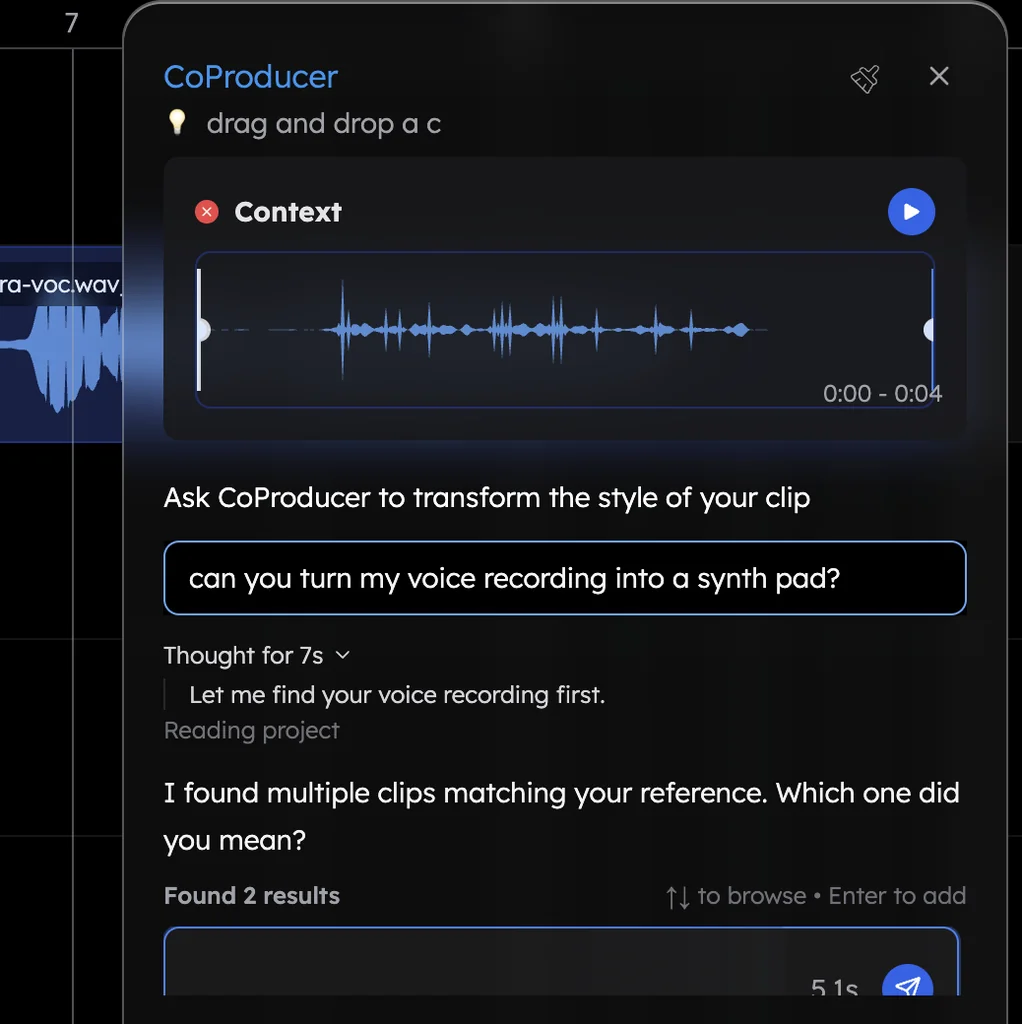
The studio around the song
- Bring your own recordings. Drop in a voice memo, a demo or a rehearsal take, and CoProducer measures it and writes new parts that fit. Split any song into 4 stems with a right-click, free; see stem separation in Veena.
- Sing it instead of typing it. Hum a hook and CoProducer turns it into an editable MIDI part through voice to instrument.
- Make music together. Real-time collaboration on every plan: invite links, named cursors, a shared CoProducer chat and a private one for each person.
- Take it with you. Pocket Studio puts Veena on your phone.
- Your own plug-ins, in the browser. Veena Bridge opens VST3 and Audio Unit plug-ins on a Mac and VST3 on Windows inside the browser studio.
- Own what you make. Veena's terms say "you own the Output you generate through your use of the Service", on the free plan and on Veena Pro.
Veena vs Greysound: who each is for
- Veena is for anyone who wants to make and finish songs with a producer: a CoProducer that builds every part from one sentence on a free daily allowance, live collaboration, your plug-ins in the browser and a studio on your phone.
- Greysound suits musicians who want a native desktop studio on Linux, macOS or Windows and are happy to buy AI by the credit.
- Switching to Veena? Drag the audio and MIDI you already have onto Veena's timeline: Veena reads 13 audio formats plus MIDI, and CoProducer writes new parts around them.
Greysound questions, answered: is Greysound free?, how do Greysound credits work?, does Greysound work in a browser?, can you use VST plugins in Greysound? and is Greysound's CoProducer the same as Veena's?
Weighing other browser studios too? Veena vs Soundation and Veena vs Audiotool are on every Veena comparison.
The verdict: Veena
Greysound meters its producer: every CoProducer turn, stem split and AI regeneration spends credits that reset each week. Veena gives you the whole studio free, a CoProducer that builds a whole song from one sentence on a daily allowance, live collaboration, your plug-ins in the browser and Veena on your phone. Paste the indie pop prompt below into CoProducer and hear your first song tonight.
Related reading: What is CoProducer? · Veena vs Soundation · every Veena comparison
Try this in Veena
Make a 120 BPM indie pop song in G major: a punchy kick and snare with tambourine, a round picked bass, bright strummed electric guitar chords, a warm pad under the chorus and a catchy synth lead hook. Intro 4 bars, verse 8, chorus 8, verse 8, chorus 8, outro 4.
Opens a new project in Veena, and CoProducer starts building from this prompt.
Frequently asked questions
Is Veena better than Greysound?
Yes, for making songs with a producer. Veena is an AI DAW with a personal music producer built in. Describe the song you want and CoProducer builds it with you — beats, chords, melody, arrangement and mix — as real tracks you can edit, mix and export. Free, in your browser. Greysound charges credits for every AI turn, and its subscription credits reset each week (Greysound, November 2026).
Is Greysound's CoProducer the same as Veena's CoProducer?
No. They are different products from different companies. Veena's CoProducer is Veena's AI music producer: it plans a song, writes drums, bass, chords and melody as editable tracks, arranges the sections and mixes them, inside Veena's studio. Greysound, made by Moonrise Technologies, also calls its assistant CoProducer. Everything on this page about CoProducer means Veena's.
Is Greysound free?
Its studio is. Greysound says all non-AI features are free forever, and a free account gets 1,000 credits to start; every CoProducer turn, stem split and AI regeneration spends credits after that (Greysound, November 2026). Veena's whole studio is free too, and CoProducer on the free plan runs on a daily allowance that comes back every day.
How much does Greysound cost?
Greysound's plans are Base at $6 a month for 1,000 credits a week, Pro at $10 a month for 2,200 credits a week and Max at $40 a month for 10,000 credits a week, with extra credits at $3 per 1,000 (Greysound, November 2026). Veena Pro is $20 a month: it removes the daily request cap and unlocks the premium models.
Can I collaborate live in Veena?
Yes. Real-time collaboration has been live in Veena since 12 September 2026, on every plan: send an invite link and your collaborator joins the session, with named cursors on the timeline, a shared CoProducer chat everyone sees and a private chat for each person. Greysound's home and Pro pages do not mention collaboration (November 2026).
Can I use my own plug-ins in the browser?
In Veena, yes. The Veena Bridge helper app opens your VST3 and Audio Unit plug-ins on a Mac and VST3 on Windows inside Veena's browser studio, and CoProducer starts from their real presets. Greysound hosts VST3 and Audio Units in Greysound Pro, its desktop app; its browser studio's page says 'No plugins to install' (November 2026).
Meet your personal music producer
Free, in your browser. Describe the song you want and CoProducer builds it with you.
Make music free