What happens if I delete my Udio account?
What happens if I delete my Udio account? Every song goes with it. Udio's help centre says deletion "will immediately delete your entire account, including all your songs and other data", that it "will also cancel any subscription", and that "You will not be able to recover your account" (read 15 Nov 2026). With downloads disabled, none of those songs can leave first. In Veena, every song is yours to export as WAV, MP3, MIDI and stems, free.
Veena is an AI DAW with a personal music producer built in. Describe the song you want and CoProducer builds it with you — beats, chords, melody, arrangement and mix — as real tracks you can edit, mix and export. Free, in your browser.
What happens if I delete my Udio account? What Udio's own pages say
Read from help.udio.com and udio.com/terms-of-service on 15 Nov 2026:
- How to delete. "Visit udio.com/account", then "Select Account Deletion and then Delete Account."
- Your songs go too. "This will immediately delete your entire account, including all your songs and other data."
- No undo. "You will not be able to recover your account."
- Nothing to download first. The help article on Udio's Universal Music Group partnership (dated 17 Feb 2026) says "downloading of audio, video, and stems has been disabled"; the terms say "You may not download copies of any Output".
- Cancelling is different. Cancellation takes effect at the end of the billing cycle, after which the account "will revert to the free-account credit limits".
The partnership that switched downloads off is dated in our Suno lawsuit ledger, and Udio downloads disabled covers what it changed.
Keeping your songs: Veena vs Udio
| Read 15 Nov 2026 | Veena | Udio |
|---|---|---|
| Take your songs with you | WAV, MP3, MIDI and stems, free | Downloads disabled |
| Who owns them | You | Udio or its licensors |
| If you leave | Your exports stay on your drive | Deleting removes every song |
| Your recordings | Yours, never used to train AI | Yours; the Output made from them is not |
Leave Udio and start your next song in Veena
- Sign in. Open daw.veena.studio and sign in with Google. No download, no install.
- Start blank. Create a new project and paste the prompt at the bottom of this page into CoProducer.
- Pick your parts. Guitar, drums, bass and piano each arrive as 3 options. Hover to hear, press Enter to keep one.
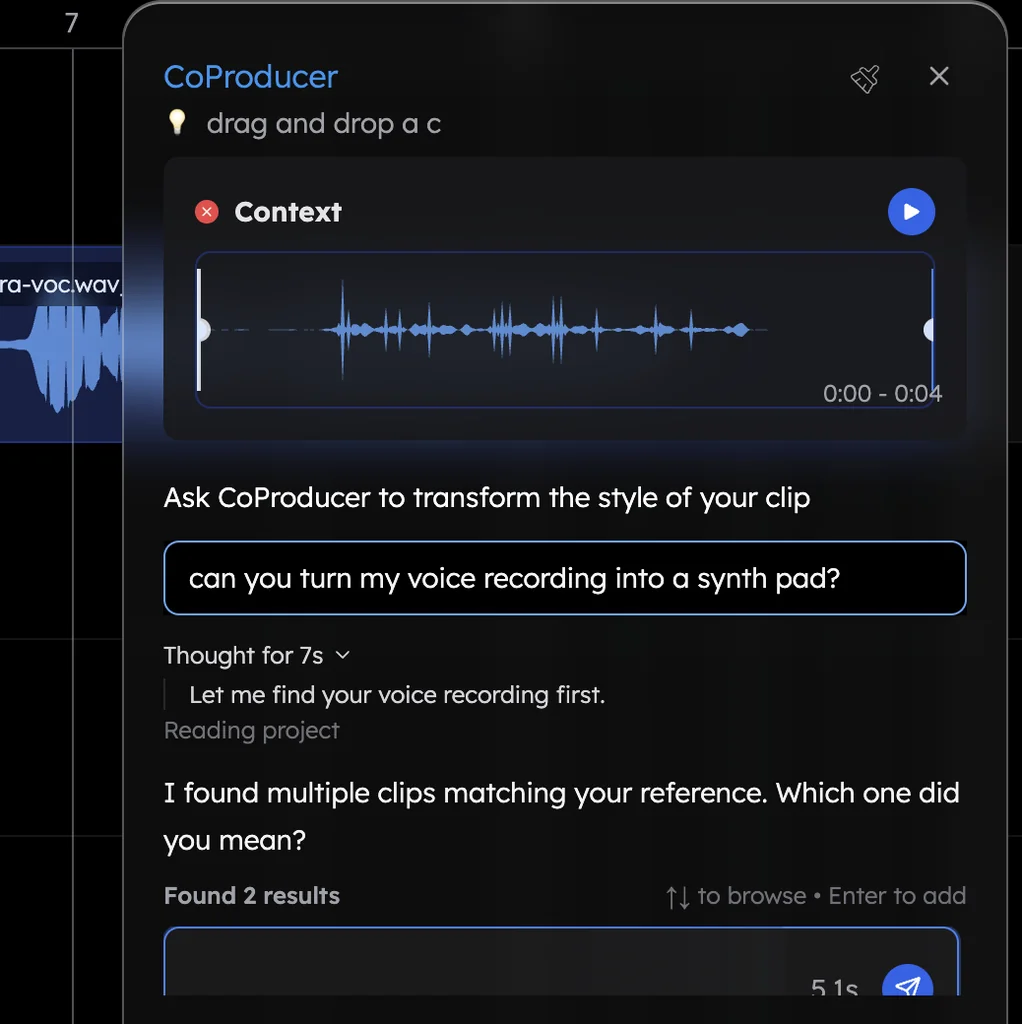
- Add your own. Record your vocal, or drag in a voice memo or an old demo of the song.
- Keep it. Export the WAV, MP3, stems or MIDI to your own drive, free, with no watermark.
What's free in Veena
- Export: WAV 24-bit/48 kHz, MP3 320 kbps, MIDI and stems, with no cap and no watermark.
- Ownership: you own the Output you generate, on every plan, and Veena does not train AI on your music.
- CoProducer: a daily allowance of requests. Picking or skipping options does not use it.
- The studio: timeline, piano roll, Beat Maker, mixer, recording and real-time collaboration, with up to 5 projects at a time.
- Stem separation: vocals, drums, bass and other, from your own recordings.
Veena Pro, $20 a month, removes the daily request cap and unlocks the premium models.
Export formats in Veena lists every option, and our Udio alternative guide compares every way out of Udio.
Make a 96 BPM acoustic pop song in D major: 4-bar intro, 8-bar verse, 8-bar chorus, 8-bar verse, 8-bar chorus, 8-bar bridge, 16-bar chorus. Fingerpicked acoustic guitar, a light brushed kit, a soft upright bass, warm piano chords in the choruses and a gentle cello line in the bridge. Leave space for my vocal.
Related reading: Udio alternative · Udio downloads disabled · Export formats in Veena · Ownership and rights in Veena
Try this in Veena
Make a 96 BPM acoustic pop song in D major: 4-bar intro, 8-bar verse, 8-bar chorus, 8-bar verse, 8-bar chorus, 8-bar bridge, 16-bar chorus. Fingerpicked acoustic guitar, a light brushed kit, a soft upright bass, warm piano chords in the choruses and a gentle cello line in the bridge. Leave space for my vocal.
Opens a new project in Veena, and CoProducer starts building from this prompt.
Frequently asked questions
What happens if I delete my Udio account?
Udio's help centre says deleting "will immediately delete your entire account, including all your songs and other data", cancels any subscription, and the account cannot be recovered (read 15 Nov 2026). Veena is an AI DAW with a personal music producer built in. Describe the song you want and CoProducer builds it with you — beats, chords, melody, arrangement and mix — as real tracks you can edit, mix and export. Free, in your browser.
Can I download my Udio songs before I delete my account?
No. Udio's help centre says "downloading of audio, video, and stems has been disabled", and its terms say you may not download copies of any Output (read 15 Nov 2026), so no file leaves with you. In Veena, every song exports as WAV, MP3, MIDI and stems on the free plan, as often as you like.
How do I delete my Udio account?
Udio's help centre says to visit udio.com/account, select Account Deletion, then Delete Account; if you cannot sign in, contact Udio through the messenger in its help centre (read 15 Nov 2026). Before leaving Udio, open Veena and start your next song from a blank project with CoProducer.
Does cancelling Udio delete my songs?
No. Udio's help centre says a cancelled subscription runs to the end of its cycle, and the account then reverts to free-account credit limits; deletion is the step that removes the songs (read 15 Nov 2026). In Veena, a song you export is a file on your own drive, whatever plan you are on.
Where can I make songs I keep?
In Veena. Describe the song and CoProducer builds drums, bass, chords and melody as tracks you edit, then export the master and every stem free. Veena's terms say you own the Output you generate, Veena does not train AI on your music, and exports carry no watermark.
Meet your personal music producer
Free, in your browser. Describe the song you want and CoProducer builds it with you.
Make music free