Suno Studio vs Suno Bridge: what's the difference?
Suno Studio vs Suno Bridge comes down to where Suno's generator sits: Studio is Suno's own "browser-based" DAW, Bridge is a beta Mac app that feeds Suno's stems into Ableton Live 12, and both sit behind the same $30 Premier plan and the same credits (suno.com/studio, suno.com/bridge and suno.com/pricing, read 16 Nov 2026). Veena is the third answer: one free studio in your browser with a personal music producer inside it, and no second app.
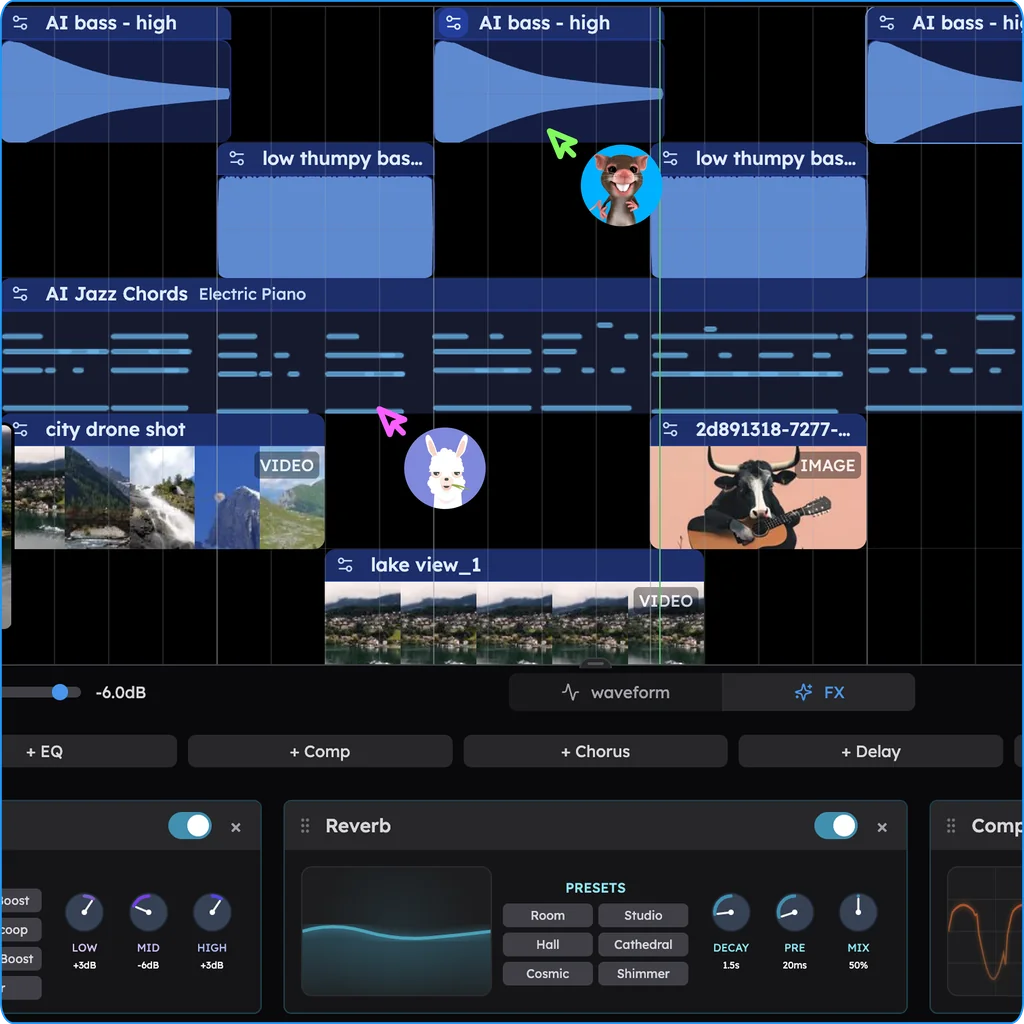
Veena is an AI DAW with a personal music producer built in. Describe the song you want and CoProducer builds it with you — beats, chords, melody, arrangement and mix — as real tracks you can edit, mix and export. Free, in your browser.
Suno Studio vs Bridge: what Suno's own pages say
Read from suno.com/studio, suno.com/bridge, suno.com/blog/introducing-bridge, suno.com/pricing and help.suno.com on 16 Nov 2026:
- Studio is a DAW in the browser: "a first-of-its-kind browser-based generative audio workstation that combines traditional DAW functionality with AI-powered music creation."
- Bridge is an app beside a DAW: "Suno Bridge connects to your DAW and lets you create instrument and vocal stems with Suno right on the timeline." The launch post: "Bridge runs alongside Ableton Live, and both apps need to be open for it to work."
- Where they run: Studio needs "a desktop/laptop/tablet with a minimum of 768px screen width (mobile devices are not supported)". Bridge is "Currently Mac-only and compatible with Ableton Live 12."
- What they connect to: "Studio does not have direct DAW sync or plugin-host integration." Bridge "uploads your Ableton Live project and its audio files to your Suno account."
- Where the audio goes: Studio exports "full songs, individual stems and multitracks". Bridge generations stay out of your Suno library: "You can find all the audio you have created with Bridge by opening your profile icon and selecting Downloads."
- The price: Studio is "available for Premier subscribers only"; Bridge "requires a Suno Premier subscription to operate", and "Generating audio in Bridge uses your Suno credits just as creating in Studio does."
So Suno sells two doors to one generator: its own studio, or a pipe into someone else's. Both are $30 a month and both bill each new part in credits.
Veena vs Suno Studio vs Suno Bridge
| Read 16 Nov 2026 | Veena | Suno Studio | Suno Bridge |
|---|---|---|---|
| What it is | A studio with the producer built in | Suno's browser DAW | A Mac app beside Ableton Live 12 |
| Price | Free; Veena Pro $20 a month for more CoProducer | Premier, $30 a month | Premier, $30 a month |
| Each new part | The free daily allowance | Suno credits | Suno credits |
| Runs on | Chrome on Mac, Windows and Chromebook; Pocket Studio on phones | A computer or tablet, 768px or wider | A Mac, with Live 12 open |
| A DAW to buy | None | None | Ableton Live 12 |
| Your VST3 and AU plug-ins | Through Veena Bridge, free | "does not support VST, AU or AAX plugins" | In Ableton |
| Real-time collaboration | Free, in the same project | Not named on the Studio page | Not named on the Bridge page |
| Export | WAV, MP3, MIDI and stems, free | WAV, MP3, MIDI and stems | Clips on the Live timeline; audio under Downloads |
Suno Studio's real strength is custom effects you describe in its chat bar; Bridge's is a seat inside Ableton Live 12 for producers who already own it. Veena wins the rest of the table, starting with the price.
Get the studio and the producer in one place, free, in Veena
- Sign in. Open daw.veena.studio in Chrome and sign in with Google. No card.
- Start blank or bring your own. Paste the prompt below into an empty project, or drag in your own recordings and build around them.
- Ask for the part. "Write a slap bass for the verse" or "add brass stabs in the chorus". CoProducer reads the project's key and rhythm and lands it as an editable track.
- Bring your plug-ins. The free Veena Bridge helper puts your VST3 and AU instruments and effects in the same studio.
- Export it. The mix or every track, as WAV, MP3, MIDI or stems.
What's free in Veena
- CoProducer: a daily allowance of requests. Picking or skipping options does not use it.
- The studio: timeline, piano roll, mixer, recording and real-time collaboration, with up to 5 projects at a time.
- Your plug-ins: VST3 and Audio Unit on a Mac, VST3 on Windows.
- Your phone: Pocket Studio opens the same projects and CoProducer.
- Export: WAV 24-bit/48 kHz, MP3 320 kbps, MIDI and stems, with no cap and no watermark. You own the Output you generate.
Veena Pro, $20 a month, removes the daily request cap and unlocks the premium models.
For the full Bridge launch, read Suno Bridge for Ableton and what Suno Bridge is.
Make a 118 BPM funk-pop song in E minor: a tight live drum kit with a crisp snare and sixteenth hi-hats, a slap bass groove, choppy clean guitar on Em9 and A13, a brass stab hook in the chorus and a warm organ pad under the bridge. 4-bar intro, 16-bar verse, 8-bar chorus, 16-bar verse, 8-bar chorus, 8-bar bridge, 8-bar chorus. Keep each part on its own track.
Related reading: Suno alternative · What is Suno Bridge? · Is Suno Studio free? · Can you export MIDI from Suno Studio? · Veena vs Suno · Does Suno Bridge upload my Ableton project? · Does Suno Bridge check for copyrighted music? · Which Ableton Live versions work with Suno Bridge?
Try this in Veena
Make a 118 BPM funk-pop song in E minor: a tight live drum kit with a crisp snare and sixteenth hi-hats, a slap bass groove, choppy clean guitar on Em9 and A13, a brass stab hook in the chorus and a warm organ pad under the bridge. 4-bar intro, 16-bar verse, 8-bar chorus, 16-bar verse, 8-bar chorus, 8-bar bridge, 8-bar chorus. Keep each part on its own track.
Opens a new project in Veena, and CoProducer starts building from this prompt.
Frequently asked questions
What is the difference between Suno Studio and Suno Bridge?
Studio is Suno's "browser-based generative audio workstation"; Bridge is a beta Mac app that "connects to your DAW", Ableton Live 12, and drops Suno's stems on its timeline. Both need Premier, $30 a month (suno.com/studio and suno.com/bridge, read 16 Nov 2026). Veena is an AI DAW with a personal music producer built in. Describe the song you want and CoProducer builds it with you — beats, chords, melody, arrangement and mix — as real tracks you can edit, mix and export. Free, in your browser.
Do I need Premier for both Suno Studio and Bridge?
Yes. Suno says "Studio is available for Premier subscribers only" and Bridge "requires a Suno Premier subscription to operate"; Premier is $30 a month or $288 a year (suno.com, read 16 Nov 2026). One plan covers both. Veena's free plan includes the studio and CoProducer together, with your own plug-ins and every export.
Do Suno Studio and Bridge use the same credits?
Yes. Suno's Bridge FAQ says "Generating audio in Bridge uses your Suno credits just as creating in Studio does", from Premier's 10,000 a month, which "do not carry over" (suno.com/bridge and suno.com/pricing, read 16 Nov 2026). In Veena, picking or skipping CoProducer's options doesn't use your daily allowance, and exporting never costs anything.
Should I use Suno Studio or Suno Bridge?
By Suno's own pages, Bridge suits someone already on a Mac in Ableton Live 12, and Studio suits a browser on a computer or tablet, never a phone. Either way it is $30 a month. Veena suits anyone who wants the studio and the producer in one place: free in Chrome on Mac, Windows or a Chromebook, and on your phone.
Is Veena Bridge the same as Suno Bridge?
No. Suno Bridge uploads your Ableton project to Suno and returns generated clips. Veena Bridge is Veena's free helper that hosts your own VST3 and AU plug-ins on your Mac or PC so they play inside Veena's browser studio, beside CoProducer. Your project stays in Veena, and Veena does not train AI on your music.
Meet your personal music producer
Free, in your browser. Describe the song you want and CoProducer builds it with you.
Make music free