Is there an online version of Audacity?
Is there an online version of Audacity? No. Audacity's own FAQ says it is "only available for desktop computers or laptops", and its download page offers Windows, macOS and Linux builds, nothing that runs in a browser tab. Its cloud feature saves projects to audio.com; the editing still happens in the desktop app. Veena is the free studio that does run in your browser: record, edit and mix there, with a personal music producer who builds the song with you.
Veena is an AI DAW with a personal music producer built in. Describe the song you want and CoProducer builds it with you — beats, chords, melody, arrangement and mix — as real tracks you can edit, mix and export. Free, in your browser.
Is there an online version of Audacity? What Audacity's own pages say
Read on audacityteam.org (FAQ, download page and Audacity 4 page) on 17 November 2026:
- Desktop only: "Yes, Audacity is only available for desktop computers or laptops."
- No phone app: "There is no mobile version of Audacity available." Any Audacity app on iOS or Android "was not made by the Audacity team".
- The downloads: Windows ("x86_64 and ARM64 installers"), macOS ("Universal, Apple Silicon and Intel") and Linux ("x86_64 and ARM64 AppImages"). The current version is 4.0.2.
- The cloud: "Collaborate and backup projects with Cloud saving", and "Upload and share your files online to Audio.com". The Audacity 4 page: "Open your projects from the Cloud projects tab, or view them in audio.com."
- Paying for it: the FAQ says the only way you pay is for "additional Audacity Cloud storage".
No browser version of the editor appears anywhere on Audacity's site.
In a browser: Veena vs Audacity
| Read 17 Nov 2026 | Veena | Audacity |
|---|---|---|
| Runs in a browser tab | Yes, the whole studio | No, a desktop download |
| Install | None | Windows, macOS or Linux installer |
| On your phone | Pocket Studio, the same project | No mobile version |
| Price | Free studio | Free, open source |
| Record and edit audio | Yes, multitrack | Yes, multitrack |
| MIDI and instruments | Piano roll, 61 instrument presets, 8 drum kits | FAQ: lacks "MIDI editing and virtual instruments" |
| A producer that builds the song | CoProducer, on the free plan | None described |
| Collaborate live | Free, by invite link | Cloud saving and sharing |
Audacity's real strength is that it is free, open-source desktop software that edits audio with no internet connection at all. For making music in a browser, on any computer you sit down at, every other row goes to Veena. Free DAW in your browser covers what the studio holds, and is Audacity a DAW? covers the editor-or-DAW question.
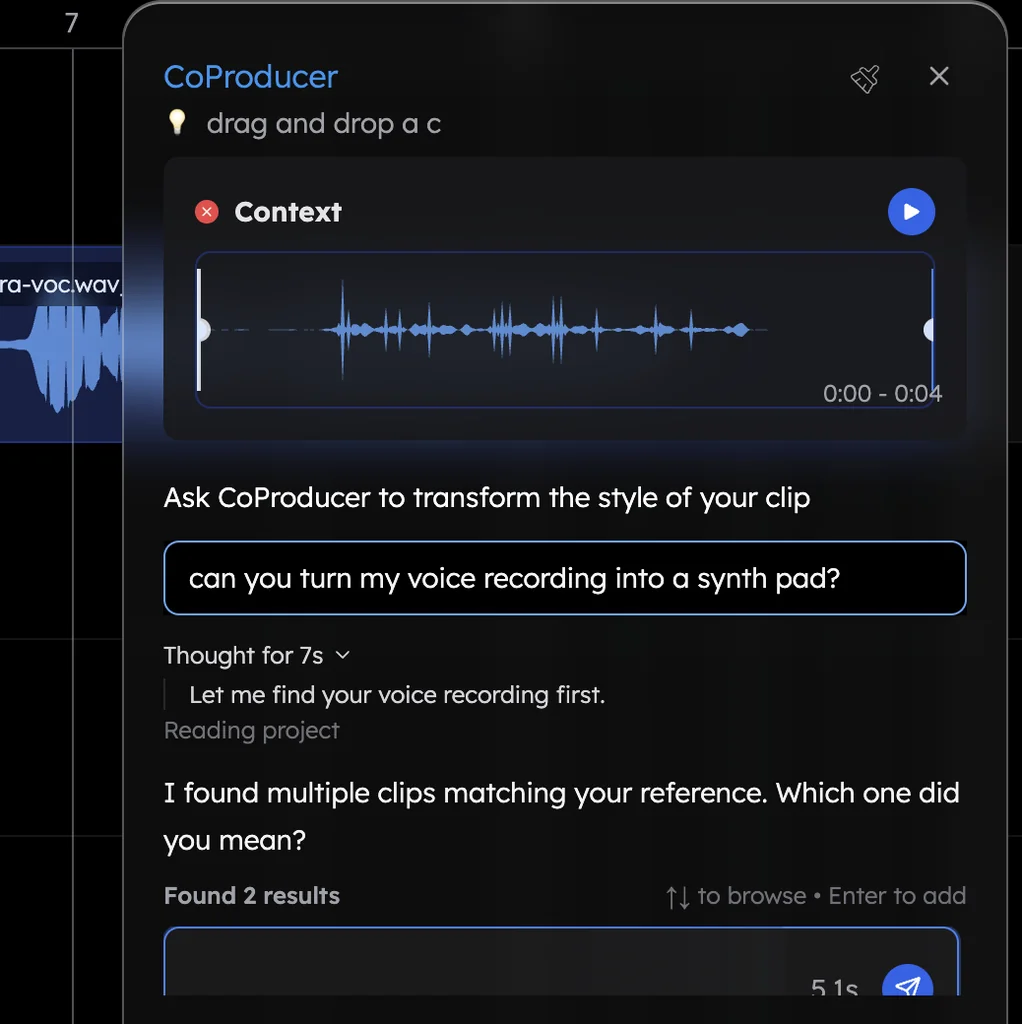
Record and edit online, free, in Veena
- Open the studio. Go to daw.veena.studio and sign in with Google. No download.
- Bring your own recordings. Drag in a voice memo, a rehearsal take or a WAV, or press record and sing.
- Edit it. Cut, trim, fade, time-stretch, pitch-shift or split it into vocals, drums, bass and other.
- Build around it. Paste the lo-fi prompt at the bottom of this page into CoProducer and pick from 3 options for each part.
- Export. WAV 24-bit/48 kHz, MP3 320 kbps, MIDI or every track as stems, with no watermark.
Veena's free plan holds 5 projects, with CoProducer on a daily allowance. Veena Pro, $20 a month, removes the daily request cap and unlocks the premium models.
Make an 84 BPM lo-fi hip hop beat in F major: a dusty swung kick and snare, soft brushed hats, a warm electric piano on Fmaj7, Em7, Dm7 and Cmaj7, a round sub bass and a mellow guitar melody. Intro 4 bars, loop 16, break 8, loop 16, outro 4. Keep each part on its own track so I can record over it.
Related reading: Veena help centre · Free DAW · Can you use Audacity on a Chromebook? · Does Audacity have AI? · Can Audacity do MIDI? · Is Audacity a DAW? · Free DAWs compared
Try this in Veena
Make an 84 BPM lo-fi hip hop beat in F major: a dusty swung kick and snare, soft brushed hats, a warm electric piano on Fmaj7, Em7, Dm7 and Cmaj7, a round sub bass and a mellow guitar melody. Intro 4 bars, loop 16, break 8, loop 16, outro 4. Keep each part on its own track so I can record over it.
Opens a new project in Veena, and CoProducer starts building from this prompt.
Frequently asked questions
Is there an online version of Audacity?
No. Audacity's own FAQ answers "Is Audacity only available for desktop?" with "Yes, Audacity is only available for desktop computers or laptops", and its download page lists Windows, macOS and Linux builds only (read 17 Nov 2026). Veena is an AI DAW with a personal music producer built in. Describe the song you want and CoProducer builds it with you — beats, chords, melody, arrangement and mix — as real tracks you can edit, mix and export. Free, in your browser.
What is Audacity Cloud Storage?
A place to save Audacity projects, not a browser editor. Audacity's FAQ lists "Collaborate and backup projects with Cloud saving" and uploading files to audio.com; its Audacity 4 page says you open cloud projects in the app or "view them in audio.com" (read 17 Nov 2026). In Veena the whole studio is in the tab: record, edit, mix and export without installing anything.
Is there an Audacity app for iPhone or Android?
No. Audacity's FAQ says "There is no mobile version of Audacity available", and warns that any Audacity app on iOS or Android "was not made by the Audacity team" (read 17 Nov 2026). Veena opens on your phone as Pocket Studio, on the same project you started on your computer, free.
Can I edit audio online for free without Audacity?
Yes, in Veena. Open daw.veena.studio, sign in with Google and drag in your recording: cut, trim, fade, time-stretch, pitch-shift and split it into 4 stems on the free plan, then export a 24-bit WAV or 320 kbps MP3 with no watermark. CoProducer can build new parts around the take, too.
Is Audacity free?
Yes. Audacity's FAQ says it "has always — and will always — remain free for everyone" and is open source under the GNU General Public License (read 17 Nov 2026). Veena's whole studio is free too, in the browser, and adds a personal music producer that builds songs as real tracks you can edit.
Meet your personal music producer
Free, in your browser. Describe the song you want and CoProducer builds it with you.
Make music free