How to cancel an AIVA subscription
How to cancel an AIVA subscription: open AIVA's Billing page at creators.aiva.ai/billing and click "Downgrade" under the free plan. AIVA keeps your paid plan running until it ends, refunds nothing already paid, and lets Pro members keep the copyright to songs they already own (AIVA help centre, read 22 Nov 2026). Then bring your music somewhere you own it from the first note: Veena's whole studio is free, and the MIDI you download from AIVA opens in it as real tracks.
Veena is an AI DAW with a personal music producer built in. Describe the song you want and CoProducer builds it with you — beats, chords, melody, arrangement and mix — as real tracks you can edit, mix and export. Free, in your browser.
How to cancel an AIVA subscription: what AIVA's own pages say
Read on AIVA's help centre, aiva.crisp.help, and on aiva.ai and aiva.ai/legal/1 (End User License Agreement), on 22 November 2026:
- Where to cancel. "To downgrade, go to
https://creators.aiva.ai/billing, and then click on 'Downgrade' under the plan you want to downgrade to." The user manual says the same: "Cancel your subscription by clicking on the Downgrade button." - When it ends. "You will be able to enjoy your membership until it runs out, and will then be automatically converted to a free user."
- Refunds. "Any costs already paid out (for a yearly or monthly membership) will not be refunded", and "in case of downgrading prior to current plan's expiration date no refund will be possible."
- The licence on refunds. Refunds apply "if, and only if, they have not used any of the premium features", and "No refund will be made if Licensee forgets to cancel their subscription."
- Copyright after Pro. "If you decide to cancel your Pro subscription, you will retain the copyright of the compositions you already owned before cancelling."
- New downloads follow your plan. "The type of the License granted to Licensee upon download will depend on the plan that User is currently subscribed to." The free plan reads "Copyright owned by AIVA", "No monetization" and "3 downloads per month".
So before you downgrade, download what you want while your paid plan still applies. Which plan let you earn from which song is on can you use AIVA music commercially?.
After you cancel: Veena vs AIVA's free plan
| Read 22 Nov 2026 | Veena, free | AIVA, free |
|---|---|---|
| Price | Free | Free |
| Who owns new songs | You own the Output | "Copyright owned by AIVA" |
| Earning from them | Yours to release | "No monetization" |
| Downloads | WAV, MP3, MIDI and stems, no cap | 3 a month, MP3 and MIDI |
| Credit required | None | "Credit must be given to AIVA" |
| Your AIVA MIDI | Opens as real tracks you edit and mix | Stays in your AIVA library |
AIVA's strength is orchestral and cinematic scoring across a long list of preset styles. Veena gives that music a studio: the MIDI you bring arrives as separate tracks, CoProducer arranges and mixes around it, and new songs you make are yours on the free plan.
Move your music into Veena
- Download first. While your AIVA plan is active, download the MIDI of the pieces you want to keep.
- Sign in to Veena. Open daw.veena.studio and sign in with Google. No download, no card.
- Drop in the MIDI. Drag the .mid onto the timeline; each MIDI track becomes its own clip and track.
- Give it a sound. Paste the prompt at the bottom of this page into CoProducer, or pick instruments yourself, including your own VST3 and AU plug-ins.
- Finish and export. Edit notes in the piano roll, mix, then export the WAV, MP3, MIDI or stems with no watermark.
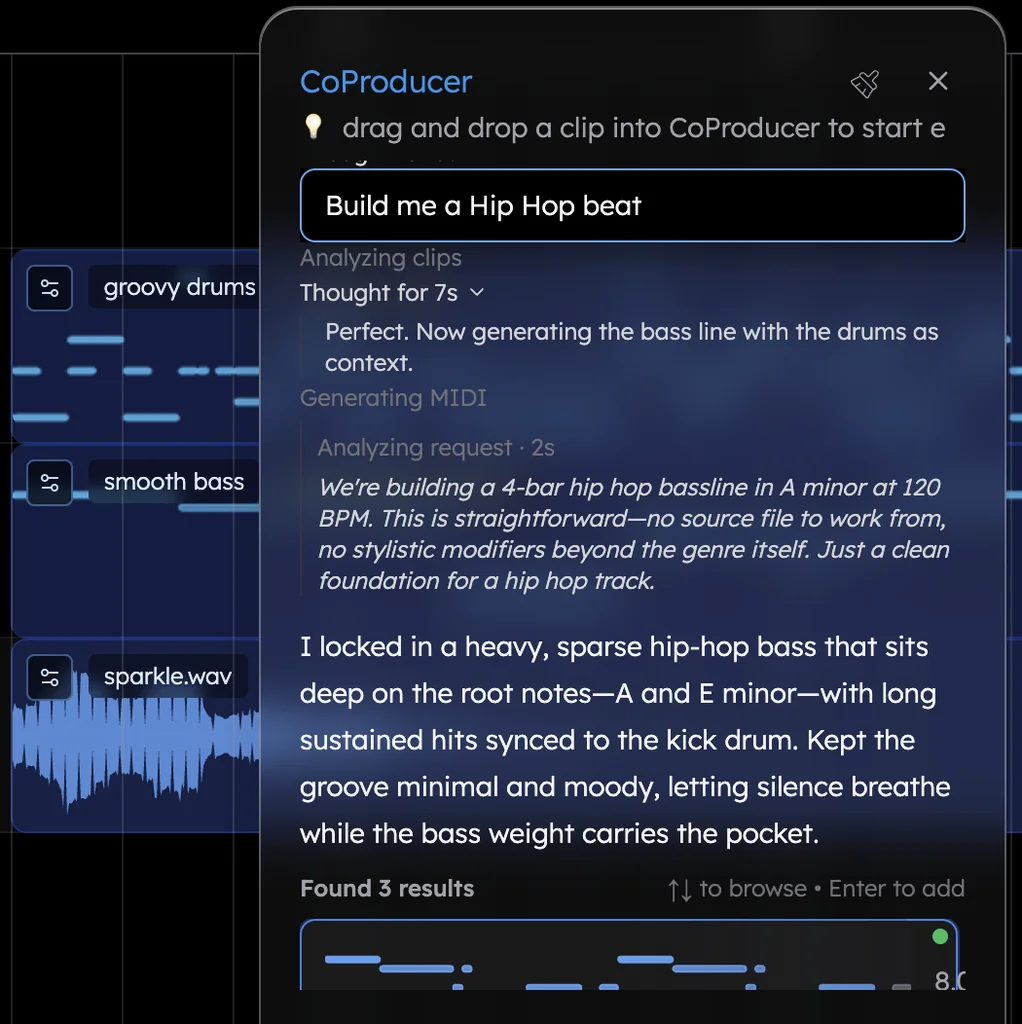
If you later try Veena Pro, cancelling Veena Pro takes a few clicks inside the studio, and every other answer is in the Veena help centre. More on AIVA: is AIVA free?, can you export MIDI from AIVA? and our AIVA alternative guide.
Here is the MIDI of a piece I made: keep the melody and chords as they are, put the melody on a felt piano and the chords on legato strings, add a low cello line, a soft pad and gentle percussion from the second section, and mix it warm and wide.
Related reading: Is AIVA free? · Can you use AIVA music commercially? · Can you export MIDI from AIVA? · AIVA alternative · Cancel Veena Pro
Try this in Veena
Here is the MIDI of a piece I made: keep the melody and chords as they are, put the melody on a felt piano and the chords on legato strings, add a low cello line, a soft pad and gentle percussion from the second section, and mix it warm and wide.
Opens a new project in Veena, and CoProducer starts building from this prompt.
Frequently asked questions
How do I cancel my AIVA subscription?
AIVA's help centre says to go to creators.aiva.ai/billing and click "Downgrade" under the plan you want to move to; you keep the paid plan until it runs out, then become a free user (read 22 Nov 2026). Veena is an AI DAW with a personal music producer built in. Describe the song you want and CoProducer builds it with you — beats, chords, melody, arrangement and mix — as real tracks you can edit, mix and export. Free, in your browser.
Does AIVA refund a cancelled subscription?
AIVA's help centre says "Any costs already paid out (for a yearly or monthly membership) will not be refunded", and its licence adds that "No refund will be made if Licensee forgets to cancel their subscription" (read 22 Nov 2026). Veena Pro is $20 a month, billed monthly, and runs to the end of the month you paid for after you cancel.
Do I keep the copyright to my AIVA songs if I cancel Pro?
For songs you already owned, yes: "If you decide to cancel your Pro subscription, you will retain the copyright of the compositions you already owned before cancelling" (AIVA help centre, read 22 Nov 2026). Downloads after that follow the free plan, "Copyright owned by AIVA". In Veena, you own the Output you generate on the free plan.
What happens to my AIVA account after I cancel?
It becomes a free account: AIVA's free plan lists "3 downloads per month", "Download MP3 & MIDI formats" and "Credit must be given to AIVA" (aiva.ai, read 22 Nov 2026). Veena's free plan keeps the whole studio: CoProducer on a daily allowance, recording, your plug-ins, collaboration and WAV, MP3, MIDI and stem exports with no cap.
Can I move my AIVA songs into Veena?
Yes. Download the MIDI from AIVA and drop the .mid into Veena: each MIDI track lands as its own clip and track. Play it on Veena's instruments or your own plug-ins, ask CoProducer to arrange and mix around it, and export the finished song as WAV, MP3, MIDI or stems, free.
Meet your personal music producer
Free, in your browser. Describe the song you want and CoProducer builds it with you.
Make music free