Can you export MIDI from AIVA?
Can you export MIDI from AIVA? Yes. Every AIVA plan downloads MIDI: the free plan lists "Download MP3 & MIDI formats" with "3 downloads per month", and the copyright on those downloads stays AIVA's until you pay for Pro (aiva.ai, read 22 Nov 2026). In Veena, MIDI export is free on every plan, with no cap, and the song is yours: CoProducer writes every part as editable MIDI, and one click takes the whole song out as a .mid file.
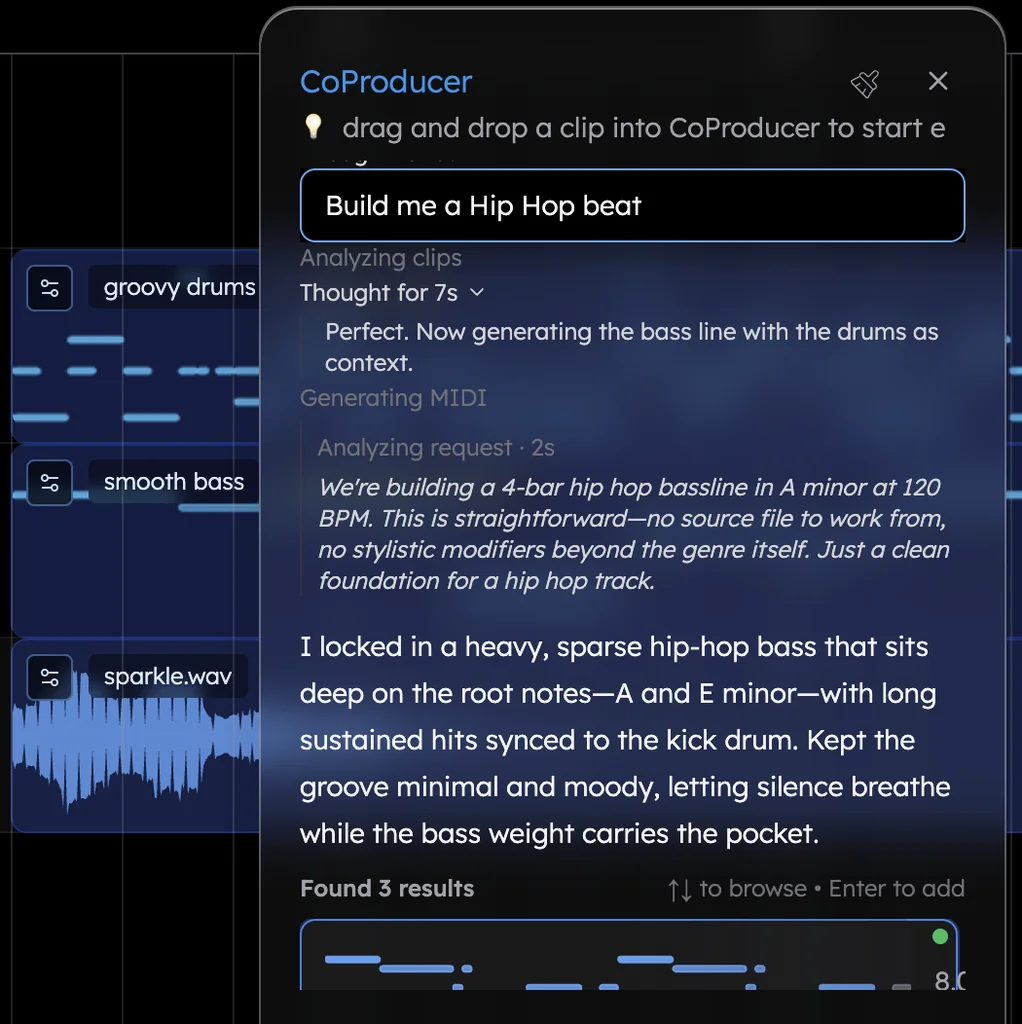
Veena is an AI DAW with a personal music producer built in. Describe the song you want and CoProducer builds it with you — beats, chords, melody, arrangement and mix — as real tracks you can edit, mix and export. Free, in your browser.
Can you export MIDI from AIVA? What AIVA's own pages say
Read on aiva.ai (pricing), aiva.ai/legal/1 (End User License Agreement) and AIVA's help centre, aiva.crisp.help, on 22 November 2026. Prices are in euros, "+ VAT":
- Free, €0: "Download MP3 & MIDI formats", "3 downloads per month", "Copyright owned by AIVA", "No monetization", "Credit must be given to AIVA".
- Standard, €11 a month billed annually: "Download MP3 & MIDI formats", "15 downloads per month", "Copyright owned by AIVA", "Limited monetization".
- Pro, €33 a month billed annually: "Download ALL file formats", "300 downloads per month", "Copyright owned by YOU".
- Two kinds of MIDI. AIVA's help centre lists "Orchestrated MIDI" and "Reduced MIDI" among its download formats, and "You can also download the chords in text format".
- What a MIDI file is to AIVA. The licence defines a MIDI Composition as "a score of music generated for Licensee by AIVA".
- The plan sets the licence. "The type of the License granted to Licensee upon download will depend on the plan that User is currently subscribed to."
So the MIDI comes out on every plan; what changes is how many files a month and who owns them. Whether you can earn from it is on can you use AIVA music commercially?.
MIDI export: Veena vs AIVA
| Read 22 Nov 2026 | Veena | AIVA |
|---|---|---|
| MIDI on the free plan | Yes | Yes |
| Downloads a month, free | No cap | 3 |
| Who owns the MIDI, free | You own the Output | "Copyright owned by AIVA" |
| What the .mid holds | Every MIDI track of your song, one track per part | Orchestrated or Reduced MIDI of the composition |
| One part on its own | Download MIDI file from any clip | Not listed |
| Audio with it | WAV 24-bit/48 kHz, MP3 and stems, free | MP3 free; WAV on Pro |
AIVA's strength is orchestral and cinematic scoring across a long list of preset styles, and its MIDI suits a composer who wants a sketch to orchestrate elsewhere. Veena gives you that sketch inside a full studio: CoProducer writes the strings, piano and pad as separate MIDI tracks you edit in the piano roll, play on your own plug-ins, mix and export, free.
Export MIDI from a song you own, in Veena
- Sign in. Open daw.veena.studio and sign in with Google. No download, no card.
- Start blank. Create a new project and paste the prompt at the bottom of this page into CoProducer.
- Pick your parts. Piano, strings and pad each arrive as 3 options. Hover to hear, press Enter to keep one.
- Edit the notes. Open any clip in the piano roll and drag, draw or delete notes, or ask CoProducer for a darker chord in the bridge.
- Export the MIDI. Press Export, choose MIDI, and every MIDI track downloads in one .mid file. Add the WAV or the stems in the same place.
Veena export formats lists every format and setting, and every other answer is in the Veena help centre. More on AIVA: is AIVA free?, can you export stems from AIVA? and our AIVA alternative guide.
Make a 92 BPM cinematic piece in A minor for a game menu: 8-bar intro, 16-bar theme, 8-bar bridge, 16-bar theme with full strings, 8-bar outro. Felt piano melody, legato strings, a low cello ostinato, a soft warm pad under the bridge and a light plucked arpeggio. Keep every instrument on its own MIDI track.
Related reading: Can you export stems from AIVA? · Is AIVA free? · Can you use AIVA music commercially? · AIVA alternative · Veena export formats
Try this in Veena
Make a 92 BPM cinematic piece in A minor for a game menu: 8-bar intro, 16-bar theme, 8-bar bridge, 16-bar theme with full strings, 8-bar outro. Felt piano melody, legato strings, a low cello ostinato, a soft warm pad under the bridge and a light plucked arpeggio. Keep every instrument on its own MIDI track.
Opens a new project in Veena, and CoProducer starts building from this prompt.
Frequently asked questions
Can you export MIDI from AIVA?
Yes. AIVA's pricing page lists "Download MP3 & MIDI formats" on its Free and Standard plans and "Download ALL file formats" on Pro, and its help centre lists Orchestrated MIDI and Reduced MIDI (read 22 Nov 2026). Veena is an AI DAW with a personal music producer built in. Describe the song you want and CoProducer builds it with you — beats, chords, melody, arrangement and mix — as real tracks you can edit, mix and export. Free, in your browser.
How many MIDI files can I download from AIVA for free?
AIVA's free plan reads "3 downloads per month", Standard "15 downloads per month" and Pro "300 downloads per month" (aiva.ai, read 22 Nov 2026). Veena puts no cap on exports on any plan: download the MIDI of every track, the WAV, the MP3 and the stems as often as the song needs.
Who owns the MIDI I download from AIVA?
It depends on your plan at download. Free and Standard read "Copyright owned by AIVA"; only Pro reads "Copyright owned by YOU", at €33 a month billed yearly plus VAT (aiva.ai and aiva.ai/legal/1, read 22 Nov 2026). In Veena, you own the Output you generate, MIDI included, on the free plan.
What is the difference between AIVA's Orchestrated and Reduced MIDI?
AIVA's help centre lists both as download formats without defining them, alongside MP3, WAV, stems and chords as text (read 22 Nov 2026). Veena exports every MIDI track of your song in one .mid file, one track per part, and any single clip downloads as its own MIDI file from the clip menu.
Can I take AIVA MIDI into Veena?
Yes. Drop the .mid file into Veena and each MIDI track lands as its own clip and track, with drums on channel 10 mapped to a drum kit. Edit the notes in the piano roll, swap the sounds, ask CoProducer to add parts around them, then export the finished song with no watermark.
Meet your personal music producer
Free, in your browser. Describe the song you want and CoProducer builds it with you.
Make music free