Can you generate AI music?
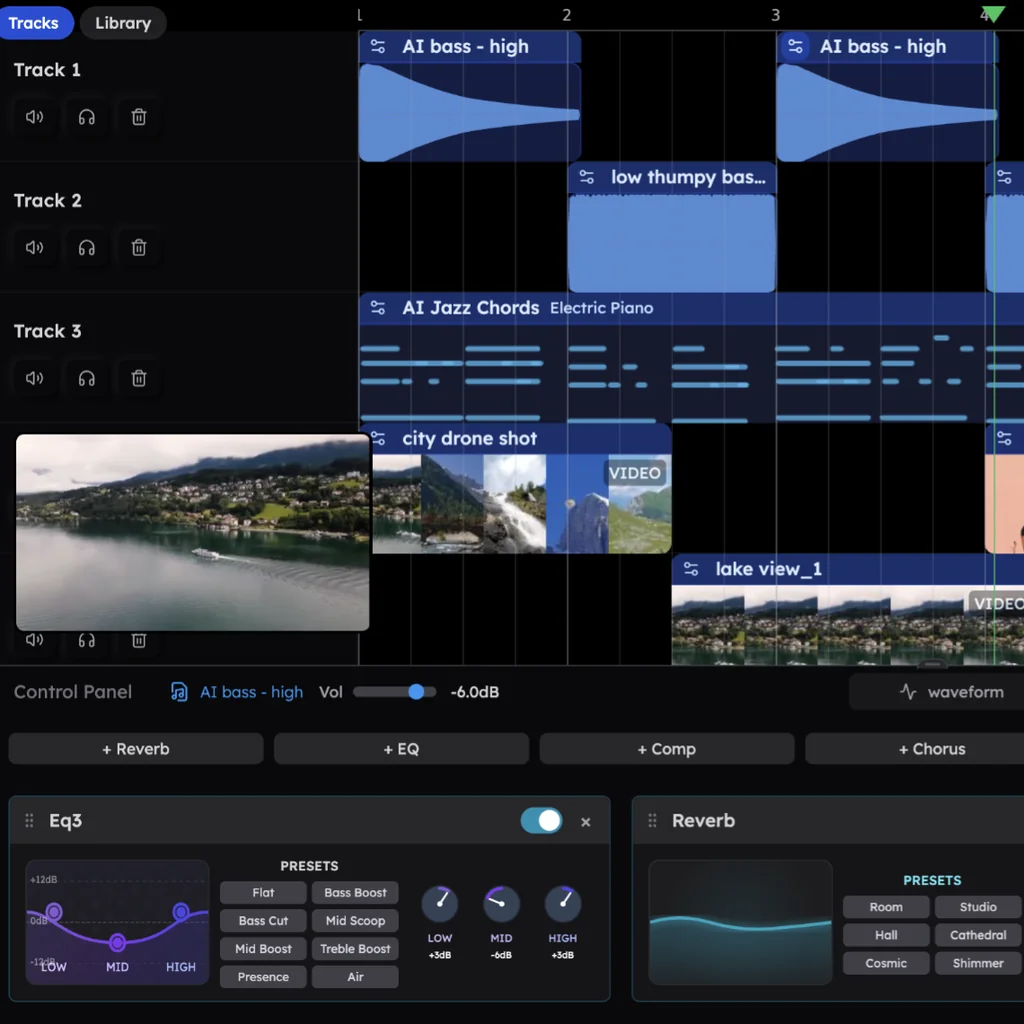
Can you generate AI music? Yes, and the best way is the one that hands you the parts. In Veena, an AI DAW with a personal music producer, CoProducer, built in, one sentence on an empty project becomes a full song: drums, chords, bass and melody, each on its own track, arranged into sections and mixed. You edit any part, record over it, and export it as WAV, MP3, MIDI or stems, free, with no watermark. You own what you generate.
Veena is an AI DAW with a personal music producer built in. Describe the song you want and CoProducer builds it with you — beats, chords, melody, arrangement and mix — as real tracks you can edit, mix and export. Free, in your browser.
Generate AI music in Veena, step by step
1. Open an empty project. Go to daw.veena.studio, sign in with Google and double-click New Project. No audio or instrument is needed.
2. Describe the music. Genre, tempo, key, sections and instruments:
Make a 124 BPM deep house track in G minor: 16-bar intro, 16-bar groove, 8-bar breakdown, 16-bar drop, 8-bar outro. House kit drums with an off-beat open hat, a Round Bass line, Electric Piano stabs with minor sevenths and a Warm Pad in the breakdown.
Leave out the tempo or key and CoProducer picks them for the genre.
3. Watch it plan and build. CoProducer sets out the sections and which parts play where, then writes the parts. Parts that do not depend on each other are written side by side; the bass waits for the drums and chords you keep.
4. Choose each part. Every part arrives as 3 options. Hover to hear, press Enter to keep, or ask for More Options.
5. Shape it. Ask "make the drop 32 bars" or "darker chords in the breakdown", or edit notes and hits by hand. CoProducer finishes with a production pass that sets levels and effects.
6. Export it. Choose Export from your avatar menu: WAV 24-bit/48 kHz, MP3 320 kbps, MIDI or stems.
What's free
- CoProducer: a daily allowance of requests. Picking or skipping options does not use it, and a failed run is not counted.
- The studio: timeline, piano roll, Beat Maker, mixer, recording, 61 instrument presets and 8 drum kits, with up to 5 projects at a time.
- Export: WAV, MP3, MIDI and stems, with no cap and no watermark.
- Ownership: you own the Output you generate, and commercial use is open on every plan.
Veena Pro, $20 a month, removes the daily request cap and unlocks the premium models.
Veena, Suno and AIVA for generating music
| As of October 2026 | Veena | Suno | AIVA |
|---|---|---|---|
| What you get | Editable tracks in a full DAW | An audio file | A composition, MP3 and MIDI on Free |
| Free downloads | No cap | "No monthly song downloads" | 3 a month, up to 3 minutes |
| Who owns a free-plan song | You | Suno | AIVA |
| Commercial use on the free plan | Yes | "No commercial rights" | "No monetization" |
Suno generates finished songs with AI-sung vocals, and owns the ones you make for free. AIVA's free plan keeps the copyright, requires credit to AIVA and caps tracks at 3 minutes; owning your music there takes its Pro plan at €33 a month billed yearly. In Veena the generation, the editing and the ownership all sit on the free plan.
For the bigger question of what AI does in a song, read can AI make a song for me and how making music with AI works. The one-page version is the AI music generator, and the free path in full is make a song with AI for free. Every other answer is in the Veena help centre.
Related reading: Can AI make a song for me? · AI music generator · How making music with AI works
Try this in Veena
Make a 124 BPM deep house track in G minor: 16-bar intro, 16-bar groove, 8-bar breakdown, 16-bar drop, 8-bar outro. House kit drums with an off-beat open hat, a Round Bass line, Electric Piano stabs with minor sevenths and a Warm Pad in the breakdown.
Frequently asked questions
Can you generate AI music?
Yes. Veena is an AI DAW with a personal music producer built in. Describe the song you want and CoProducer builds it with you — beats, chords, melody, arrangement and mix — as real tracks you can edit, mix and export. Free, in your browser. An empty project and one sentence are enough: no audio, no instrument and no download required.
Can you generate AI music for free?
Yes, in Veena. The free plan includes a daily CoProducer allowance, the full studio and export as WAV, MP3, MIDI and stems with no cap and no watermark. Suno's free plan lists "No monthly song downloads" and AIVA's free plan allows 3 downloads a month with copyright owned by AIVA (as of October 2026).
Is AI-generated music yours to keep?
In Veena, yes: you own the Output you generate on every plan, free included, and commercial use is open. Suno keeps ownership of free-plan songs, and AIVA owns the copyright on its Free and Standard plans (as of October 2026). Veena exports carry no watermark, so the song is a file you release.
Can I change AI-generated music after it is made?
In Veena, every part is its own track, so you change anything: notes in the piano roll, hits in the Beat Maker, levels in the mixer, or a request in words such as "swap the piano for strings". Each CoProducer change is one Ctrl+Z. A generator's audio file has no parts to change.
Meet your personal music producer
Free, in your browser. Describe the song you want and CoProducer builds it with you.
Make music free