CoProducer reads recordings in Veena
CoProducer reads recordings in Veena, updated on 27 September 2026, with instrument identification, percussive transcription and new sound transformations of your own audio.
Veena is an AI DAW with a personal music producer built in. Describe the song you want and CoProducer builds it with you — beats, chords, melody, arrangement and mix — as real tracks you can edit, mix and export. Free, in your browser.
CoProducer reads recordings in Veena: what changed
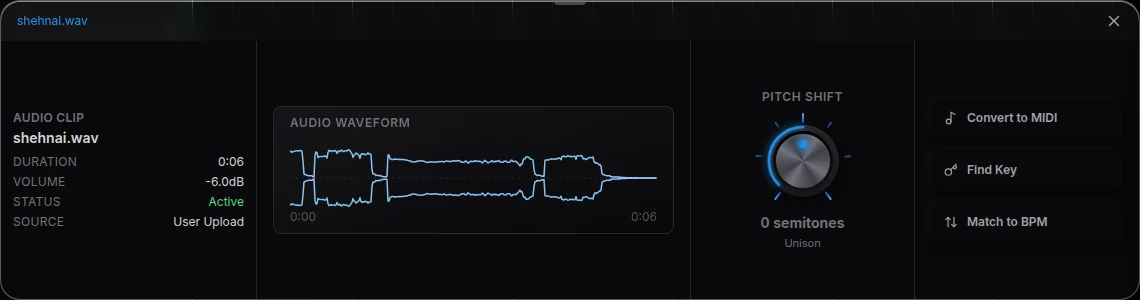
CoProducer can read the material already in the project and identify its instrument family before deciding what to make. A percussive take can be transcribed into editable drum notes. A recorded instrument or voice can also be re-voiced into another audio sound; that route is available for played instruments as well as voice recordings.
The instruction determines the result: ask for editable notes when you want transcription, or ask for a new sound when you want an audio rendition. You can explicitly keep the source audible while adding a new instrument layer. The new part is placed in the project and can be arranged and processed alongside the source.
Try it in your song
- Bring your own take. Use Upload or Record for a melody, instrument phrase or percussive recording.
- Identify it in your request. Drag the clip into CoProducer on a laptop, or name the track and bars.
- Choose the result. Ask for editable MIDI or for a new audio sound, and state what performance detail to preserve.
- Inspect the placed part. Open Piano Roll for notes, or Waveform for audio, and listen with the other tracks.
In your editable project
These are two musical routes through the complete studio. A transcription gives you notes to rewrite or play on another instrument. Re-voicing gives you an audio part to arrange. Both use the recordings you brought, while a song can also start from an empty project and a plain-language brief to CoProducer.
Related reading: Veena help centre, what’s new in Veena, Follow the CoProducer reads recordings in Veena guide, Turn a recorded idea into an instrument, Edit recorded audio.
Try this in Veena
Transcribe my guitar melody as editable MIDI, keep its phrasing, play it on piano and build a restrained bassline around it.
Frequently asked questions
Can CoProducer read my own recording in Veena?
CoProducer can listen to your recording in Veena before building musical parts around it. Give the clip as context and describe what you want to keep or add, such as drums and bass that follow a guitar take. Your recording and the generated parts remain separate material you can arrange and edit.
Can CoProducer transform a played instrument in Veena?
Yes. CoProducer can re-voice your own recorded instrument in Veena as a new audio sound, or transcribe it when you ask for editable MIDI notes. Specify which result you want and what phrasing should stay. The placed part remains in the project, ready to arrange, process or play on another instrument.
Can CoProducer turn a percussive take into notes in Veena?
CoProducer can transcribe a percussive recording into editable drum notes in Veena. Ask for editable notes and identify the recording to read. Inspect the result in Beat Maker, adjust the hits and velocities, or choose another kit. The audio-editing and transcription guides cover the current steps for the same project.
Meet your personal music producer
Free, in your browser. Describe the song you want and CoProducer builds it with you.
Make music free