Does Waveform work in a browser?
Waveform DAW online? Not from Tracktion: on 18 November 2026 every Waveform edition was a download for macOS, Windows or Ubuntu, with no browser, Chromebook or phone version on Tracktion's pages. If you want the studio in a browser tab, that is Veena: nothing to install, the same project on your phone, and CoProducer building the song with you, free.
Veena is an AI DAW with a personal music producer built in. Describe the song you want and CoProducer builds it with you — beats, chords, melody, arrangement and mix — as real tracks you can edit, mix and export. Free, in your browser.
Waveform DAW online: where Tracktion says Waveform runs
From tracktion.com/products/waveform-free and /waveform-pro, read 18 November 2026:
- macOS: "macOS 13 or Later", 64-bit Intel or Apple Silicon.
- Windows: "Windows 10, 11", 64-bit.
- Linux: "Tested on Ubuntu 24.04", 64-bit, with "Waveform Pro features are unlocked automatically while running on Linux".
- Install: each page links a "How to install" guide, and the Download Waveform Free button opens an account sign-up.
- Browser, Chromebook, phone: not listed.
Veena in a browser vs Waveform on the desktop
| Read 18 Nov 2026 | Veena | Waveform |
|---|---|---|
| Opens in a browser | Yes, nothing to install | No, a download |
| Chromebook | Yes, in Chrome | Not listed |
| Phone | Yes, Pocket Studio on the same project | Not listed |
| Price of the studio | $0 | Free edition $0; Pro $249 |
| A producer that builds the song with you | Yes, CoProducer, free daily allowance | No; Pro's Assistant generates MIDI on your own API key or a local model |
| Real-time collaboration | Yes, free | Not listed |
| Your own plug-ins | VST3, and AU on a Mac, through Veena Bridge | VST, VST3 and AU |
Waveform's strength is a native Linux desktop DAW: Tracktion unlocks the Pro features free on Linux. Veena runs on that same Linux machine in Chrome, and on the Mac, Windows PC, Chromebook and phone beside it, with every project in your account.
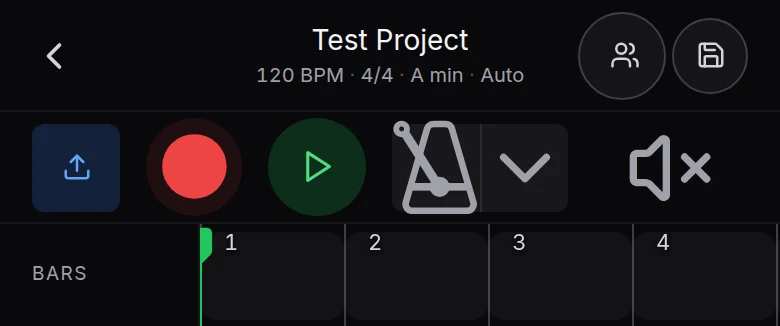
Open Veena in your browser
- Go to daw.veena.studio in Chrome, Edge or another Chromium browser and sign in with Google.
- Choose New Project and paste the nu-disco prompt below into CoProducer.
- Keep the options you like as each part arrives on its own track.
- Record, edit and mix, then open the same project on your phone with Pocket Studio.
- Export WAV, MP3, MIDI or stems, free and with no watermark.
What Waveform Free includes is on is Waveform free, its limits on does Waveform Free have a track limit, and the free studios that cap nothing on free DAW with no project limit. Tracktion's prices this week are in Black Friday DAW deals 2026.
Make a 124 BPM nu-disco track in A minor: a four-on-the-floor kick with an open hat on the offbeat, a slap-style octave bassline, funky muted guitar chops on Am7, Dm7, G and Cmaj7, lush string stabs, a filtered vocal-style synth hook in the drop and a long filter sweep into each section. Intro 8 bars, groove 16, break 8, drop 16, groove 16, outro 8.
Related reading: Veena help centre · Is Waveform free? · Does Waveform Free have a track limit? · Does Waveform go on sale for Black Friday? · Free DAW with no project limit · Free DAW · Free DAWs compared
Try this in Veena
Make a 124 BPM nu-disco track in A minor: a four-on-the-floor kick with an open hat on the offbeat, a slap-style octave bassline, funky muted guitar chops on Am7, Dm7, G and Cmaj7, lush string stabs, a filtered vocal-style synth hook in the drop and a long filter sweep into each section. Intro 8 bars, groove 16, break 8, drop 16, groove 16, outro 8.
Opens a new project in Veena, and CoProducer starts building from this prompt.
Frequently asked questions
Does Waveform work in a browser?
No. On 18 November 2026 Tracktion's Waveform Free and Waveform Pro pages listed downloads for macOS 13 or later, 64-bit Windows 10 and 11, and Ubuntu 24.04, with a "How to install" guide, and no browser version. Veena runs in the browser. Veena is an AI DAW with a personal music producer built in. Describe the song you want and CoProducer builds it with you — beats, chords, melody, arrangement and mix — as real tracks you can edit, mix and export. Free, in your browser.
Is there a Waveform DAW online that I can use without installing?
Not from Tracktion: every Waveform edition installs on the computer, and the Download Waveform Free button opens Tracktion's account sign-up. Veena is the online DAW that needs nothing installed: open daw.veena.studio in Chrome, sign in with Google, and the timeline, piano roll, mixer and CoProducer are ready.
Can I use Waveform on a Chromebook?
Tracktion lists no ChromeOS version; its requirements name macOS, Windows and Ubuntu (read 18 November 2026). Veena opens in Chrome on a Chromebook like on any laptop, with recording, the piano roll, the mixer, 4-stem separation and CoProducer, free, and the project syncs to your other computers.
Is there a Waveform app for iPhone or Android?
Tracktion's Waveform pages list no phone or tablet version (read 18 November 2026). Veena's Pocket Studio opens on your phone in the browser, on the same project you started on a laptop, with CoProducer building parts as you go. Nothing to download from an app store.
Can I collaborate in real time in Waveform?
Tracktion's Waveform compare table lists no real-time collaboration (read 18 November 2026). In Veena, the collaborators you invite edit the same song together with live cursors, on every plan, including the free one, with shared and private CoProducer chats.
Can I move a Waveform project into Veena?
Yes, as audio and MIDI. Waveform exports audio, bounces in place and exports MIDI on every edition, per Tracktion's compare table. Export each track, drag the files onto Veena's timeline, and keep building with CoProducer in your browser, where your own VST3 and AU plug-ins load through Veena Bridge.
Meet your personal music producer
Free, in your browser. Describe the song you want and CoProducer builds it with you.
Make music free