Does LANDR accept AI music?
Does LANDR accept AI music? Yes. LANDR's help centre says "LANDR accepts music created with the assistance of AI tools", with three conditions: no impersonation, no infringement, and a monthly cap on AI-generated tracks set by your plan. Veena is the free place to make that song. CoProducer builds it with you as real tracks, Veena's terms say you own the Output you generate on every plan, and you export a release-ready 24-bit WAV with no watermark.
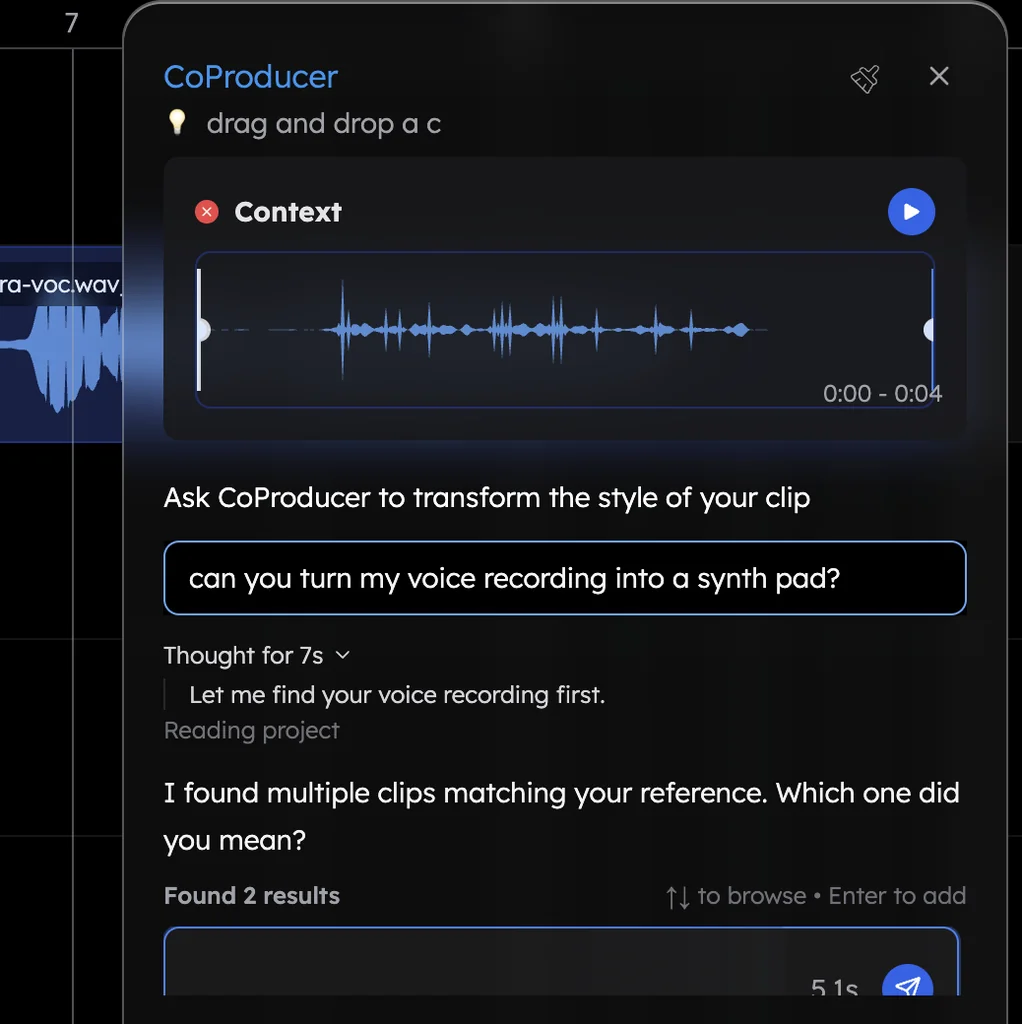
Veena is an AI DAW with a personal music producer built in. Describe the song you want and CoProducer builds it with you — beats, chords, melody, arrangement and mix — as real tracks you can edit, mix and export. Free, in your browser.
Does LANDR accept AI music? What its help centre says
Read on LANDR's help centre ("Does LANDR accept AI-generated tracks?") on 18 Nov 2026:
- Accepted, with conditions. "LANDR accepts music created with the assistance of AI tools, but there are important platform-specific restrictions to be aware of."
- No impersonation, no infringement. LANDR "will not approve any submission that unfairly or unlawfully impersonates an individual's likeness", and the rule applies "equally to works created with AI tools and those produced entirely without AI."
- A monthly cap. LANDR "limits the number of AI-generated tracks that each subscriber may submit per month" and uses "detection technology to identify AI-generated songs."
- No AI covers. "We do not distribute AI-generated cover songs at this time."
- Your rights. "You must have acquired all rights to your content, including any human contributions", and LANDR "may request proof of rights" if a release is flagged.
LANDR's monthly AI limits and store list
| Read 18 Nov 2026 | What LANDR's own page says |
|---|---|
| 20 AI-generated tracks a month | Distribution Basic, Distribution ALC, Distribution Mobile, Studio Mobile, Studio Essentials |
| 60 AI-generated tracks a month | Distribution Pro, Distribution + Mastering, Studio Standard, Studio Pro |
| Over the limit | "Processing delays, removal of excess submissions, or restrictions on future uploads" |
| Stores not accepting AI music | YouTube Content ID, Meta (Facebook and Instagram), TikTok, Deezer, Lissen, Pandora, Tencent, Beatport, Qobuz |
How to declare AI on a LANDR release
LANDR's "How to Declare AI Usage in Your Release" (read 18 Nov 2026) asks you to tick "AI was used in the creation of this track" when generative AI contributed to the lyrics, music, vocals, instruments or production, then rate two categories:
- Composition (lyrics, melody, harmony, structure): None, AI-assisted or AI-generated.
- Sounds (vocals, instruments, production, mix): None, AI-assisted or AI-generated.
You also list the tools used. LANDR says "AI mastering tools, pitch correction, and traditional audio processors do not require an AI declaration", and a separate form covers AI in your cover art. In Veena the answer is easy to give: your vocal, your lyrics and your edits sit on their own tracks next to each part CoProducer wrote.
Make a LANDR-ready song in Veena
- Sign in. Open daw.veena.studio and sign in with Google. No download, no install.
- Start blank. Paste the prompt at the bottom of this page into CoProducer. Drums, bass, chords and lead arrive as real tracks, with 3 options for each part.
- Make it yours. Record your vocal or your own sample, change any note in the piano roll, swap a sound, rewrite a section.
- Mix and master. Open Mix & Master, press AutoMix, then Master project.
- Export and upload. Export a 24-bit/48 kHz WAV of the full mix and upload it to LANDR with your artwork.
Releasing on LANDR: Veena vs Suno and Udio
| As of September 2026 | Veena | Suno | Udio |
|---|---|---|---|
| Commercial use on the free plan | Yes | "No commercial rights" | No |
| Release to streaming | Yes, on every plan | Pro and Premier, for songs made while subscribed | Terms forbid it on "any streaming platform" |
| What you upload | A WAV mix of real tracks you edited | A rendered song | Downloads disabled |
LANDR asks you to hold all the rights to your content. In Veena that holds from your first free song.
What's free in Veena
- The studio: timeline, piano roll, Beat Maker, mixer, recording and real-time collaboration, with no project limit.
- CoProducer: a daily allowance of requests on the free plan.
- Mix & Master: AutoMix and Master project, on every plan.
- Release files: WAV 24-bit/48 kHz, MP3 320 kbps, MIDI and stems, with no cap and no watermark.
Veena Pro, $20 a month, removes the daily request cap and unlocks the premium models.
Choosing a distributor? Which distributors accept AI music compares LANDR with DistroKid, TuneCore, CD Baby, Ditto, Amuse and UnitedMasters side by side. What LANDR charges is in does LANDR distribution cost money? and is LANDR free?, and who owns music made in Veena has the terms in full. Every other answer is in the Veena help centre.
Make an 82 BPM lo-fi hip hop beat in D minor: 4-bar intro, two 16-bar loops and a 4-bar outro. Dusty swung drums with a soft kick and a rimshot snare, a warm upright-style bass, jazzy Dm9, Gm7 and A7 Rhodes chords with vinyl crackle, and a mellow muted-trumpet melody in the second loop. Leave room for my own sample on top.
Related reading: Which distributors accept AI music? · Does LANDR distribution cost money? · Is LANDR free? · Does DistroKid accept AI music? · Who owns music made in Veena
Try this in Veena
Make an 82 BPM lo-fi hip hop beat in D minor: 4-bar intro, two 16-bar loops and a 4-bar outro. Dusty swung drums with a soft kick and a rimshot snare, a warm upright-style bass, jazzy Dm9, Gm7 and A7 Rhodes chords with vinyl crackle, and a mellow muted-trumpet melody in the second loop. Leave room for my own sample on top.
Opens a new project in Veena, and CoProducer starts building from this prompt.
Frequently asked questions
Does LANDR accept AI music?
Yes. LANDR's help centre says "LANDR accepts music created with the assistance of AI tools", with no impersonation, no infringement and a monthly limit on AI-generated tracks per plan (read 18 Nov 2026). Veena is an AI DAW with a personal music producer built in. Describe the song you want and CoProducer builds it with you — beats, chords, melody, arrangement and mix — as real tracks you can edit, mix and export. Free, in your browser.
How many AI songs can I release on LANDR a month?
LANDR caps AI-generated tracks at 20 a month on Distribution Basic, Distribution Mobile and Studio Essentials, and at 60 on Distribution Pro, Distribution + Mastering, Studio Standard and Studio Pro (read 18 Nov 2026). In Veena there is no project limit, so you can build every idea and release the songs you finish.
How do I declare AI on a LANDR release?
Tick "AI was used in the creation of this track", then rate Composition and Sounds as None, AI-assisted or AI-generated and list the tools used; AI mastering, EQ and pitch correction need no declaration (read 18 Nov 2026). In Veena, your vocal, your lyrics and your edits sit on their own tracks, so the answer is easy to give.
Can I upload an AI cover song to LANDR?
No. LANDR says "we do not distribute AI-generated cover songs at this time" (read 18 Nov 2026). Release your own songs instead: in Veena, CoProducer builds the parts with you, you sing and edit on top, and Veena's terms say you own the Output you generate on every plan.
Which stores won't take AI music through LANDR?
LANDR lists YouTube Content ID, Facebook and Instagram, TikTok, Deezer, Lissen, Pandora, Tencent, Beatport and Qobuz as platforms not accepting AI-generated music (read 18 Nov 2026). A song you build in Veena around your own vocal and playing is a real multitrack you shaped, part by part.
Which AI music tool is best for releasing on LANDR?
Veena. It is a full studio with CoProducer inside, you own the Output on every plan, and you export a 24-bit WAV with no watermark. Suno's free plan carries "No commercial rights" and Udio's terms forbid publishing its output on any streaming platform (as of September 2026).
Meet your personal music producer
Free, in your browser. Describe the song you want and CoProducer builds it with you.
Make music free