Can you use Cakewalk on a Chromebook?
Can you use Cakewalk on a Chromebook? Not as a ChromeOS app: Cakewalk Sonar is built for Windows 11, Cakewalk Next for Windows and Mac, and Cakewalk's pages name no ChromeOS, Android or browser version. Veena runs the whole studio in Chrome on your Chromebook, free, with a personal music producer who builds the song with you.
Veena is an AI DAW with a personal music producer built in. Describe the song you want and CoProducer builds it with you — beats, chords, melody, arrangement and mix — as real tracks you can edit, mix and export. Free, in your browser.
Can you use Cakewalk on a Chromebook? Cakewalk's suggested specs
Read on cakewalk.com, its Sonar and Next pages, on 18 November 2026:
- Cakewalk Sonar: one OS, Windows: "Windows 11® and higher", 16 GB of RAM, an 8-core CPU and "ASIO-compatible hardware". "You can get Cakewalk Sonar by installing it with Cakewalk Product Center."
- Cakewalk Next: Windows ("Windows 11® and higher") and macOS ("macOS Catalina 10.15 and higher"), 16 GB of RAM on both. "You can download Cakewalk Next directly through the Cakewalk website or Cakewalk Product Center (Mac, Win)."
- Cakewalk by BandLab: the old Windows app reached "the official end of development and support" when its activation renewals ceased on December 31, 2025.
- An account: both apps need a free BandLab account.
No ChromeOS, Android, Linux or web version appears on any of these pages, and Cakewalk says nothing about running its apps inside a Chromebook's Linux environment.
On a Chromebook: Veena vs Cakewalk
| Read 18 Nov 2026 | Veena | Cakewalk Sonar | Cakewalk Next |
|---|---|---|---|
| Runs on a Chromebook | Yes, in Chrome | No ChromeOS build listed | No ChromeOS build listed |
| Install | None: open a tab | Cakewalk Product Center, Windows | A download, Windows or Mac |
| Suggested computer | Any modern browser; AI runs on Veena's servers | 16 GB RAM, 8-core CPU | 16 GB RAM |
| Price | Free studio | Free in "evaluation mode"; Membership for all features | Free; Membership for extras |
| A producer that builds the song | CoProducer, on the free plan | Cakewalk Assist finds commands; Membership-only | None described |
| Real-time collaboration | Free, by invite link | None described | None described |
| Your phone | Pocket Studio opens the same song | No phone version listed | No phone version listed |
Cakewalk's real strength is a deep Windows recording desk in Sonar, with ProChannel on every track and take lanes for comping. On a Chromebook, Veena is the full studio that runs in Chrome with nothing to set up; Veena on Chromebook and Linux covers the setup, and does BandLab work on Chromebook? covers Cakewalk's parent company's own app.
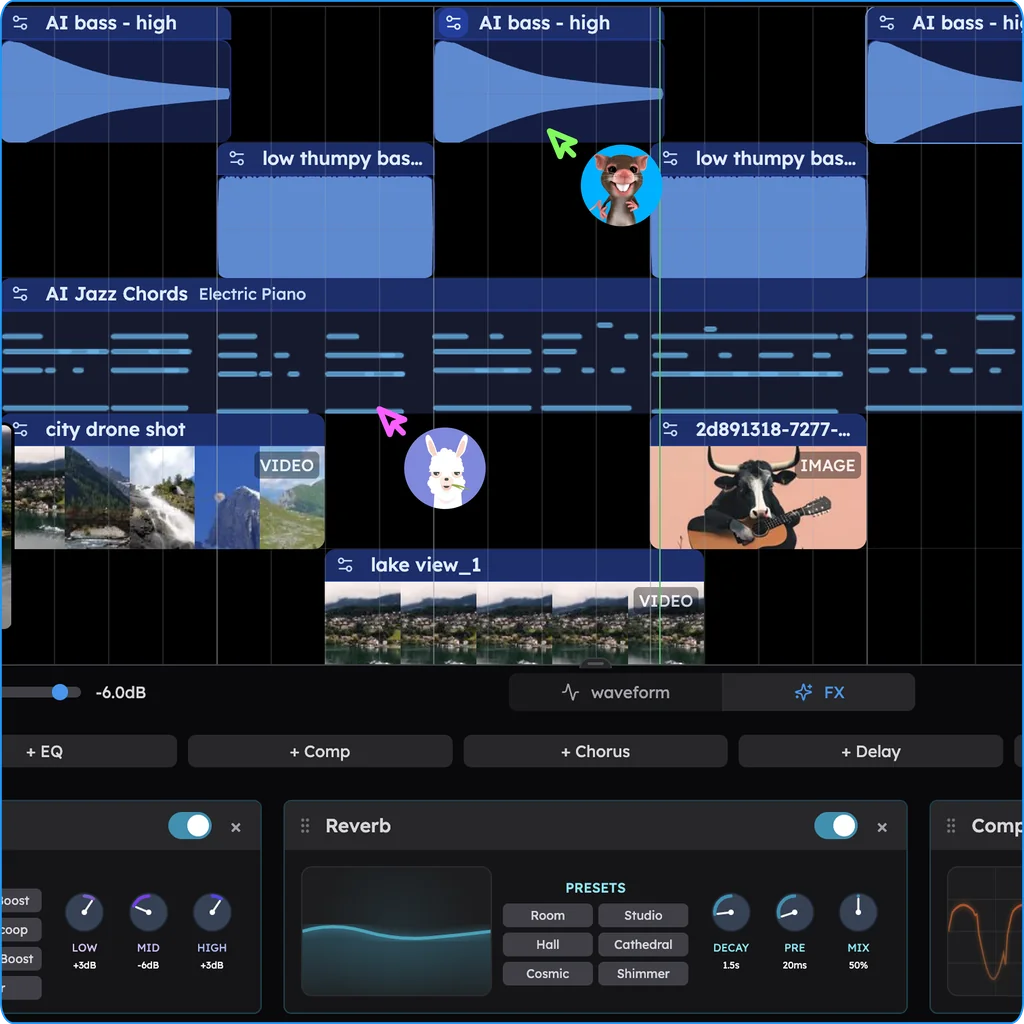
Make a song on your Chromebook in Veena
- Open Chrome. Go to daw.veena.studio and sign in with Google. Nothing to install.
- Describe the song. Paste the melodic house prompt at the bottom of this page into CoProducer.
- Pick your parts. Drums, bass, chords and lead each arrive as 3 options. Keep what you like.
- Record and edit. Plug in a USB mic or MIDI keyboard, record over the track, or move notes in the piano roll.
- Export. WAV 24-bit/48 kHz, MP3 320 kbps, MIDI and stems, free, with no watermark.
Everything above runs on the free plan: no project limit and a daily CoProducer allowance. Veena Pro, $20 a month, removes the daily request cap and unlocks the premium models.
Make a 128 BPM melodic house track in A minor: a four-on-the-floor kick, offbeat open hats and a clap on 2 and 4, a rolling bass on Am, F, C and G, a warm chord stab with a filter that opens across the build, a plucked lead melody and a soft vocal-chop texture in the breakdown. 16-bar intro, 16-bar groove, 8-bar build, 16-bar drop, 16-bar breakdown, 16-bar drop, 16-bar outro.
Related reading: Veena help centre · Veena on Chromebook and Linux · Is Cakewalk discontinued? · Does Cakewalk work on Mac? · Cakewalk Next vs Cakewalk Sonar · Is Cakewalk still free? · Can you use REAPER on a Chromebook?
Try this in Veena
Make a 128 BPM melodic house track in A minor: a four-on-the-floor kick, offbeat open hats and a clap on 2 and 4, a rolling bass on Am, F, C and G, a warm chord stab with a filter that opens across the build, a plucked lead melody and a soft vocal-chop texture in the breakdown. 16-bar intro, 16-bar groove, 8-bar build, 16-bar drop, 16-bar breakdown, 16-bar drop, 16-bar outro.
Opens a new project in Veena, and CoProducer starts building from this prompt.
Frequently asked questions
Can you use Cakewalk on a Chromebook?
Not as a ChromeOS app. Cakewalk's pages list Cakewalk Sonar for Windows 11 and Cakewalk Next for Windows 11 and macOS 10.15, and name no ChromeOS, Android or browser version (cakewalk.com, read 18 Nov 2026). Veena is an AI DAW with a personal music producer built in. Describe the song you want and CoProducer builds it with you — beats, chords, melody, arrangement and mix — as real tracks you can edit, mix and export. Free, in your browser.
Is there a browser version of Cakewalk?
Not on Cakewalk's pages: Sonar is installed with Cakewalk Product Center, and Next is a download for Windows and Mac (read 18 Nov 2026). Veena is a full DAW in the browser, so a Chromebook opens it in Chrome with nothing to install, CoProducer included.
Can I run Cakewalk on a Chromebook's Linux environment?
Cakewalk's pages don't cover it. They list no Linux build for Sonar or Next, and Sonar's suggested specs ask for Windows 11, 16 GB of RAM, an 8-core CPU and ASIO-compatible hardware (read 18 Nov 2026). Veena needs no setup on a Chromebook: open Chrome and the whole studio is there.
Can I open my Cakewalk projects on a Chromebook?
Not as Cakewalk projects. On your Windows PC, export each track as its own WAV from the project start and export your MIDI, then drag the files onto Veena's timeline in Chrome. Each lands on its own track, and CoProducer can write new parts around them.
Do I need a powerful Chromebook to make music in Veena?
No. Cakewalk suggests 16 GB of RAM for both Sonar and Next (read 18 Nov 2026), while Veena's AI runs on Veena's servers, so a modest Chromebook builds the same songs as a studio desktop. Plug in a USB mic or MIDI keyboard and record straight into the browser.
What is the best Cakewalk alternative for a Chromebook?
Veena. It runs in Chrome and gives a Chromebook the full studio: recording, timeline, piano roll, mixer, 17 built-in effects, 4-stem separation and live collaboration, plus CoProducer, who builds the song with you. The same project opens on your phone in Pocket Studio.
Meet your personal music producer
Free, in your browser. Describe the song you want and CoProducer builds it with you.
Make music free