Build around recordings in Veena
Build around recordings in Veena, updated on 11 October 2026, gives CoProducer a richer reading of your material and an editable sampler route for recording regions.
Veena is an AI DAW with a personal music producer built in. Describe the song you want and CoProducer builds it with you — beats, chords, melody, arrangement and mix — as real tracks you can edit, mix and export. Free, in your browser.
Build around recordings in Veena: what changed
CoProducer reads the material you bring as musical context for the project, including its tempo, key, phrasing and form when those readings are available. That context informs the song it builds around the recording, rather than treating the file as an unrelated element.
The sampler path can put explicit regions of a recording onto MPC pads. Those pad assignments retain the source region, name, pitch, gain and pan in project state. A pad tap, timeline hit and export use the same loaded recording region. CoProducer can assign the regions through the same sampler write used by the manual pad-loading path, leaving the resulting instrument and MIDI part in the editable session.
Try it in your song
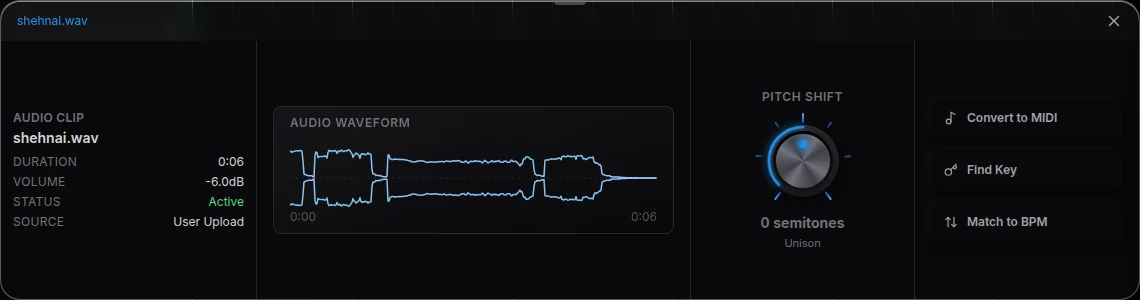
- Bring the material. Record your idea or import your own take, loop or demo through Upload.
- Say how to use it. Ask CoProducer for supporting parts, editable transcription or a sampler chop, and name what should remain.
- Inspect the result. Read the placed parts against your original phrase and open the instrument or audio controls.
- Play the sampler. For an MPC part, tap its loaded pads and hear the same region in the timeline groove.
In your editable project
The recording remains musical material inside a complete DAW. You can keep the take as the song’s lead, use its regions as a new rhythmic part, or transcribe a phrase into notes and choose another instrument. The current sampler and key-and-tempo guides explain the controls that make those results inspectable and editable after CoProducer places them.
Related reading: Veena help centre, what’s new in Veena, Follow the build around recordings in Veena guide, Find a recording’s key and tempo.
Try this in Veena
Build an 8-bar groove around my guitar recording, use its tempo and key, and chop a few phrases onto sampler pads while keeping my original take.
Frequently asked questions
Does my recording give CoProducer musical context in Veena?
CoProducer reads your own recording as musical context in Veena, including its timing, key, phrasing and form. That context guides the parts it builds around the take. Keep your original guitar, vocal or drum performance in the project, then inspect how the added tracks support it in the arrangement.
Can CoProducer use a recording’s regions as sampler pads in Veena?
Yes. CoProducer can assign regions of your recording to MPC pads in Veena, with their name, pitch, gain and pan. The pads stay in the editable project and can be played by MIDI hits. Inspect the loaded sounds, refine the rhythm and use the sampler help for the current manual pad-loading path.
Can I build a song around my own recording in Veena?
Yes. Bring your own take, loop or demo into Veena and ask CoProducer to build around it. It reads the material’s musical context and places supporting parts in the same project. You can also ask for editable transcription or sampler regions, then inspect and refine the resulting notes, sounds and arrangement yourself.
Meet your personal music producer
Free, in your browser. Describe the song you want and CoProducer builds it with you.
Make music free