Phone zoom and CoProducer finishing
Phone zoom and CoProducer finishing in Veena, released on 6 October 2026, add arrangement pinch zoom and connect producer finishing to the visible Mix & Master run.
Veena is an AI DAW with a personal music producer built in. Describe the song you want and CoProducer builds it with you — beats, chords, melody, arrangement and mix — as real tracks you can edit, mix and export. Free, in your browser.
Phone zoom and CoProducer finishing: what changed
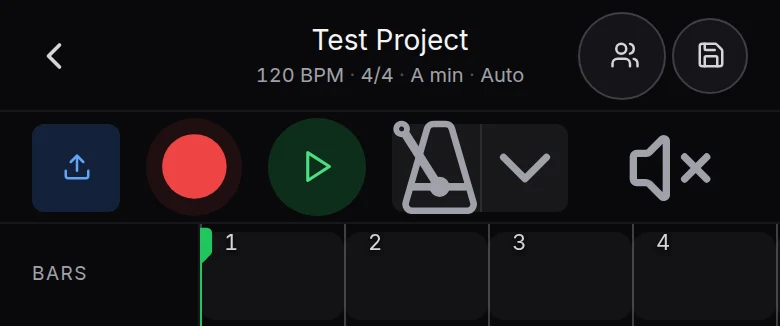
Two fingers on the phone’s arrangement now zoom its ruler, lanes, clips and playhead together around the fingers. Zooming out groups the ruler’s bars so more of the song fits beside the track names; zooming in gives a short phrase more room to edit. The gesture changes the arrangement’s view rather than scaling the whole page.
CoProducer’s mix and master requests also reach the studio’s same finishing surface. The flow shows the parts and musical context, then minimizes into its progress bubble when the run starts. The bubble narrates the engine’s work and points at committed controls. A lost producer connection after a phone screen lock can wait for the browser to return rather than ending that request immediately.
Try it in your song
- Pinch the arrangement. Place two fingers on the ruler or track rows and move them apart or together.
- Edit at the useful scale. Zoom out to read the form, then zoom in for a clip’s placement or edge.
- Ask for finishing. Give CoProducer the balance, genre and space you want, then watch the Mix & Master run.
- Return after a screen lock. Keep the studio tab open and let the request recover when the browser is back in the foreground.
In your editable project
The zoom is a view choice; it does not change the saved notes or the song’s tempo. The producer’s finishing run changes real project settings that remain editable. Mastering uses Match EQ and Limiter on the master bus. The phone and Mix & Master help articles follow the current gestures and processing controls.
Related reading: Veena help centre, what’s new in Veena, Follow the phone zoom and CoProducer finishing guide, Follow the Mix & Master flow.
Try this in Veena
Mix my pop song with a forward lead, centred bass and a short room around the backing parts, then master the track.
Frequently asked questions
How do I zoom the song on my phone in Veena?
Spread two fingers on Veena’s phone arrangement to zoom in, or pinch them together to fit more bars on the screen. The ruler and clips zoom horizontally together. Pocket Studio keeps the project’s tracks and CoProducer available, and the phone guide covers current track naming, movement, recording and export controls.
Does a phone pinch change the song in Veena?
No. Pinching the arrangement in Veena changes the scale at which its ruler, clips, lanes and playhead are shown. The notes and song tempo stay the same. Zoom out to read the overall form, then zoom in to place or resize a clip; the phone guide covers those current touch gestures.
Will CoProducer show its mixing work in Veena?
CoProducer uses the same Mix & Master surface as the manual finishing controls in Veena. The flow shows the musical context and collapses into a bubble that reports progress and points at real controls. The result stays in the editable project, and the current guide explains how to refine the track and master processing.
Meet your personal music producer
Free, in your browser. Describe the song you want and CoProducer builds it with you.
Make music free