Tagged sample search in Veena
Tagged sample search in Veena, updated on 7 August 2026, uses musical tags to find sounds from the professional catalogue and Veena’s curated library.
Veena is an AI DAW with a personal music producer built in. Describe the song you want and CoProducer builds it with you — beats, chords, melody, arrangement and mix — as real tracks you can edit, mix and export. Free, in your browser.
Tagged sample search in Veena: what changed
CoProducer’s first search translates the sound you describe into a search with more specific tags. The catalogue and Veena’s own library use a shared vocabulary grounded in musician terms, including familiar short names and genre spellings. The curated library was retagged so those words can find the intended kind of sound.
The result still comes back as preview cards you can browse, choose or replace with More Options. Search helps with loops, one-shots, textures, transitions and other audio elements; the selected sound is placed as an editable clip in the project. The update changes retrieval behind that musical workflow without asking you to learn a catalogue’s own labels.
Try it in your song
- Name the sound. Ask CoProducer for the instrument or sound type, its feel, and tempo or key when relevant.
- Hear the choices. Browse the result cards and preview the sounds against the song you are producing.
- Keep one. Choose a card to place its audio on the timeline, or use More Options for another round.
In your editable project
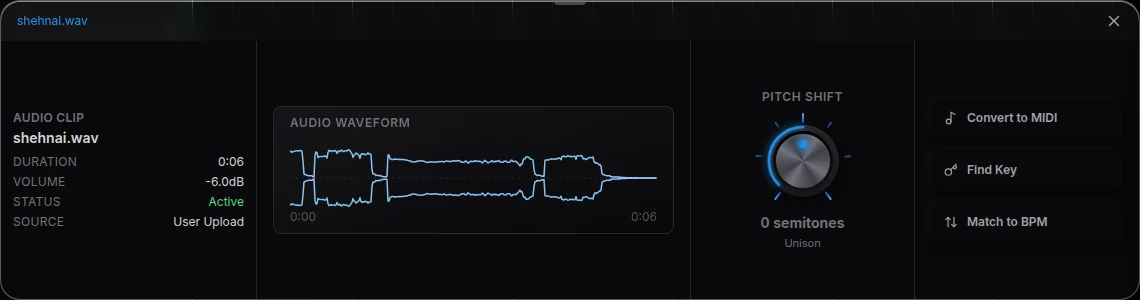
A found sound is one element of a complete song. You can move it to the right bar, use Match to BPM to fit a loop, or ask CoProducer to write the other parts. Bring your own recordings through Upload when your music already has the sound you want. The sample-search help covers search, previewing and reuse.
Related reading: Veena help centre, what’s new in Veena, Follow the tagged sample search in Veena guide.
Try this in Veena
Find a dusty drum break around 90 BPM in A minor, place it in the verse and build a warm bassline around its groove.
Frequently asked questions
How did sample search change in Veena?
Veena’s sample search uses tagged musical details to find loops, one-shots and effects for your song. Describe the instrument, style and role to CoProducer, then audition the result cards before placing a sound. The chosen sample arrives as a project clip, ready to arrange alongside your editable tracks.
How do I search for a sound in Veena?
Tell CoProducer in Veena what the sound is and how it should feel, adding tempo and key for a loop when you know them. It searches the professional catalogue and Veena’s curated library, then offers preview cards. Keep a sound to place it as editable audio, or ask for More Options.
Can I build a song around a found sample in Veena?
Yes. Place the chosen sample in your Veena project and ask CoProducer for drums, bass, harmony or an arrangement around it. The sound remains an audio clip you can move, stretch and process on its track. You can also use Upload for a recording from your own performance or earlier project.
Meet your personal music producer
Free, in your browser. Describe the song you want and CoProducer builds it with you.
Make music free